

- 素材を説明し、平坦で繰り返し可能な表面を指定します。
- テクスチャを使う前に、向かい合う端に目立つ継ぎ目がないかを確認します。
- 素材の色、木目や粒の質感、スケールを設計要件と照合します。
RunDiffusionのChatGPT Image 2.5 FlareまたはSunburstで、縦横に繰り返せる平坦な素材テクスチャを作成し、レンダリングで使う前に継ぎ目を確認します。
ChatGPT Image 2.5 FlareとSunburstでシームレステクスチャを作成
RunDiffusionのChatGPT Image 2.5 FlareまたはChatGPT Image 2.5 Sunburstで、芝、木材、石などの建築用テクスチャを作成できます。プロジェクトに必要な素材を説明し、縦横に繰り返せる平坦な表面を指定して、レンダリングで使う前に継ぎ目を確認します。
建築チームにとって、これはファサードの仕上げ、内装の素材の組み合わせ、ランドスケープの表面、マテリアルライブラリを検討する実用的な方法です。案を比較するときは、色、木目や粒の質感、スケールを設計要件に合わせてください。
ChatGPT Image 2.5 FlareとSunburstの使い方
RunDiffusionでタイル状に繰り返せるテクスチャを作る手順は、次のとおりです。
アカウントにログインします: RunDiffusionにログイン。
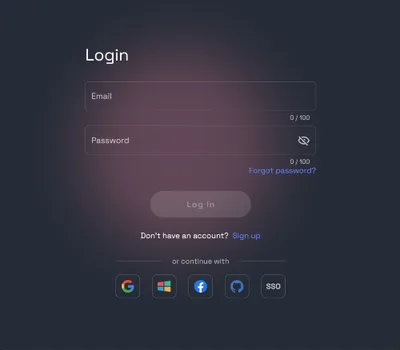
RunDiffusion Platformを開きます。左側のサイドバーでImageをGenerateの下から選択します。
プロンプトの下にある現在のモデル名をクリックします。Choose ToolでToolsを選択し、ChatGPT Image 2.5を検索します。ChatGPT Image 2.5 FlareまたはChatGPT Image 2.5 Sunburstを選んでください。

プロンプトを入力します。一つの素材について、色、仕上げ、変化の程度を説明します。均一な照明の下で、平面として見える画像を求めてください。左右の端と上下の端がそれぞれつながるように指定します。室内、物体、遠近感、強い影は画像に含めないようにします。
正方形の画像サイズを選択します。アカウントで利用できる選択肢から選んでください。以下の例は2048 × 2048ピクセルです。まず品質をHighに設定し、ツールを実行する前に表示されるトークンコストを確認します。

Runをクリックして画像を生成します。結果を開き、ダウンロードする前に素材の細部を確認してください。
繰り返しを確認します。同じ画像を、隙間、回転、反転なしで3 × 3のグリッドに並べます。継ぎ目で木目や粒の質感が途切れていないか、色が急に変わっていないか、線が見えないかを確認します。広い面全体を見て、特徴的な模様やまとまりが繰り返されていないかも確認してください。継ぎ目が見える場合は、端をどう連続させる必要があるかをより明確に説明し、別のバージョンを生成します。
壁、床、ランドスケープの面に適用して評価する前に、レンダリングアプリケーションで素材の実寸スケールを設定してください。画像は素材のカラーレイヤーとして使い、反射率と表面の凹凸は別に設定します。
作成例:
以下の推奨プロンプトを、プロジェクトの出発点として使えます。掲載している素材の検討画像は、RunDiffusionのChatGPT Image 2.5 Sunburstで生成したものです。
1. 芝生
強い芝刈り模様を付けず、芝生を構図全体になじませたい中庭の検討、庭、ランドスケープ計画に使えます。
プロンプト例は英語で記載しています。
プロンプト: Create a tileable lawn grass texture viewed directly from above. Use fine, closely maintained blades with restrained green and olive variation. Fill the square image with grass under even diffuse light. Match opposite edges for repetition in both directions. No bare soil, flowers, mowing stripes, shadows, borders, or text.

2. ホワイトオーク
キャビネット、壁パネル、ドア、受付の造作に使えます。各部材に木目の方向を合わせ、パネルの区切りはモデル側で追加してください。
プロンプト: Create a tileable pale white oak veneer texture with fine, straight vertical grain and a matte finish. Keep the beige tones and natural contrast restrained. Continue the grain across the top and bottom edges and match the left and right edges. Use a flat view and even lighting. No knots, plank joints, shadows, borders, or text.

3. ウォールナット
暗めの色の造作、アクセントパネル、家具の検討に使えます。実際のパネルやドアの大きさで木目を確認してください。
プロンプト: Create a tileable walnut veneer texture with fine, straight vertical grain, warm brown tones, and a matte finish. Continue the grain across the top and bottom edges and match the left and right edges. Fill the square image with timber in a flat view under even lighting. No knots, plank divisions, shadows, borders, or text.

4. つや消し研磨仕上げの石灰岩
ファサードの外装、受付の壁、石張りの床の検討に使えます。パネルの目地は別に設定し、プロジェクトのモジュールに合わせられるようにします。
プロンプト: Create a tileable pale beige limestone texture with fine pores and subtle mineral variation. Use a flat view with even diffuse lighting. Match the left and right edges and the top and bottom edges so the surface repeats in both directions. Fill the square image with stone only. No panel joints, large veins, shadows, borders, or text.

5. つや消し研磨仕上げのスレート
暗色の石床、壁仕上げ、外装材の組み合わせに使えます。隣接する木材、コンクリート、植栽と並べて色調を確認してください。
プロンプト: Create a tileable charcoal gray slate texture with a honed matte finish and fine mineral detail. Keep geological variation subtle and evenly distributed. Use a flat view with uniform diffuse lighting. Match opposite edges for repetition in both directions. Fill the square with stone only. No tile joints, large cracks, strong veins, shadows, borders, or text.

6. 打放しコンクリート
露出した壁、スラブ下面、動線となる空間に使えます。型枠の目地やセパレーター穴の位置がデザイン上重要な場合は、それらを別にモデリングしてください。
プロンプト: Create a tileable light warm gray architectural concrete texture with fine pores and gentle tonal variation. Use a flat view, a matte surface, and even diffuse lighting. Match the left and right edges and the top and bottom edges. No formwork joints, tie holes, cracks, large blotches, shadows, borders, or text.

7. 細かい骨材のテラゾー
ロビーの床、ホテルなどの内装、共用の動線空間に使えます。広い床面で仕上がりを比較する前に、骨材のスケールを設定してください。
プロンプト: Create a tileable terrazzo texture with a warm ivory base and small cream, beige, and gray stone chips. Distribute the aggregate evenly with no distinctive clusters. Use a flat view and even diffuse lighting. Continue chips naturally across opposite edges in both directions. No divider strips, joints, shadows, borders, or text.

8. 細かい砂利
中庭の小道、植栽の縁、ランドスケープの地表面に使えます。レンダリングでは、見かけの石の大きさを、予定している砂利の粒径に合わせてください。
プロンプト: Create a tileable fine gravel texture viewed directly from above. Use small rounded pale gray and beige stones with an even distribution and minimal dark gaps. Continue partial stones across opposite edges in both directions. Use flat diffuse lighting. No isolated large stones, plants, footprints, strong shadows, borders, or text.

9. 細かい砂
乾燥したランドスケープのコンセプト、砂のコート、海辺の敷地の検討に使えます。足跡や風紋が要件に含まれない場合は、均一な表面を保ってください。
プロンプト: Create a tileable warm beige sand texture viewed directly from above. Use fine natural grains with a dry matte appearance and even distribution. Match opposite edges so the surface repeats horizontally and vertically. Fill the square under uniform diffuse light. No footprints, ripples, dunes, shells, objects, shadows, borders, or text.

10. クレイプラスター
室内の壁、受付、ホテルなどの素材の組み合わせに使えます。こて跡の変化は控えめにし、部屋の印象を支配しないようにしてください。
プロンプト: Create a tileable muted terracotta clay plaster texture with fine mineral grain and subtle trowel variation. Use a matte finish, a flat view, and even diffuse lighting. Match the left and right edges and the top and bottom edges. No cracks, pronounced marks, directional shadows, borders, or text.

シームレステクスチャを使う理由
タイル状に繰り返せるテクスチャは、画像同士のつなぎ目を目立たせずに広い面を覆えます。建築チームでは、次のような用途に役立ちます。
- 異なる建物形状でのファサードや外装材の検討
- 床、壁、造作の内装材の組み合わせ
- 芝、砂利、砂などのランドスケープの表面
- Revit、SketchUp、レンダリングのワークフロー用のマテリアルライブラリ
- クライアント向けの複数のプレゼンテーションビューで一貫した仕上げ
ChatGPT Image 2.5 FlareとSunburstでは、テキストの説明から色、木目や粒の質感、表面の細部の変更を検討できます。シーン内で案を比較するときは、カメラ、ライティング、素材のスケールを統一してください。
生成したテクスチャは、視覚的な検討に役立ちます。調達前には、指定した仕上げを実物サンプルと供給元の情報で確認してください。
アクセス方法
RunDiffusionにログインし、ImageをGenerateの下から選択して、ツール選択欄でChatGPT Image 2.5 FlareまたはChatGPT Image 2.5 Sunburstを選びます。
RunDiffusionでChatGPT Image 2.5 Flareを試す
RunDiffusionでChatGPT Image 2.5 Sunburstを試す
建築向けAIテクスチャジェネレーター
建築プロジェクト向けの素材参照と表面の検討方法を紹介します。
 RunDiffusionRunDiffusion Team
建築に適したAIレンダリングツール群
建築とインテリアのビジュアライゼーションに役立つRunDiffusionのツールを紹介します。
RunDiffusionRunDiffusion Team
モデルを選んで生成を始める
細部の表現に向けて調整されたモデルです。1つ開いて、このガイドを実践しましょう。


