
- Juggernaut XI와 XII는 간단한 프롬프트와 상세한 프롬프트를 모두 지원하지만 시각적 구조가 정밀할수록 결과가 더 안정적입니다.
- 이 가이드는 피사체, 배경, 구도, 조명, 스타일, 재료, 색상, 감정적 분위기로 프롬프트를 구성하도록 권장합니다.
- 프롬프트 가중치로 중요한 단어나 문구를 강조할 수 있으며 네거티브 프롬프트는 원하지 않는 스타일, 아티팩트, 피사체를 제거하는 데 도움이 됩니다.
- 이 글은 비교 예시를 통해 맥락을 추가했을 때 구도, 분위기, 사실감, 스타일이 어떻게 바뀌는지 보여 줍니다.
Juggernaut XI와 XII는 피사체, 배경, 구도, 조명, 스타일, 재료, 색상, 감정적 분위기를 설명하는 정밀한 프롬프트에 가장 잘 반응합니다. 구조화된 프롬프트 문장, 필요에 따른 가중치, 네거티브 프롬프트로 원하지 않는 아티팩트와 스타일 이탈을 줄이세요.
| 한눈에 보기 | |
|---|---|
| 모델 | Juggernaut XI 및 Juggernaut XII |
| 작성자 | Adam Stewart |
| 주요 주제 | 프롬프트 작성 |
| 주요 용도 | 프롬프트 구조, 가중치, 네거티브 프롬프트, 시각적 예시 |
Adam Stewart의 Juggernaut XI 및 XII 정밀 프롬프트 작성법
이 글은 이전 Juggernaut X 가이드의 후속편입니다. 이전 가이드는 여기에서 읽을 수 있습니다. Juggernaut X 시리즈의 프롬프트 스타일을 이해하려면 먼저 이전 가이드를 읽어 보세요.
Juggernaut 팀
Juggernaut 팀은 이제 공식적으로 RunDiffusion의 일원이 되었습니다. 이전 버전들은 RunDiffusion의 후원을 받았습니다. 팀원은 그대로이며 훌륭한 트레이너 Kandoo, 모델 테스터인 저(Adam), 여기서 다 나열할 수 없을 만큼 많은 일을 담당하는 Darin이 함께합니다. 또한 이제 RunDiffusion의 뛰어난 동료들이 홍보와 라이선스를 돕고 있습니다. Juggernaut 모델 시리즈의 개선에 기여한 모든 팀원과 RunDiffusion에 다시 한번 감사드립니다.
소개
Juggernaut XI와 Juggernaut XII는 정밀한 제어가 필요한 전문가와 취미 창작자를 위해 설계된 고급 AI 모델입니다. 다양한 프롬프트 스타일을 지원하며 상세하고 구체적인 프롬프트로 멋진 작품을 만들 수 있습니다. 기본 모델 Juggernaut X보다 개선되어 간단한 프롬프트로도 아름다운 이미지를 만들 수 있습니다. 대상 사용자: Juggernaut XI와 Juggernaut XII는 이미지 결과를 제어해야 하는 아티스트, 디자이너, 비주얼 전문가에게 적합합니다.
프롬프트 스타일: Juggernaut XI와 Juggernaut XII의 기능을 충분히 활용하려면 제공된 트리거 단어를 사용해 프롬프트를 상세하고 구체적으로 작성하세요. Juggernaut X에는 상세한 프롬프트가 필요했지만 XI와 XII는 상세한 프롬프트뿐 아니라 간단한 프롬프트도 지원합니다.
어디서 사용해 볼 수 있나요?
자세한 설명에 앞서, RunDiffusion의 Automatic1111, Reforge, ComfyUI 같은 오픈 소스 앱에서 모델을 사용할 수 있습니다. 사용하기 쉽도록 설정이 내부에 고정된 도구로도 이용할 수 있습니다. 두 가지 링크를 모두 소개하니 두 페이지를 북마크해 두세요.
RunDiffusion의 Juggernaut XI 도구
Juggernaut XI 및 Juggernaut XII 설정
이 가이드를 따라 할 때는 프롬프트를 영어로 작성하세요.
Juggernaut XI:
- 샘플링 방법: DPM++ 2M Karras
- 샘플링 단계 수: 25-40
- CFG: 4-6
- 해상도: 1024x1024, 832x1216, 1216x832
- 네거티브 프롬프트 예시: Naked, Nude, fake eyes, deformed eyes, bad eyes, cgi, 3D, digital, airbrushed
Juggernaut XII:
- 샘플링 방법: 3M SDE Exponential, DPM++ 2M Karras, Euler (더 부드러운 느낌)
- CFG: 4-6
- 네거티브 프롬프트 예시: Naked, Nude, fake eyes, bad hands, deformed eyes, bad eyes, cgi, 3D, digital, airbrushed
Juggernaut XI 및 Juggernaut XII 핵심 프롬프트 팁
- 기존 프롬프트 스타일: Juggernaut XI와 Juggernaut XII는 기존 방식의 프롬프트 스타일, 태그, 문장을 지원합니다.
- 첫 문장의 중요성: 프롬프트의 첫 문장은 이미지의 토대가 되므로 가장 중요합니다.
- 가중치 활용: Automatic1111과 Forge처럼 가중치를 지원하는 앱을 사용한다면 주요 피사체나 사물에 적용해 생성 이미지에서 강조하세요. 가중치는 과도하게 사용하지 마세요. 프롬프트 길이: 75토큰을 넘지 않도록 하세요. 75토큰을 넘으면 프롬프트 준수도가 낮아집니다.
- 토큰: 이 가이드 하단의 토큰 일부를 넣어 프롬프트를 개선하세요.
Juggernaut XI 및 XII 주요 트리거 단어
이미지 품질과 디테일을 높이려면 다음 트리거 단어를 프롬프트에 넣는 것을 고려하세요.
- Skin Textures: 사람의 피부를 세밀하게 묘사하는 데 적합합니다.
- High Resolution: 이미지를 매우 선명하게 생성하도록 합니다. 이 토큰에는 “High Resolution”, "High-Resolution", "High-Resolution Image."의 세 가지 버전이 있습니다.
- Cinematic: 영화 같은 품질의 역동적이고 서사가 풍부한 이미지를 만드는 데 적합합니다.
- Bad Hands: Juggernaut XII에서는 네거티브 프롬프트에 bad hands를 추가할 수 있습니다.
프롬프트의 구성 요소
각 부분을 직접적이고 묘사적으로 작성하고 불필요하게 장황한 표현은 피하세요. 이전 가이드에서 더 자세히 설명했지만 간단히 정리하겠습니다.
- 피사체: 이미지의 주된 대상(예: 사람, 동물, 사물).
- 행동: 피사체가 무엇을 하는지 설명해 역동성이나 서사를 더합니다.
- 환경/배경: 피사체를 둘러싼 배경이나 장면.
- 사물: 피사체나 이야기를 돋보이게 하는 부수적인 물건.
- 색상: 주요 색상 또는 배색.
- 스타일: 예술적 스타일 또는 렌더링 방식.
- 분위기: 감정적 또는 공간적 분위기.
- 조명: 특정 조명 조건이나 효과.
- 시점/관점: 장면을 바라보는 각도나 시점.
- 질감/재료: 이미지에 보이는 두드러진 질감이나 재료.
- 시대: 특정 시대나 역사적 시기.
- 문화적 요소: 특정 문화나 전통을 반영하는 요소.
- 감정: 감정을 느끼는 피사체가 표현하는 정서.
- 매체: 예술 매체 또는 디테일 수준을 지정합니다.
- 의상: 특히 부적절한 콘텐츠를 피하려면 옷의 종류와 스타일을 설명해 피사체가 옷을 입고 있음을 명확히 하세요.
- 텍스트: Juggernaut는 텍스트를 생성할 수 있지만 문장이 길고 복잡해질수록 정확도가 낮아집니다. 짧고 명확한 문구를 따옴표로 감싸면 결과가 개선됩니다.
사용해 볼 준비가 되었나요?
Juggernaut 모델은 두 가지 방법으로 사용할 수 있습니다. 오픈 소스 앱이나 도구에서 이용하세요.
해설이 포함된 예시
업스케일링이나 고해상도 보정 없이 생성한 원본 예시를 살펴보겠습니다.
Juggernaut XI로 만든 사자 (피사체)
이 프롬프트에서는 피사체를 이미지의 중심으로 삼고 있습니다. 어떻게 개선할 수 있을까요? 털이나 바위의 질감에 관한 세부 설명을 추가할 수 있습니다.
프롬프트: (Majestic lion:1.3) standing proudly on a rocky outcrop, mane flowing in the wind, sharp focus, looking into the distance with a powerful gaze, high resolution image
네거티브 프롬프트: fake eyes, deformed eyes, bad eyes, cgi, 3D, digital, airbrushed
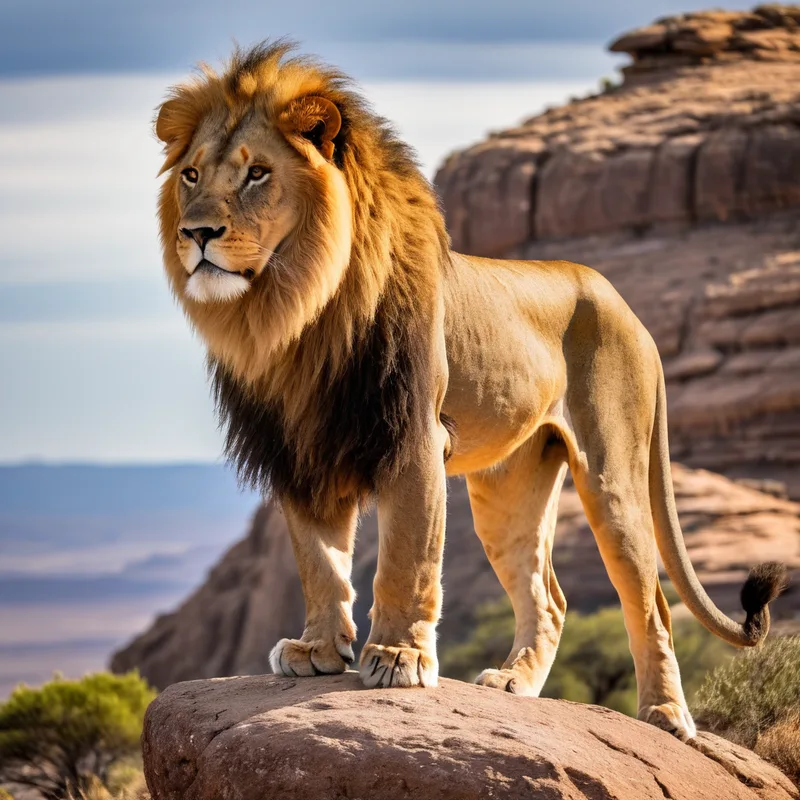
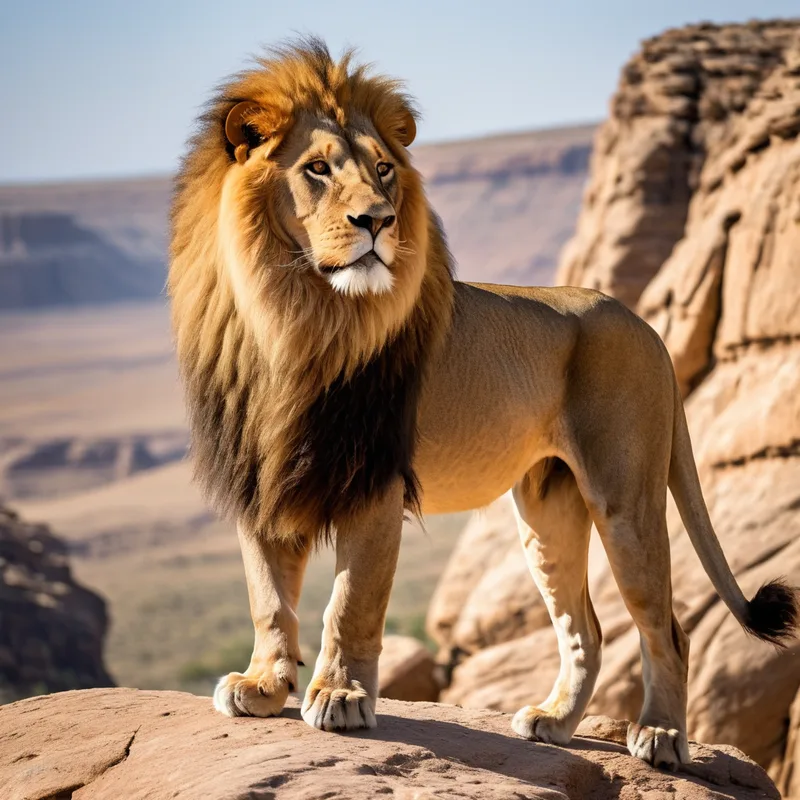
두 프롬프트의 주요 차이는 털과 바위를 구체적으로 언급해 강조했다는 점입니다. 차이가 미묘해 보일 수 있지만 업스케일링하면 뚜렷하게 드러납니다. 프롬프트를 정밀하게 작성해 보세요. 좋은 결과만 골라낸 것도 아닙니다. 매번 처음 생성된 이미지를 사용했으며 여러분도 실험할 수 있도록 프롬프트를 제공합니다.
프롬프트: (Majestic lion:1.3) standing proudly on a rocky outcrop, mane flowing in the wind, coarse fur, rocks made of craggy sandstone, sharp focus, looking into the distance with a powerful gaze, high resolution image
네거티브: 동일
Juggernaut XI로 만든 전사 고양이 (행동)
프롬프트: A Warrior cat with a glowing axe charging into battle wearing armor, fierce expression, dramatic movement, in the style of fantasy realism, high resolution image
네거티브 프롬프트: fake eyes, deformed eyes, bad eyes, cgi, 3D, digital, airbrushed, shield
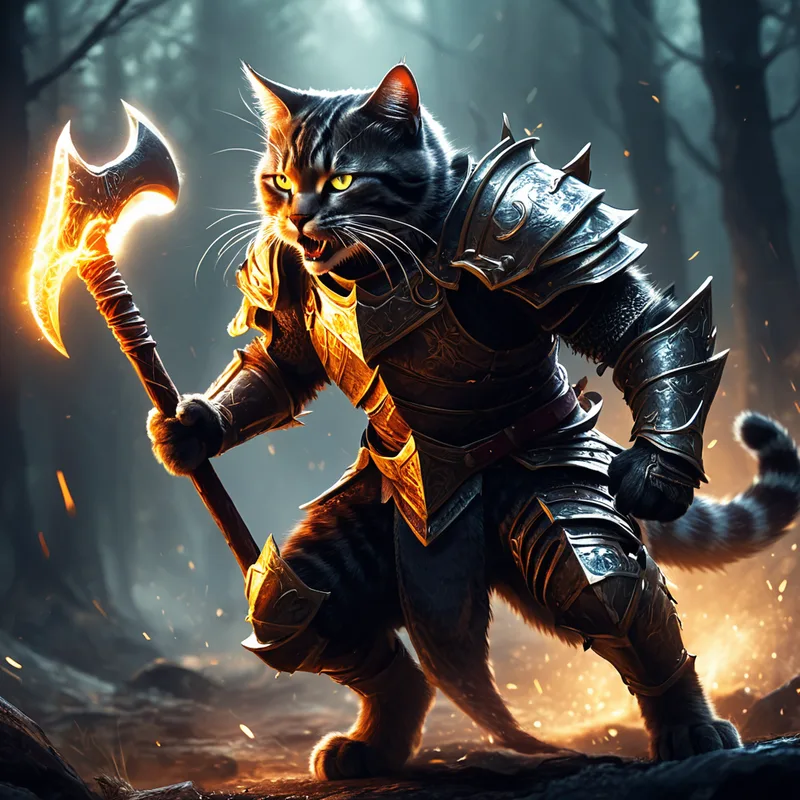
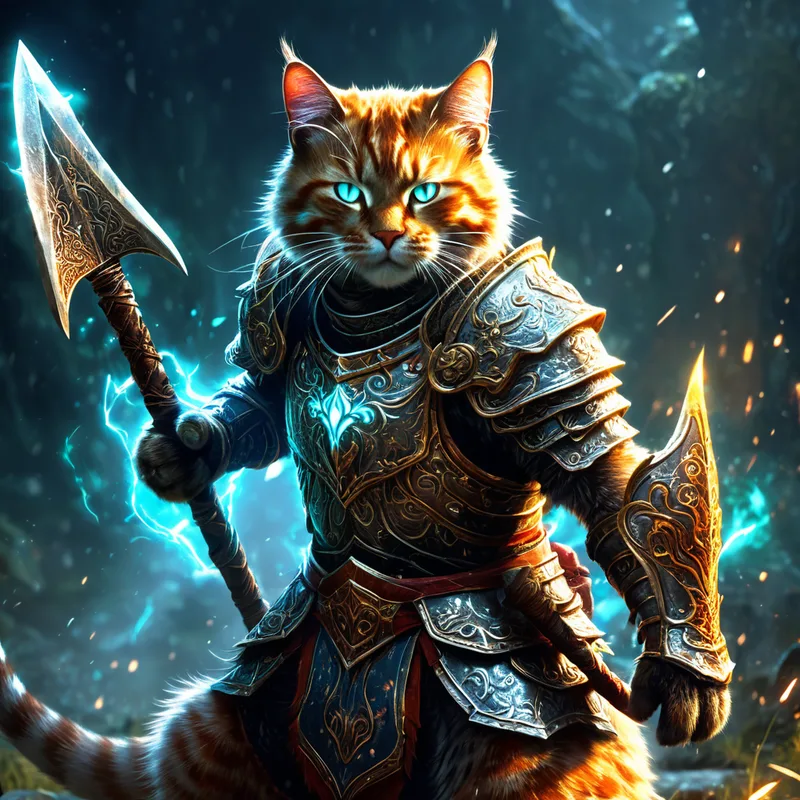
더 상세한 갑옷을 갖춘 두 번째 변형을 만들어 보겠습니다. "fierce expression"을 "fierce warrior"로 바꾸자 얼굴 특징이 크게 달라졌습니다. 갑옷에 관한 설명도 추가해 AI가 더 많은 디테일을 넣도록 했습니다. 이는 스타일 선택이지만 표현을 바꾸면 최종 결과에 얼마나 큰 영향을 주는지 보여 줍니다.
프롬프트: A fierce warrior cat with a (glowing enchanted:1.2) axe charging into battle with dynamic powerful movement, wearing ornate, battle-worn armor, fur bristling, intense gaze, in the style of fantasy realism, high resolution image, detailed metallic textures on armor, vibrant colors
네거티브: 동일
Juggernaut XI로 만든 숲 (환경/배경)
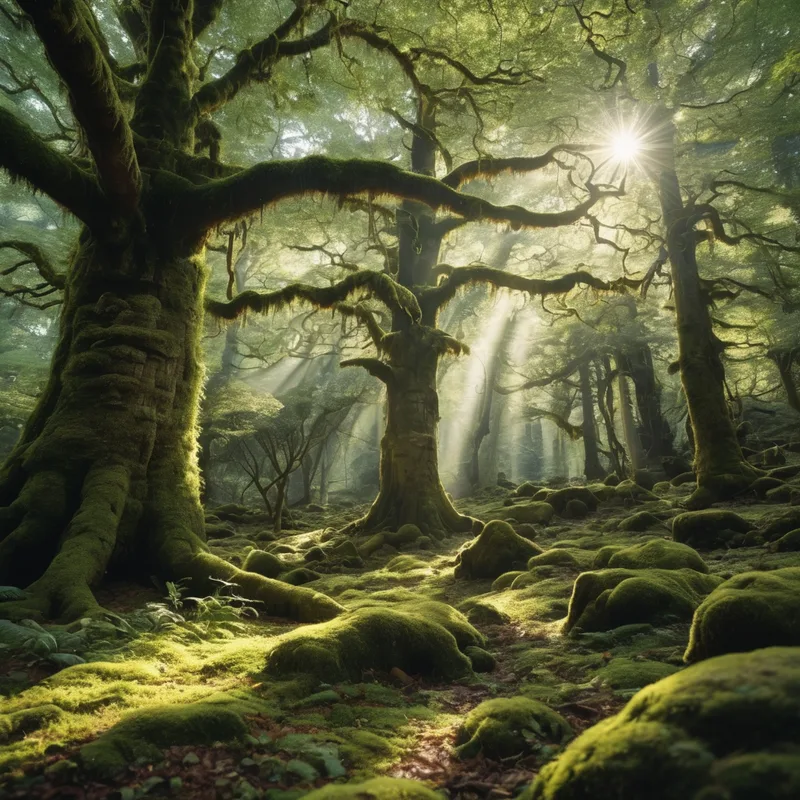
의미 있는 배경을 만드세요. 이 예시는 배경만 보여 줍니다. 원한다면 피사체나 사물을 넣을 수 있지만 지금은 간단하게 유지하겠습니다.
프롬프트: A forest with ancient trees with moss and a thick canopy, sunlight filtering through leaves, tranquil, cinematic lighting
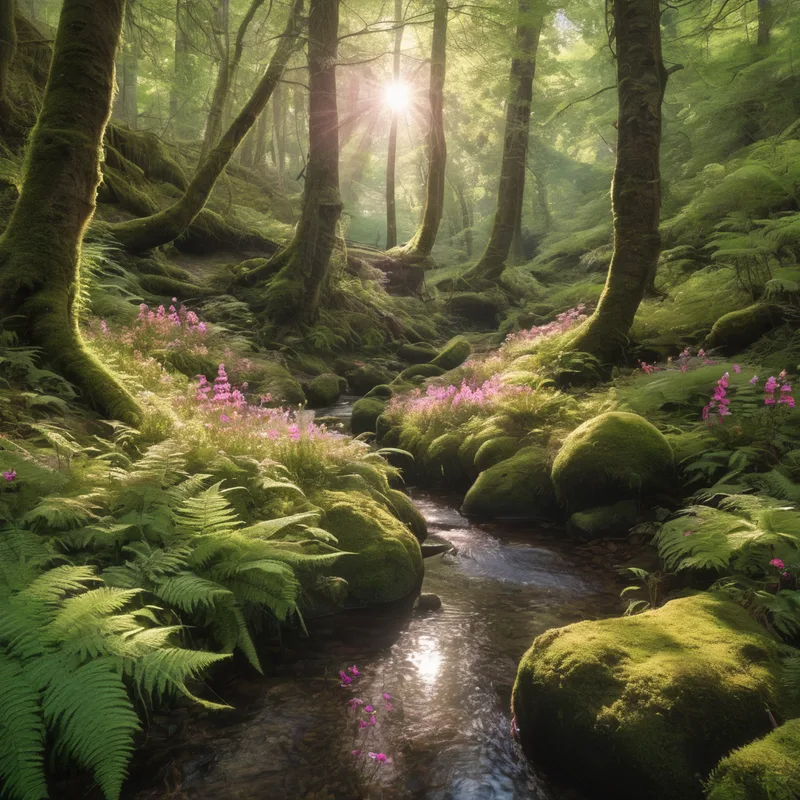
원하는 배경을 얻으려면 구체적으로 설명하세요. 예를 들어 꽃, 시냇물, 양치식물을 추가했습니다.
프롬프트: A forest with ancient trees with moss and a thick canopy, ferns and pink wildflowers, a tranquil stream, sunlight filtering through leaves, tranquil, cinematic lighting
Juggernaut XI로 만든 수정 구슬 (사물)
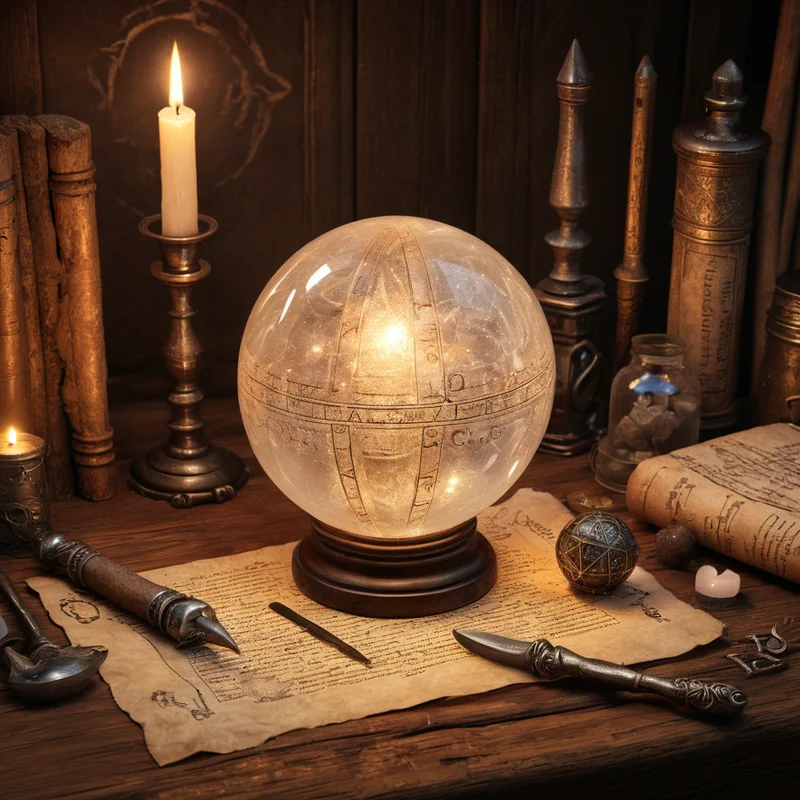
장면에 사물을 추가해 보세요. 수많은 생성 이미지 사이에서 눈에 띄고 독특한 장면을 만들 수 있습니다.
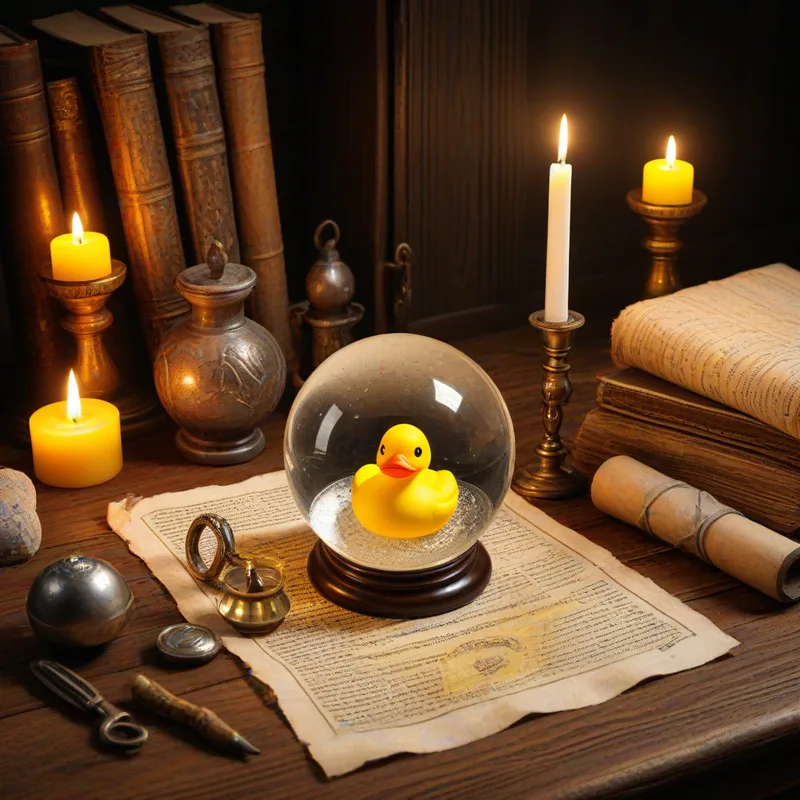
프롬프트: A (crystal orb:1.1) resting on a wooden table, surrounded by aged scrolls and (alchemy tools:1.2), illuminated by candlelight, detailed texture
재미있게 작업하는 것도 잊지 마세요! 예를 들어 수정 구슬 안에 노란 고무 오리를 넣었습니다. 일부 촛불도 노란색을 띠게 된 것을 볼 수 있는데 이를 토큰 블리드라고 합니다. 프롬프트에서 촛불의 색을 지정하면 이런 현상을 줄일 수 있습니다.
프롬프트: A crystal orb resting on a wooden table with a yellow rubber duck, surrounded by aged scrolls and alchemy tools, illuminated by candlelight, detailed texture, high resolution image
Juggernaut XI로 만든 꽃 (색상)
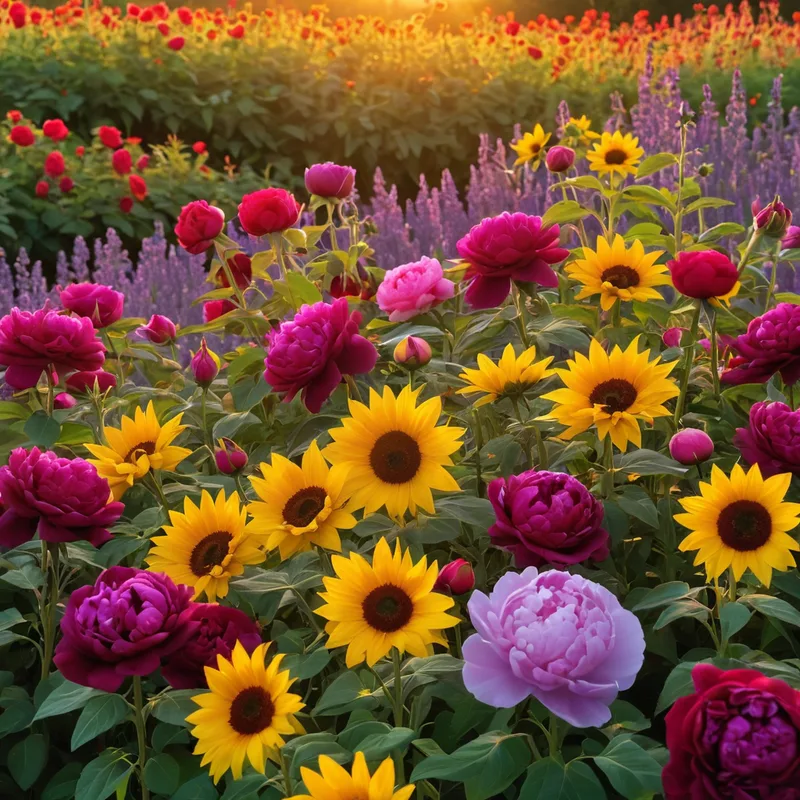
전체 장면이나 특정 사물에 색상을 추가할 수 있습니다.
프롬프트: A vibrant field of blooming flowers in full spectrum, with deep red roses, bright yellow sunflowers, rich purple lavender, and soft pink peonies, each petal reflecting the sunlight, creating a kaleidoscope of colors, lush green foliage providing a contrasting backdrop, all bathed in warm, golden hour light
Juggernaut XII로 만든 떠 있는 섬 (스타일)
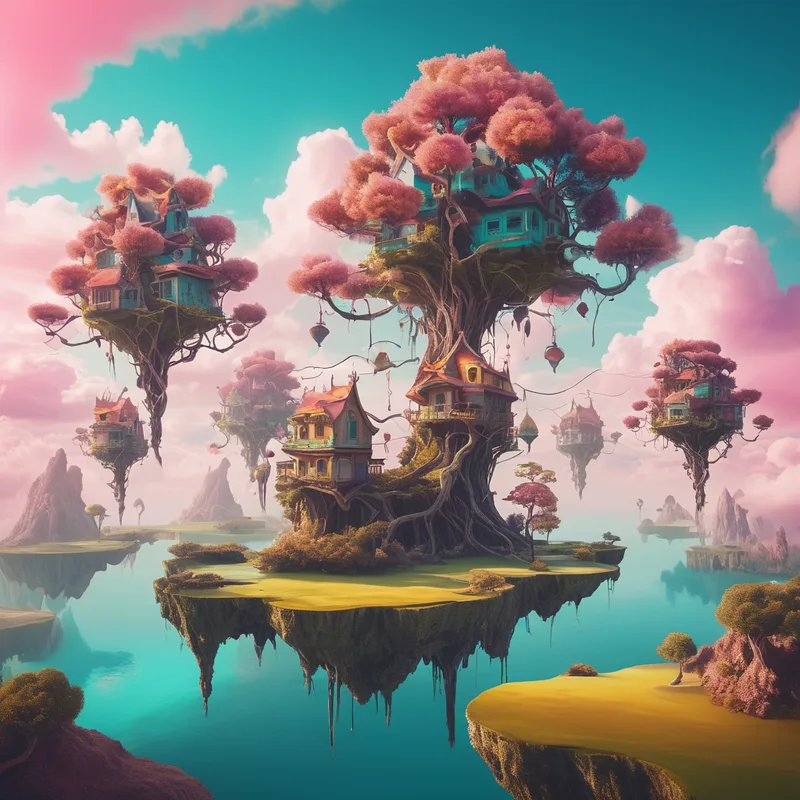
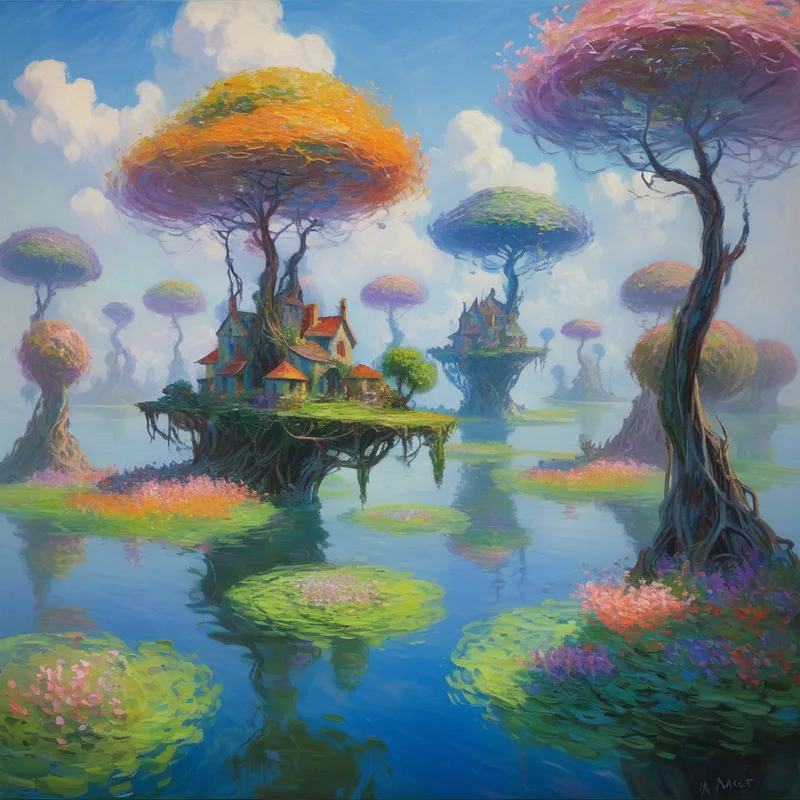
Juggernaut XII는 다양한 기능 중에서도 여러 스타일을 처리하는 데 뛰어납니다. 지금까지 주로 Juggernaut XI를 사용했지만 XII의 예시도 살펴보겠습니다. 특정 스타일이 필요하다면 XII가 확실한 선택입니다. 폭넓은 스타일로 학습되었습니다.
프롬프트: (Surrealism:1.3) A dreamlike landscape with floating islands, twisted trees, and impossible architecture, vibrant colors, soft lighting
프롬프트: (Monet painting:1.3) A dreamlike landscape with floating islands, twisted trees, and impossible architecture, vibrant colors, soft lighting
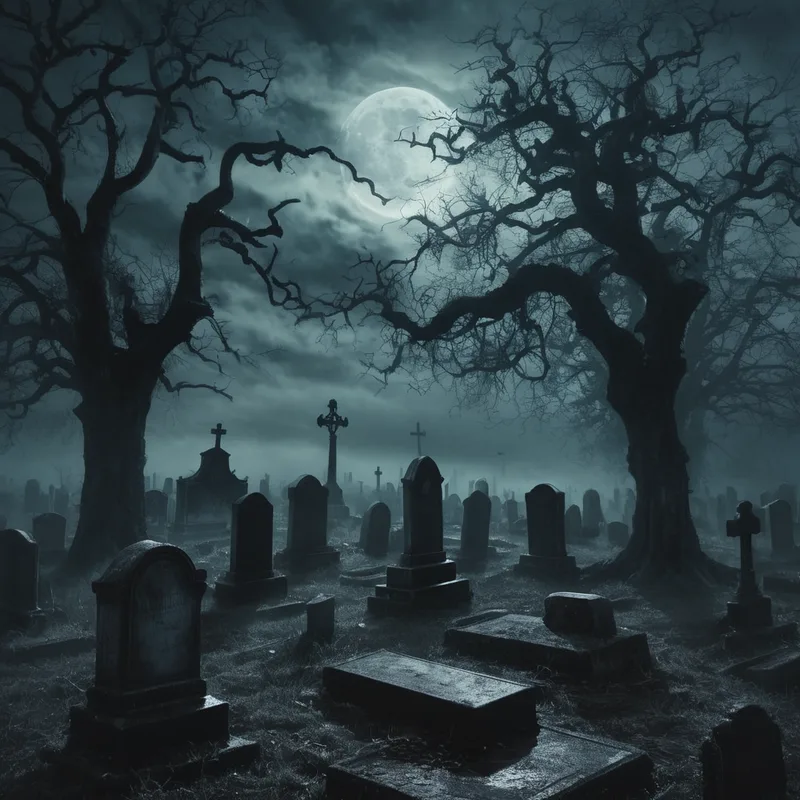
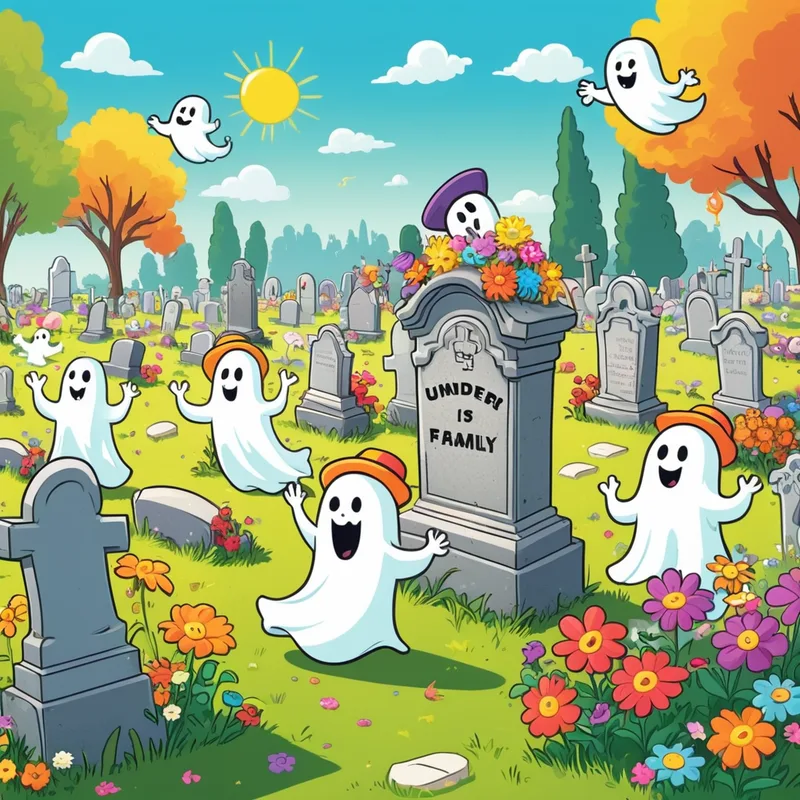
Juggernaut XII의 어둡거나 익살스러운 장면 (분위기)
프롬프트: (A haunted cemetery:1.2) under a cloudy, moonlit sky, with ancient, cracked tombstones and twisted, gnarled trees casting long, sinister shadows, dense fog rolling over the ground, creating an unsettling atmosphere, in the style of Gothic horror
프롬프트: (A whimsical cemetery:1.2) under a bright, sunny sky, with cartoonish gravestone, colorful flowers scattered around, cheerful animated ghosts in silly hats floating and playing pranks, fun lighthearted atmosphere, in the style of a family-friendly cartoon
Juggernaut XII의 인물 사진 (조명)
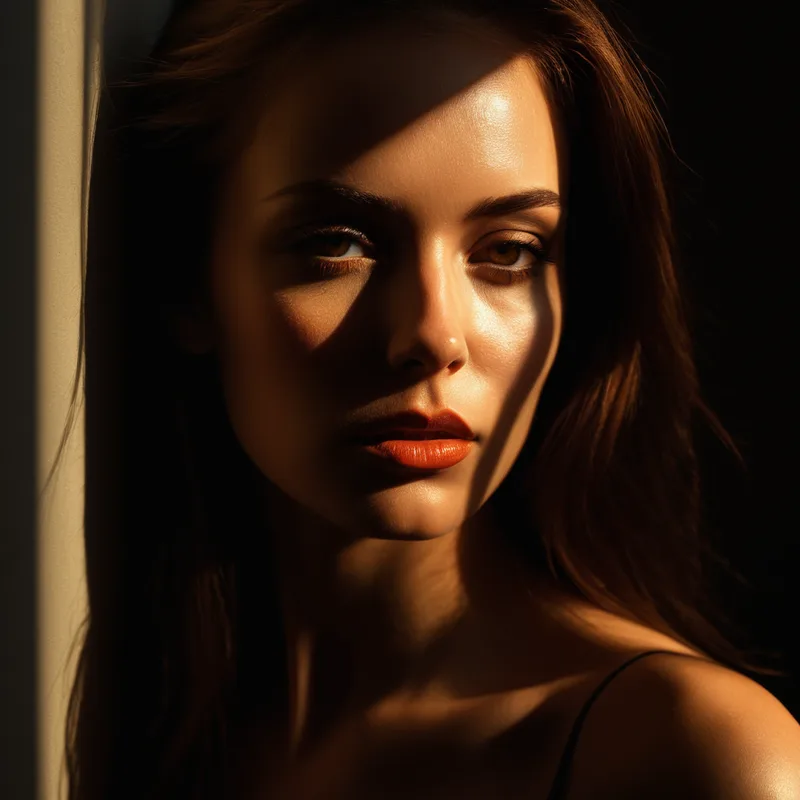
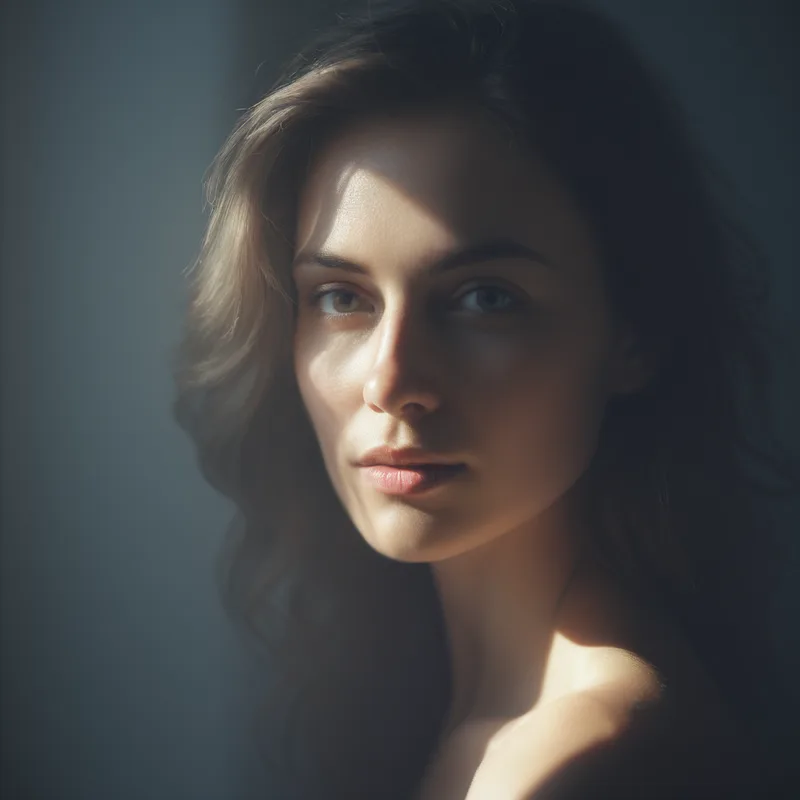
조명은 작품에 큰 영향을 주므로 과소평가하지 마세요. 유명 사진가의 조명 기법을 연구하고 다양한 조명을 실험해 작품을 개선하는 것을 권장합니다.
프롬프트: (Dramatic lighting:1.1) A portrait of a beautiful woman with sharp contrasts between light and shadow, creating a sense of depth and intensity, warm tones
프롬프트: (Soft, diffused lighting:1.1) A portrait of a beautiful woman with gentle transitions between light and shadow, creating a subtle and serene depth, cool tones
이야기를 전하는 각도는 무엇인가요? Juggernaut XII (시점)
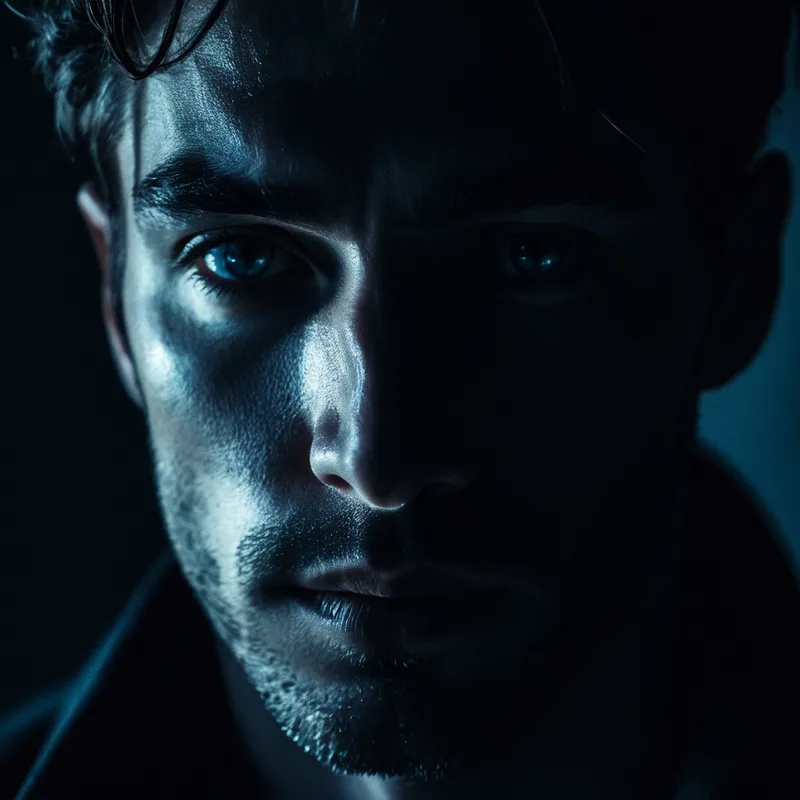
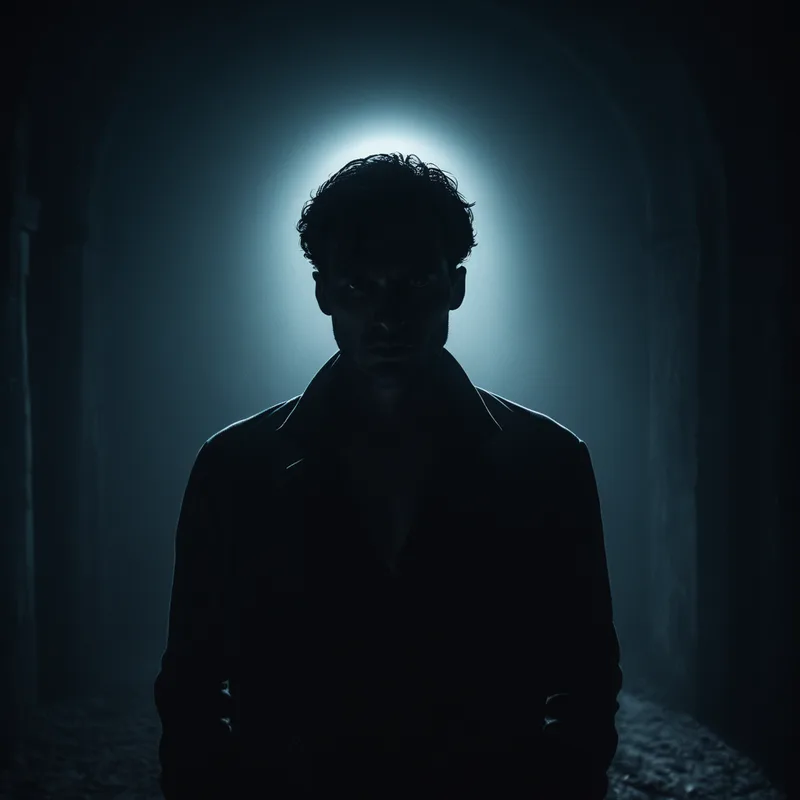
피사체를 바라보는 방법은 다양합니다. 원하는 이야기를 전할 올바른 시점을 요청하세요. 팁을 드리자면 얼굴 클로즈업에서는 네거티브 프롬프트를 활용하세요. 클로즈업과 미디엄 샷을 비교해 보겠습니다. 조명 같은 다른 요소도 이야기를 전하는 데 중요한 역할을 한다는 점을 기억하세요.
프롬프트: (Moonlit lighting:1.1) A close-up of a mysterious man's face, with soft shadows highlighting his sharp features, the light reflecting in his intense eyes, cool tones creating a calm yet enigmatic atmosphere
네거티브 프롬프트: fake eyes, deformed eyes, bad eyes, cgi, 3D, digital, airbrushed
프롬프트: (Moonlit lighting:1.1) A mid-shot of a mysterious man standing in the shadows, with soft light revealing his sharp features and intense gaze, the light subtly outlining his silhouette, cool tones enhancing the calm yet enigmatic atmosphere
매끄러운가요? Juggernaut XII (질감)
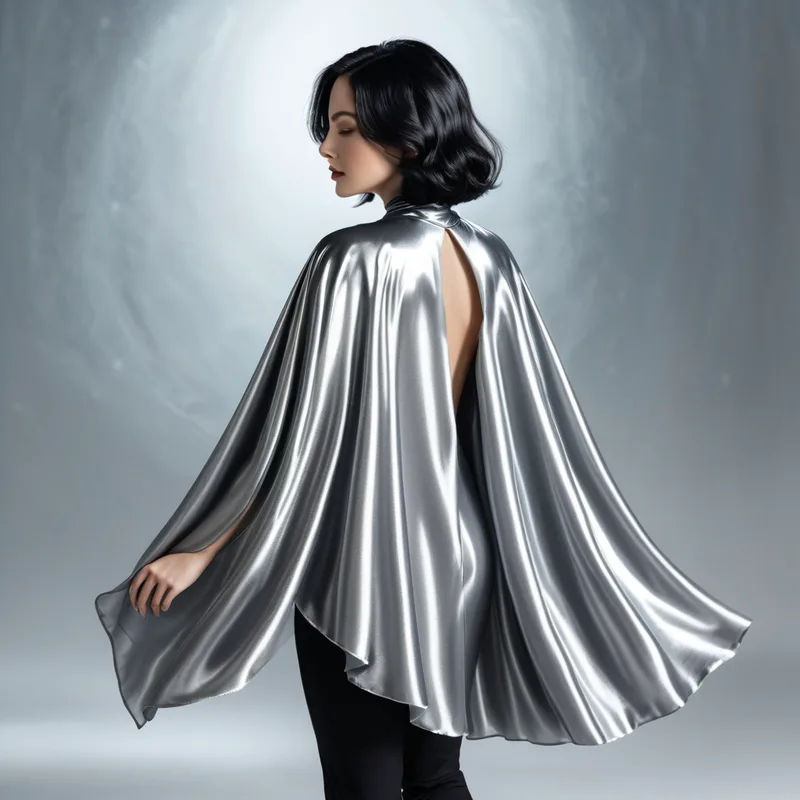
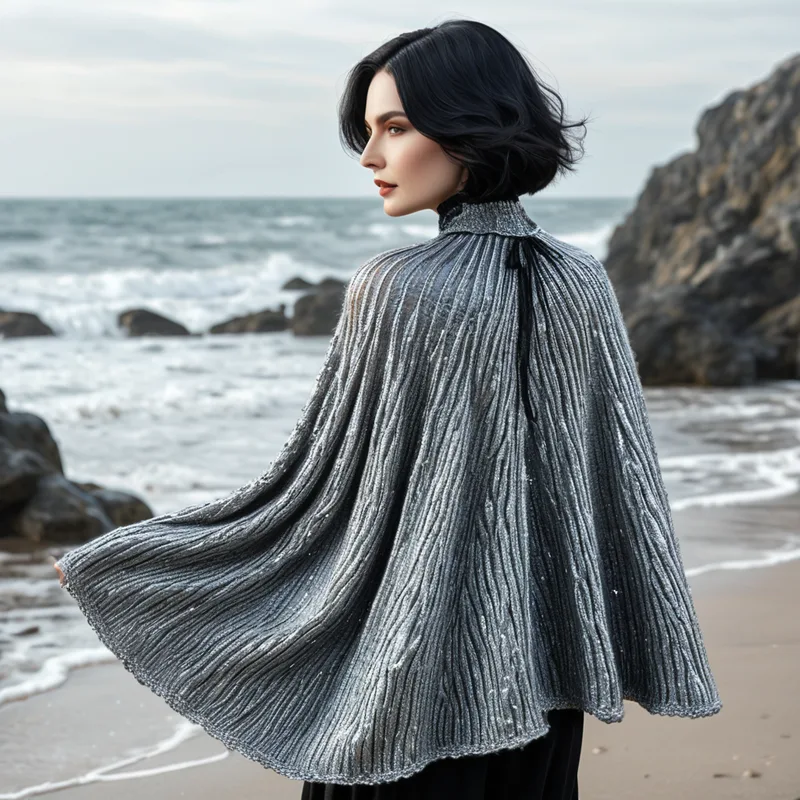
Juggernaut XII는 시리즈 중 질감을 가장 잘 처리하므로 특정 질감이 필요한 이미지에 권장합니다. 잘못 표현된 손 데이터셋으로도 학습했으므로 손에 변형이 보이면 이를 네거티브 프롬프트에 추가하는 것을 고려하세요.
프롬프트: Silver long Silk cape flowing gracefully behind a beautiful woman with short black hair, the fabric catching the light with a soft shimmer with a metallic polished texture, in the style of fantasy realism
네거티브: bad hands
프롬프트: Silver long knitted cape flowing gracefully behind a beautiful woman with short black hair, the fabric catching the light with a soft shimmer with a coarse texture, in the style of fantasy realism
네거티브: bad hands
어느 시대에 태어났나요? Juggernaut XII (시대)
프롬프트에 시대를 지정하면 AI가 특정한 느낌과 외형을 만들도록 유도할 수 있습니다.
프롬프트: 1970s scene a man wearing bell bottom jeans and aviator glasses with a button up shirt, colorful patterns, style pop art
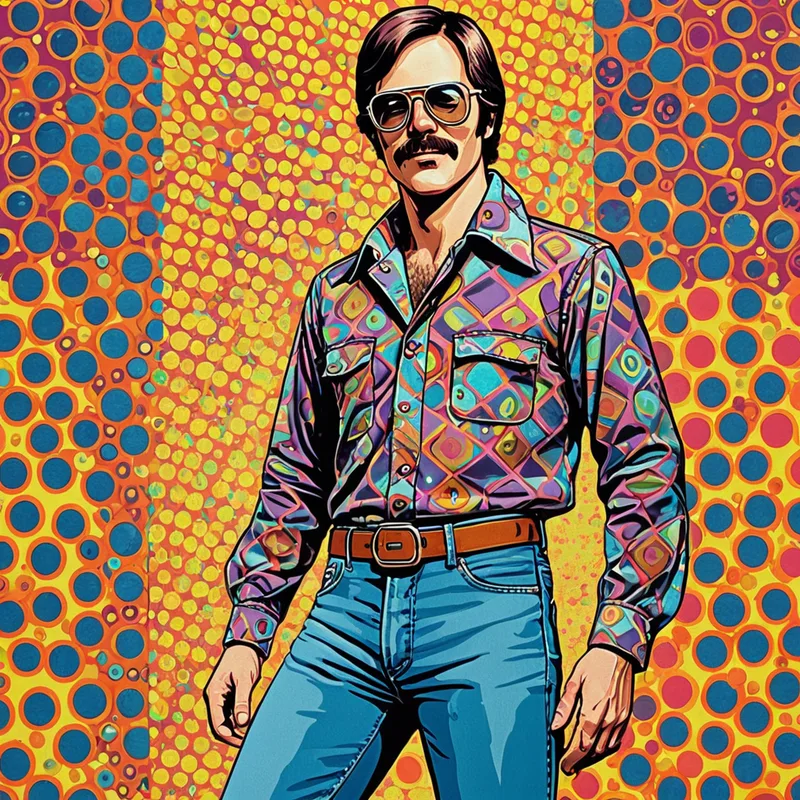
이 예시는 설명이 거의 필요 없으니 1970년대의 또 다른 예시를 보겠습니다.
프롬프트: 1970s scene a man wearing bell-bottom jeans and aviator glasses with a button up shirt, colorful patterns, background a disco
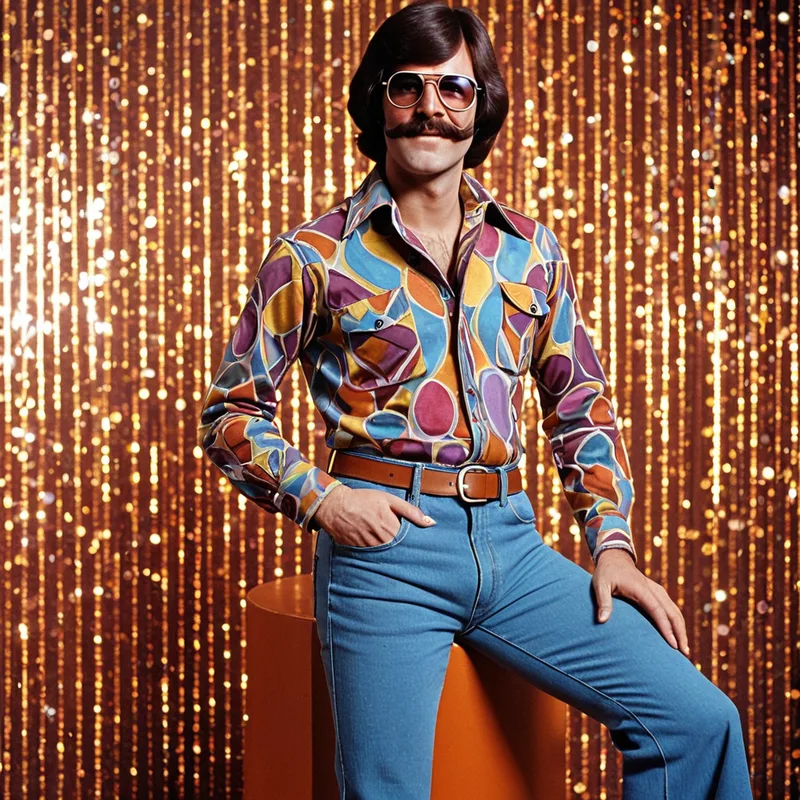
문화적 맥락을 담았나요? Juggernaut XII (문화적 요소)
여러 개념을 연결하면 모델을 목표로 유도할 수 있습니다. 시대와 마찬가지로 문화적 요소도 우리가 상상하는 결과를 모델이 만들 확률을 높입니다. 예를 들어 기모노를 입은 일본인 여성을 우주에 배치할 수 있지만 일본 사찰에 있다고 지정하면 모델이 이해하고 구현하기 더 쉽습니다.
프롬프트: Close up Portrait photograph of a woman in a kimono standing in a Japanese temple courtyard surrounded by gentle fog, surrounded by pink cherry blossoms, the intricate patterns of her kimono highlighted by soft sunlight, high resolution image
네거티브: bad eyes, deformed eyes, fake eyes
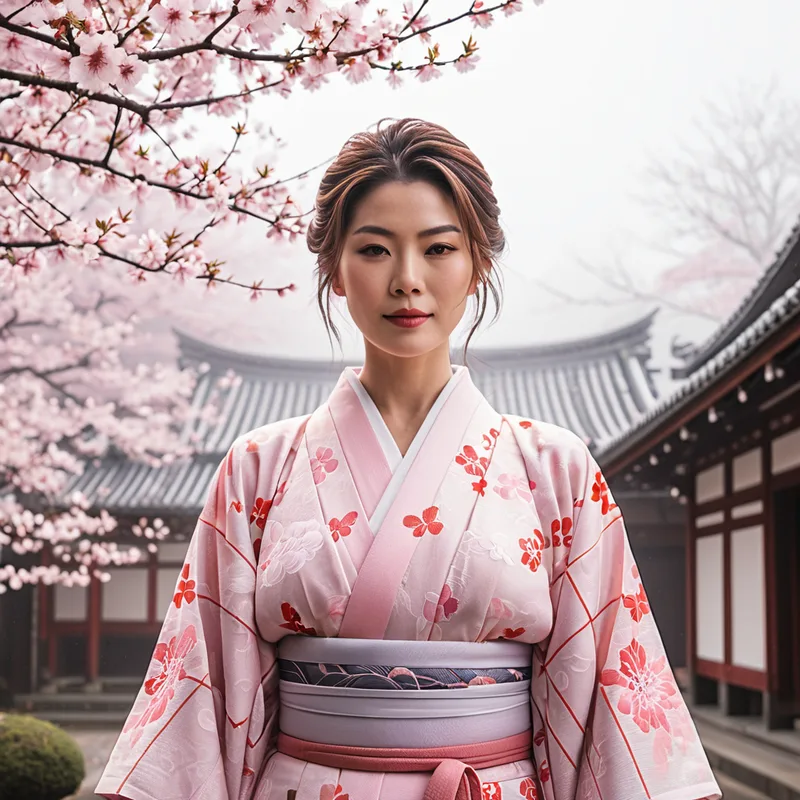
물론 규칙을 배우는 이유는 그것을 깨기 위해서이며 좋은 모델은 그렇게 할 수 있게 해 줍니다. 일반적인 규칙은 프롬프트 작성 작업을 쉽게 하려는 것이니 창의성을 제한하게 두지 마세요.
프롬프트: Close up Portrait photograph of an Alien in a kimono standing in a Japanese temple courtyard surrounded by gentle fog, surrounded by pink cherry blossoms, the intricate patterns of her kimono highlighted by soft sunlight, high resolution image
네거티브: bad eyes, deformed eyes, fake eyes
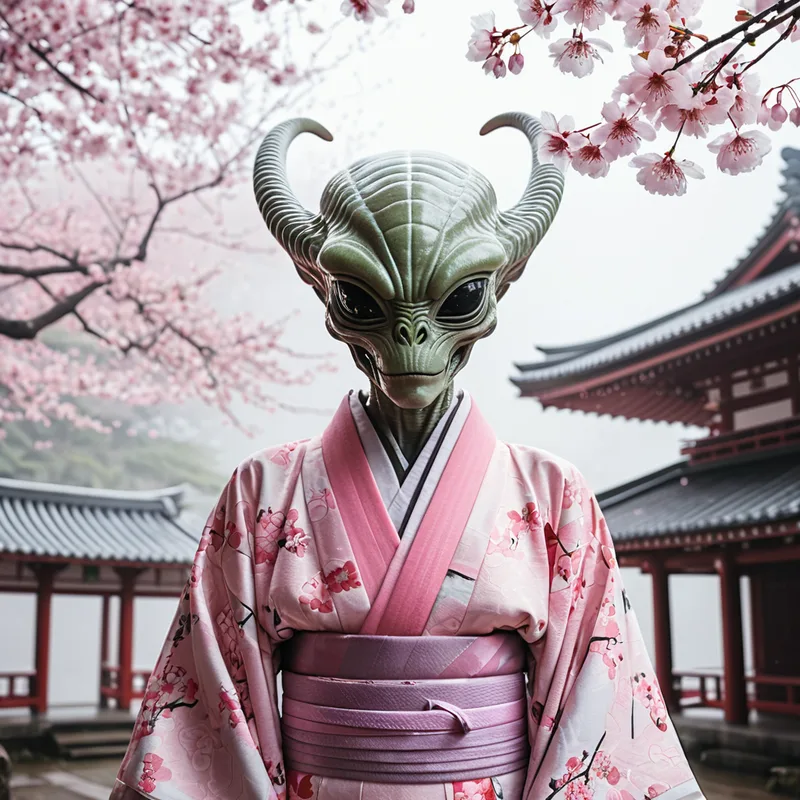
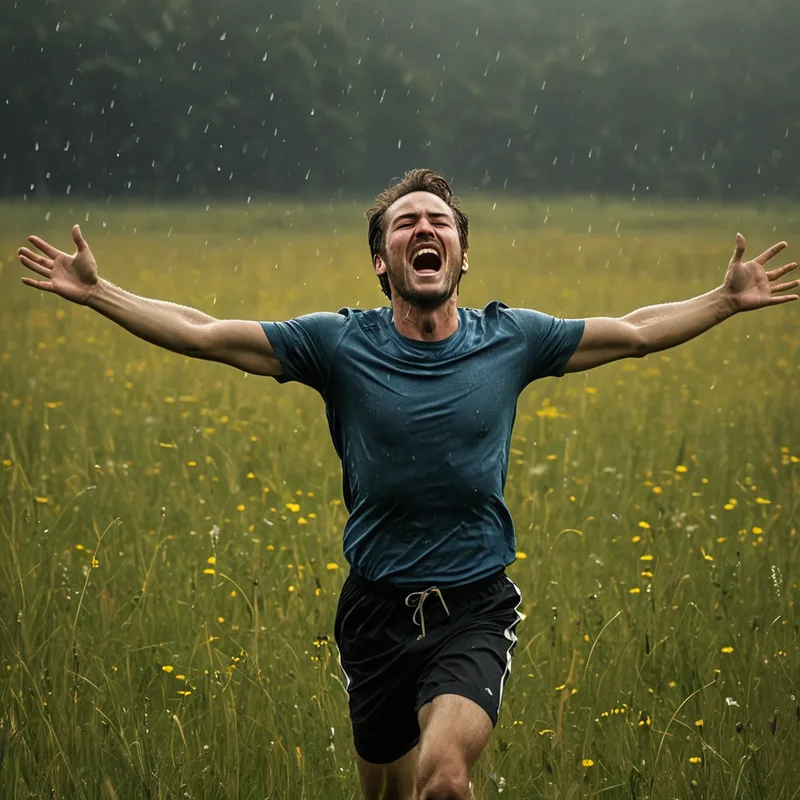
Juggernaut XII의 행복 (감정)
이 데이터셋에는 더 많은 감정을 추가했습니다. 가장 좋은 결과를 얻으려면 프롬프트에서 원하는 구체적인 감정을 강조하세요.
프롬프트: A (joyful:1.2) man running through a meadow, arms outstretched, face lit up with pure happiness, natural lighting
네거티브: bad eyes, deformed eyes, fake eyes

프롬프트: A (crying:1.2) man running through a meadow, arms outstretched, face lit up with pure melancholy, natural lighting
네거티브: bad eyes, deformed eyes, fake eyes
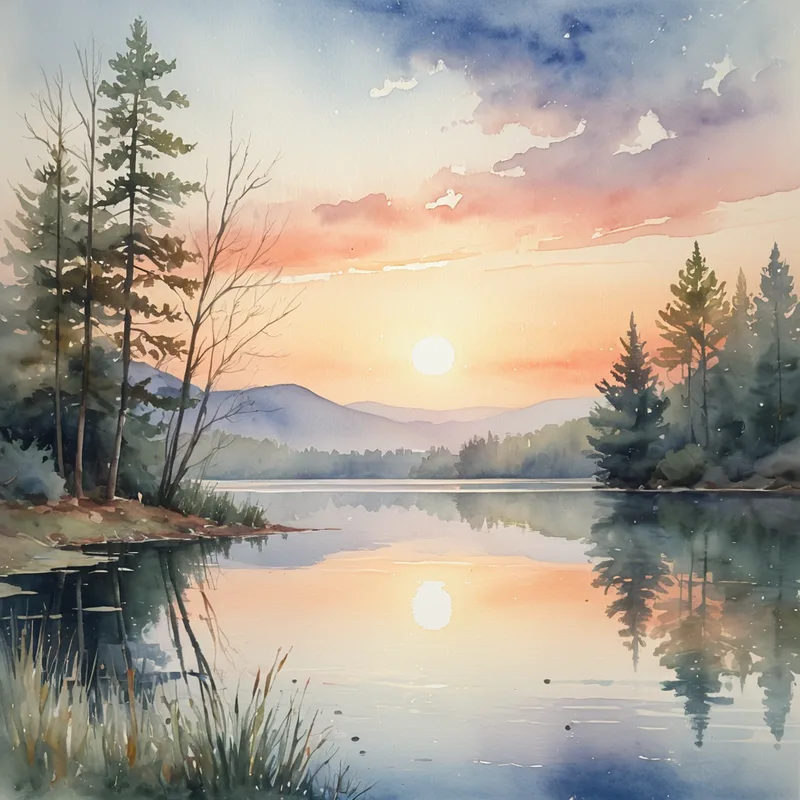
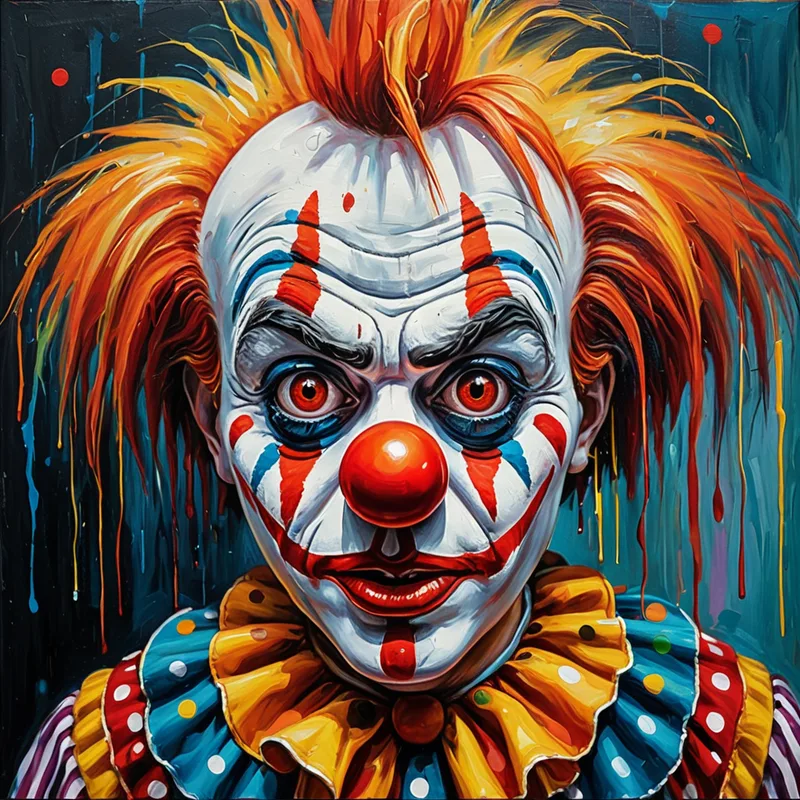
사진만 있는 것은 아닙니다! Juggernaut XII (매체)
오랜 경력의 전문 수채화가로서 지난 2년 동안 AI가 얼마나 발전했는지 놀랍습니다. 한때 수채화를 재현하지 못했던 AI가 이제는 뛰어난 재현을 해냅니다. Juggernaut XII는 다양한 예술 매체를 표현하는 데 가장 뛰어난 Juggernaut 모델입니다.
프롬프트: A (watercolor:1.2) painting of a (tranquil lake:1.1) at sunset, soft brushstrokes capturing the serene atmosphere, subtle colors blending together
네거티브: signature
프롬프트: A (oil:1.2) painting of a (Clown:1.1) with large expressive eyes, bold brushstrokes capturing the sadness, vibrant colors
네거티브: signature
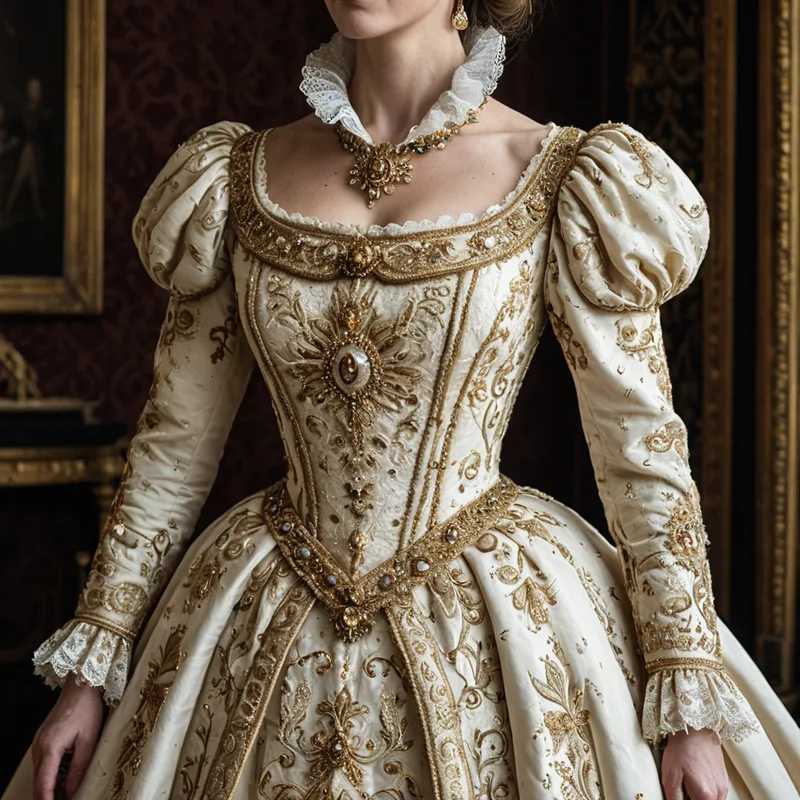
여왕에게 어울리는 의상! Juggernaut XII (의상)
Juggernaut XI와 XII는 의상 렌더링에 뛰어나며 XII는 훨씬 더 많은 디테일을 더합니다. 필요에 가장 잘 맞는 버전을 선택하세요.
프롬프트: (Antique royal gown:1.2) with intricate embroidery, lace collar, and gold accents, worn by a regal queen, her posture elegant and poised
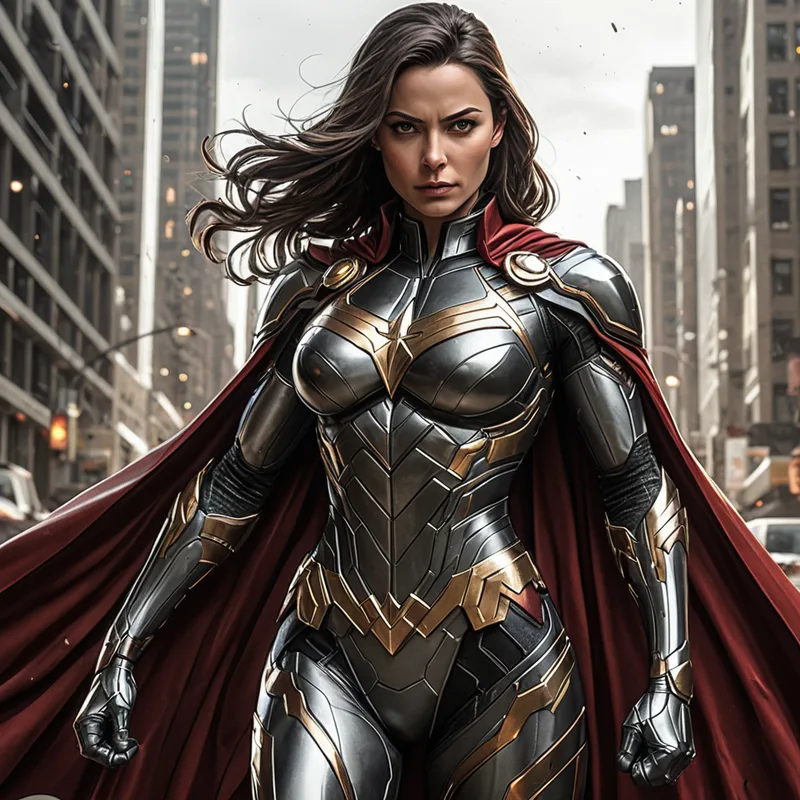
슈퍼히어로 의상은 어떨까요?
프롬프트: (A sleek superhero outfit:1.2) with metallic accents, intricate armor plating, and a flowing cape, worn by a powerful heroine, her posture confident and commanding, reflecting her strength and determination, in the style of modern comic book art
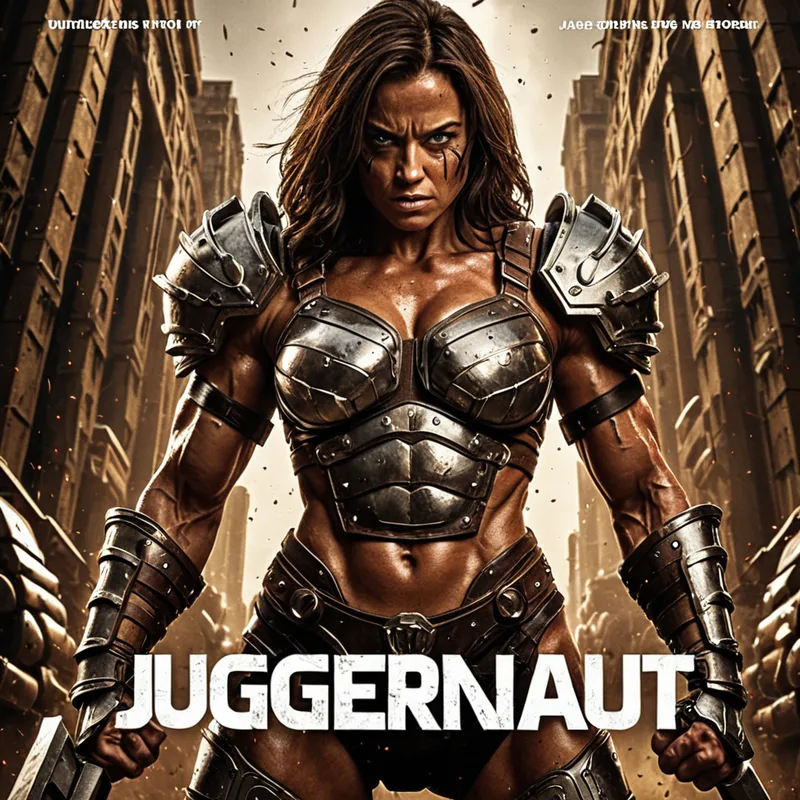
영화 포스터 (텍스트)
우리 팀은 가상의 영화 포스터 만들기를 좋아합니다. 텍스트를 다룰 때는 3~4개 버전을 한 번에 생성하고 가장 좋은 것을 선택하는 것을 권장합니다. 가중치를 지원하는 앱이라면 텍스트 가중치를 최소 1.2까지 높이되 최적의 결과를 위해 1.4를 넘지 마세요.
프롬프트: Movie Poster with (text "Juggernaut":1.3) in bold metallic letters with a muscular woman flexing wearing battle armor, cinematic
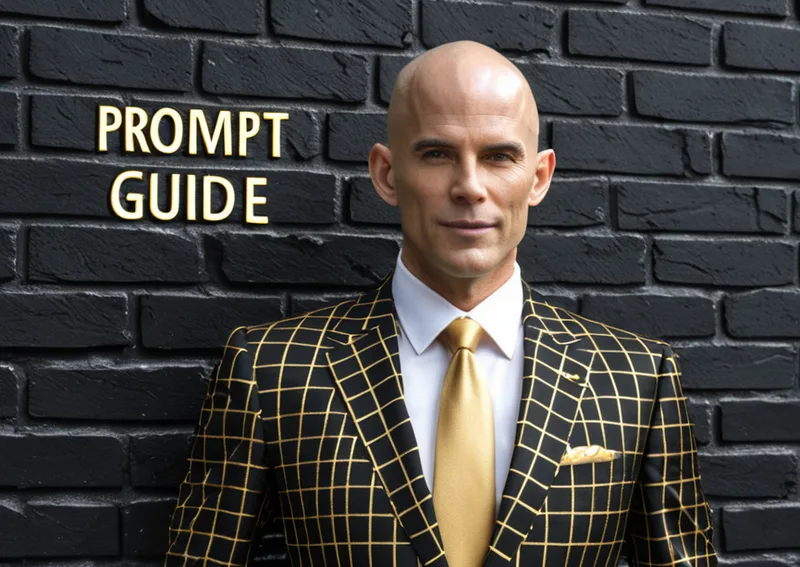
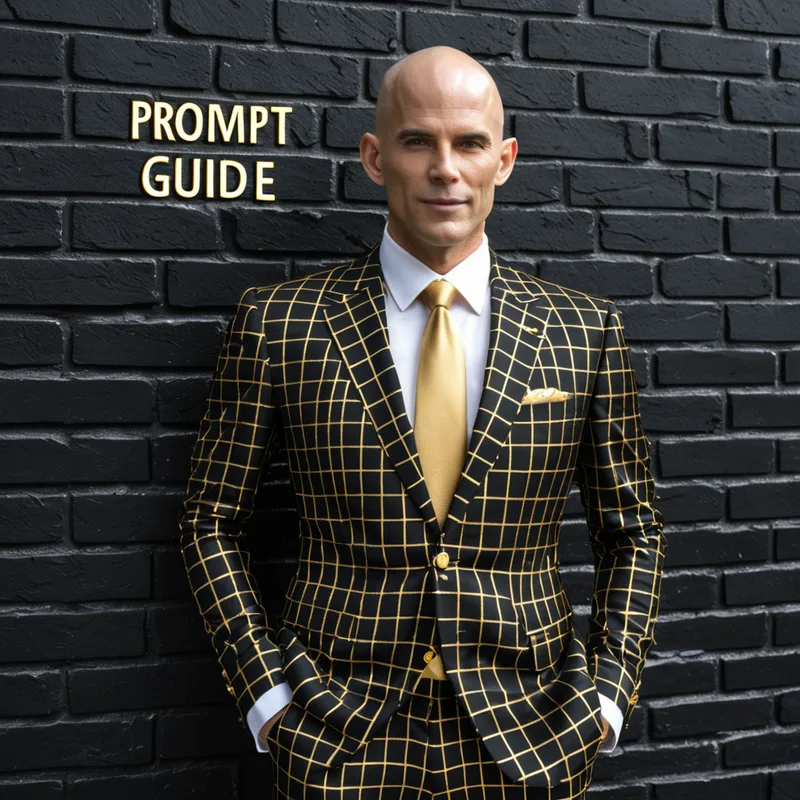
텍스트가 포함된 프롬프트를 작성할 때는 텍스트를 앞부분에 배치하는 것이 좋습니다.
프롬프트: background black brick wall with (text "PROMPT GUIDE":1.3), foreground A skinny Bond villain, bald, wearing gold a black checkered suit
규칙이 있나요?
위 프롬프트는 완전한 프롬프트가 아니라 특정 측면을 강조하도록 설계되었습니다. 그래도 작동합니다! 아름다운 이미지를 얻기 위해 모든 요소를 넣을 필요는 없습니다. 프롬프트를 다듬을수록 모델이 필요한 결과를 더 잘 만들어 냅니다. 유연성을 원한다면 일부 요소를 생략해도 됩니다.
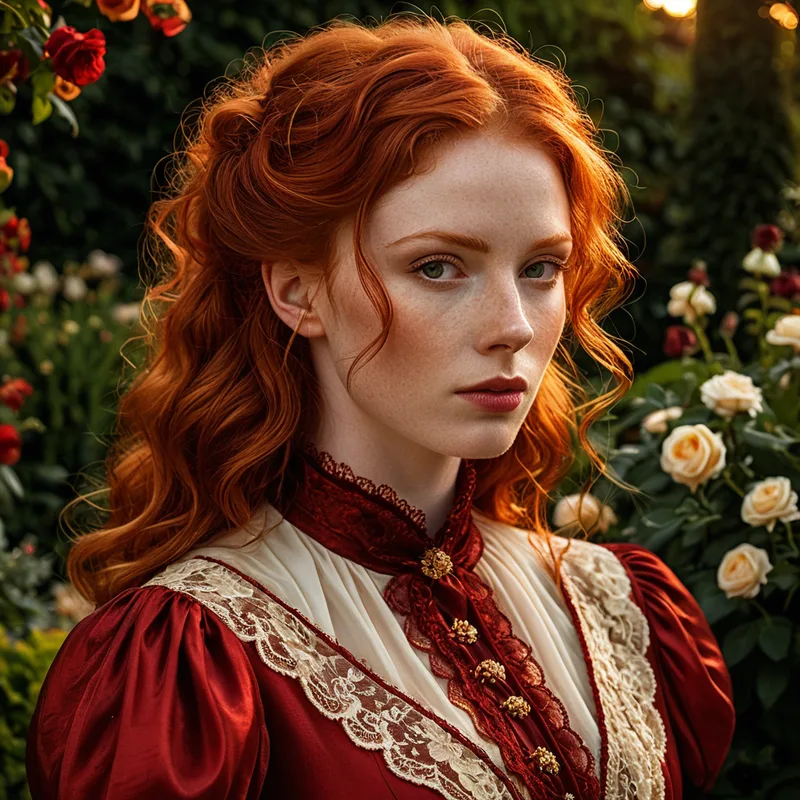
아래는 완전한 프롬프트의 예시입니다.
프롬프트: Style (Romanticism:1.2) close-up portrait of a beautiful (redheaded woman:1.3) with an intense gaze, wearing (elegant Victorian attire:1.1) in deep red and gold, background a (lush garden in full bloom:1.2) during the golden hour, mood serene, lighting soft and warm, perspective three-quarter view, texture (silk fabric:1.2) and delicate lace, cultural elements Victorian England, high-resolution image
네거티브: cartoonish, abstract, (plain:1.1), fake eyes, deformed eyes, bad eyes, cgi, 3D, digital, airbrushed
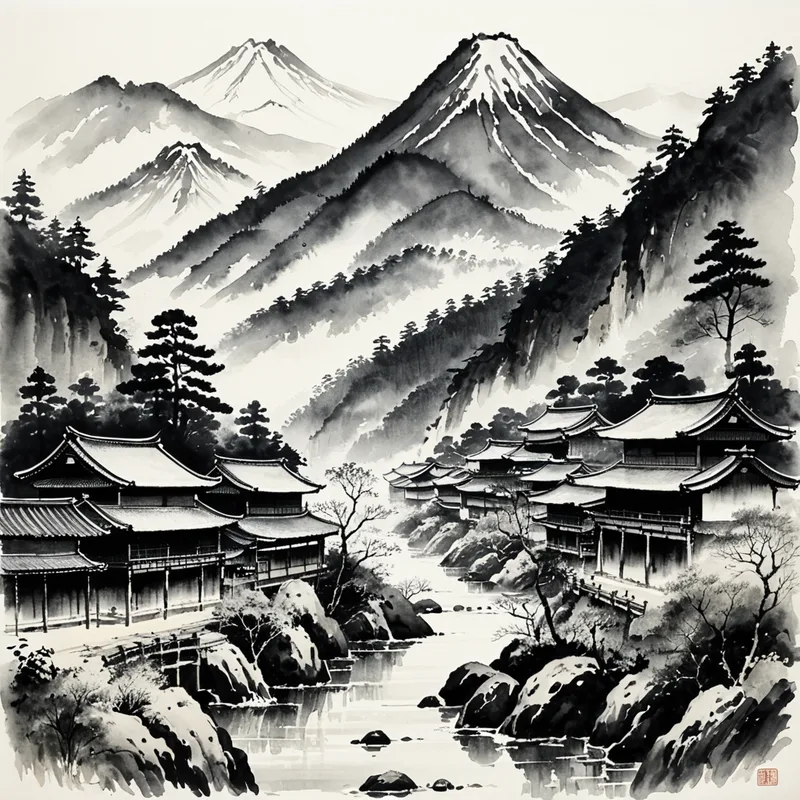
프롬프트: Style (Japanese ink painting:1.2) landscape of a (serene mountain village:1.3) surrounded by misty forests and (flowing rivers:1.2), in the style of (Sesshū Tōyō:1.3), with delicate brushstrokes capturing the (tranquil morning light:1.2), peaceful, perspective traditional wide-angle view, texture (soft ink washes:1.1) and crisp lines, (traditional Japanese architecture:1.2), monochromatic palette, high-resolution image
네거티브: color, cartoonish, digital, (modern:1.1), cgi, 3D, airbrushed
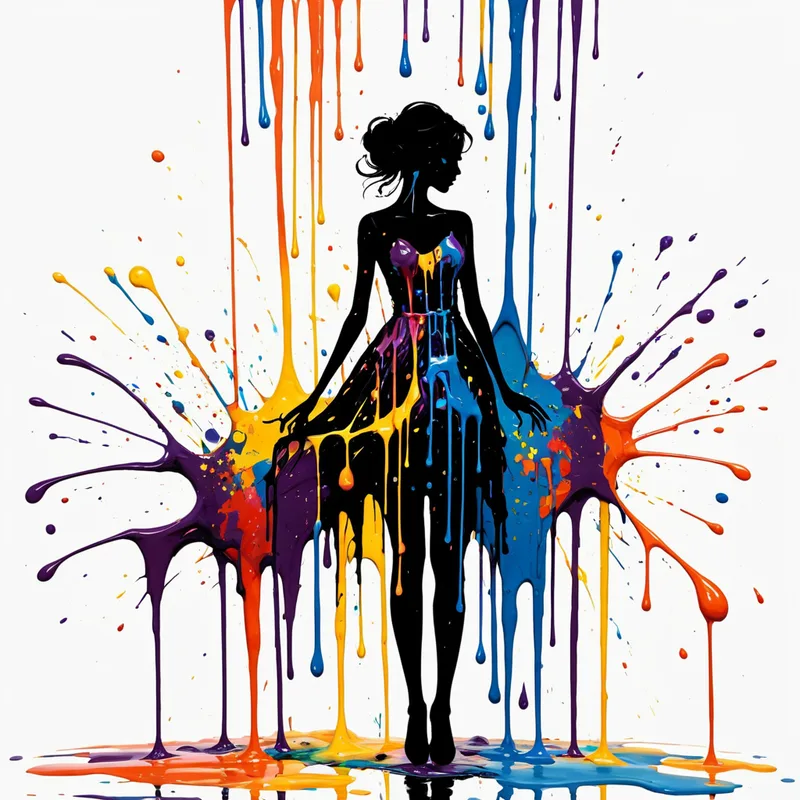
프롬프트: Style (Abstract:1.2) depiction of a (woman’s silhouette:1.3) with (dripping paint:1.2) blending vibrant colors, her form fluid and dynamic, mood expressive and surreal, lighting soft and diffused, perspective frontal view, texture (thick layers of paint:1.1) and smooth drips, (modern abstract art:1.2), high-resolution image
네거티브: photorealistic, flat, (realistic:1.1), cgi, 3D, digital, airbrushed, naked, nude
마무리
우리가 공들여 만든 모델로 아름다운 이미지를 제작하며 즐거움을 느끼시기 바랍니다. 실험하고 새로운 가능성을 탐색해 보세요. 이 모델들은 전문가에게 강력한 도구를 제공하면서도 일반 창작자가 쉽게 접근하고 사용할 수 있도록 설계되었습니다. 계속해서 개선하는 과정에서 여러분의 피드백은 매우 소중합니다.
여기까지 읽었다면 직접 사용해 볼 준비가 되었습니다. 초보자에게는 RunDiffusion의 Juggernaut XI를 클릭하는 것을 권장합니다. Automatic1111/Reforge와 ComfyUI에 익숙하다면 오픈 소스 앱에서 서버를 실행해 보세요.
아래는 Juggernaut XII의 일반적인 토큰입니다
- adult male
- alloy wheels
- animal portrait
- automotive photography
- beard
- bokeh
- bokeh background
- bokeh effect
- blonde hair
- blue eyes
- blue sky
- blurred background
- business attire
- casual attire
- casual clothing
- casual style
- caucasian
- clear sky
- clear skin
- clean lines
- close-up
- clouds
- cloudy sky
- confident expression
- confident pose
- contemplative expression
- cozy atmosphere
- curly hair
- dark background
- dark hair
- daytime
- depth of field
- detailed texture
- direct gaze
- dramatic lighting
- dusk
- elegance
- facial hair
- fashion
- fashion photography
- female
- focused expression
- forest
- front view
- full body
- glasses
- golden hour
- greenery
- hardwood floor
- headshot
- high contrast
- high dynamic range
- high resolution
- high-resolution
- high-resolution image
- indoor
- indoor setting
- indoors
- intense gaze
- interior design
- landscape
- large windows
- leisure activity
- long hair
- looking at camera
- looking away
- luxury vehicle
- makeup
- male
- man
- midshot
- modern
- modern architecture
- modern design
- moody atmosphere
- nature
- nature photography
- natural beauty
- natural light
- natural lighting
- natural makeup
- neutral background
- neutral color palette
- neutral colors
- neutral expression
- outdoor
- outdoor setting
- outdoors
- overcast sky
- parked car
- peaceful
- photography
- portrait
- portrait orientation
- reflection
- relaxed pose
- relaxed posture
- scenic view
- selective focus
- serene
- serene expression
- serious expression
- sharp focus
- shallow depth of field
- short hair
- side profile
- side view
- sitting
- smiling
- soft focus
- soft lighting
- solitude
- sports car
- standing
- standing pose
- studio lighting
- studio shot
- stylish
- sunglasses
- sunlight
- sunny
- sunny day
- sunset
- travel destination
- tranquil
- tranquil scene
- trees
- urban environment
- urban setting
- vibrant colors
- walking
- wall art
- warm color palette
- warm color tone
- warm colors
- warm lighting
- warm tones
- white background
- white shirt
- white sneakers
- white t-shirt
- wilderness
- wildlife
- wide-angle shot
- wristwatch
- woman
- wooden floor
- youthful
RunDiffusion에서 Juggernaut XI 실행하기
클라우드의 Juggernaut XI로 생성하면서 이 가이드의 프롬프트 구조를 활용하세요.
자주 묻는 질문
Q이 Juggernaut XI 및 XII 가이드는 무엇을 설명하나요?
피사체 디테일, 배경, 구도, 조명, 스타일, 재료, 색상, 분위기, 가중치, 네거티브 프롬프트를 제어해 Juggernaut XI와 XII용 프롬프트를 더 효과적으로 작성하는 방법을 설명합니다.
QJuggernaut XI와 XII에는 간단한 프롬프트와 상세한 프롬프트 중 무엇을 써야 하나요?
둘 다 사용할 수 있지만 예측 가능한 장면, 스타일, 구도가 필요할 때는 상세하고 구체적인 프롬프트가 더 많은 제어권을 제공합니다.
Q이 가이드에서 권장하는 프롬프트 요소는 무엇인가요?
피사체, 환경, 구도, 조명, 스타일 또는 작가 방향, 재료와 질감, 색상, 감정적 분위기, 제외할 조건을 정의하도록 권장합니다.
Q네거티브 프롬프트를 사용하는 이유는 무엇인가요?
네거티브 프롬프트는 아티팩트, 낮은 출력 품질, 불필요한 피사체, 목표 이미지와 맞지 않는 스타일 등 원하지 않는 요소를 피하도록 모델을 유도합니다.


