
AI patent drawings
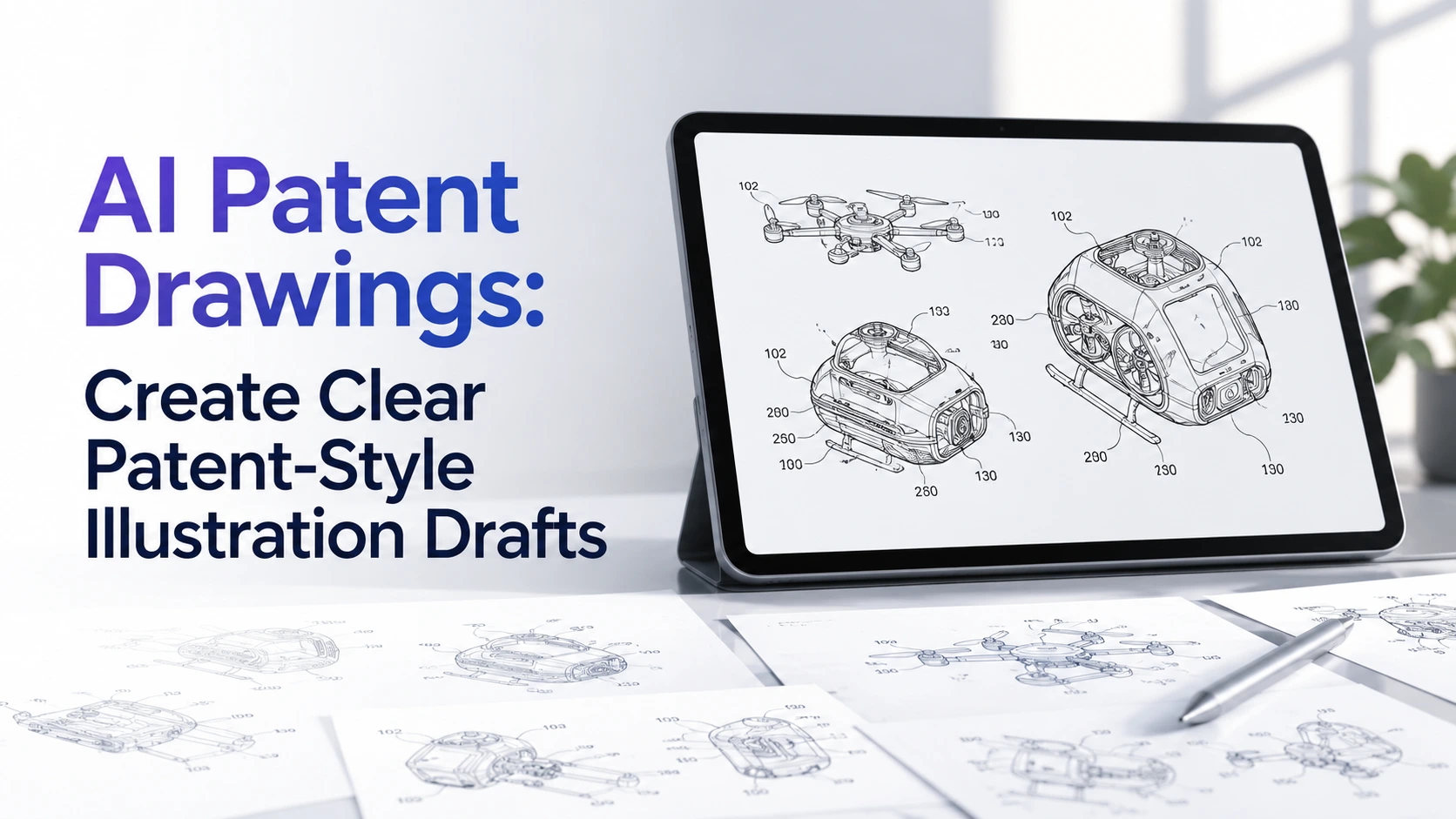
AI Patent Drawings: Create Clear Patent-Style Illustration Drafts
Learn how to use RunDiffusion to create patent-style drawing drafts from invention notes, sketches, CAD screenshots, product photos, and reference images before formal patent drawing review.
Key takeaways
- AI patent drawing tools are most useful for early drafting, multi-view exploration, revision passes, and cleaner review materials.
- Strong inputs include invention notes, rough sketches, CAD screenshots, prototype photos, product renders, part lists, and existing figure drafts.
- RunDiffusion is useful when teams need structured patent-style visuals, reference-guided image editing, and prompt-based revision in one browser-based workflow.
- AI outputs should be reviewed by a patent professional or experienced patent draftsperson before they are used in a formal filing.
Quick answer
AI patent drawing tools help turn invention notes, sketches, CAD screenshots, and reference images into clearer patent-style illustration drafts for review. They are strongest when a team needs faster figure exploration, multiple views, or revision support before formal patent drawing work begins.
At a glance
- Primary use
- Patent-style drawing drafts for review and revision before formal drawing preparation.
- Inputs
- Written disclosures, sketches, CAD screenshots, prototype photos, product renders, part lists, and reference images.
- Outputs
- Single-view figures, multi-view figure sheets, exploded-view concepts, revision drafts, and cleaner technical illustration studies.
- Platform
- RunDiffusion image tools, including ChatGPT Image 2.0 for structured prompt following and image-guided editing.
Introduction
AI patent drawings can help inventors, product teams, and patent professionals move from rough invention material to clearer visual drafts faster. With RunDiffusion, you can use AI image tools to turn written descriptions, sketches, CAD screenshots, prototype photos, and product renders into patent-style drawing drafts for review and refinement.
These outputs should be treated as drafting aids, not filing-ready drawings. Patent drawings need accuracy, consistency, and review against the requirements that apply to the application and jurisdiction.
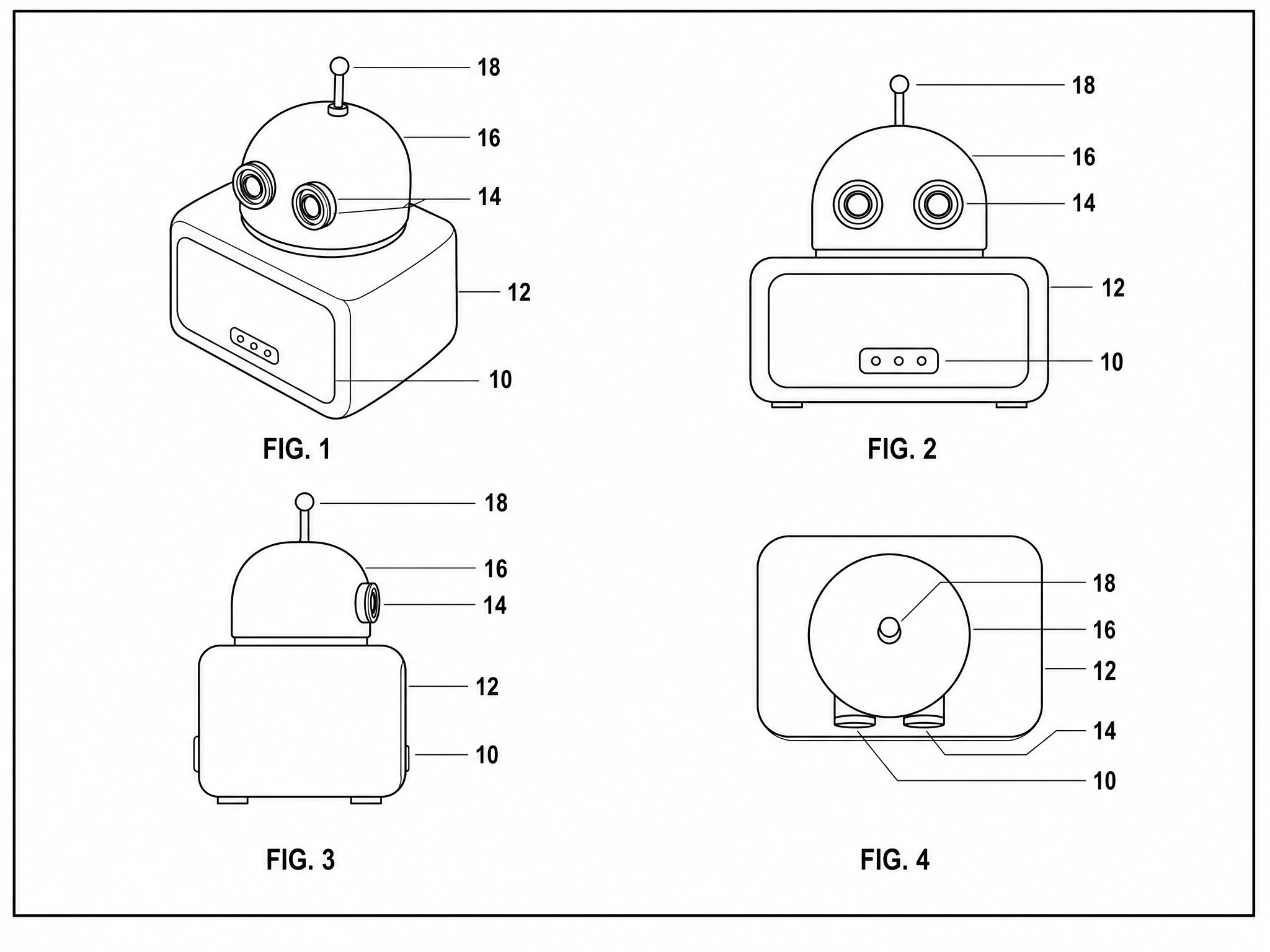
Patent drawings are not decorative product images. They help explain the structure, operation, and relationships between parts of an invention. A useful patent-style figure often needs disciplined line work, clear views, consistent reference numerals, and enough detail to support the written description.
What Are AI Patent Drawings?
AI patent drawings are patent-style visual drafts created or refined with AI image tools. They may resemble line drawings, technical diagrams, figure sheets, exploded views, or simplified illustrations used to discuss an invention.
In a practical workflow, these drafts help teams review structure, compare figure layouts, and decide what needs formal drawing attention. They should not be treated as automatically compliant.
What AI Can Help With
ChatGPT Image 2.0 is strongest when a patent-drawing workflow needs structure, reference guidance, and precise visual revision, not when someone wants to skip legal or drawing review.
- First-Pass Patent-Style Line Drawings from Written Descriptions
- Cleaner Versions of Rough Invention Sketches
- Multiple Views of a Product or Mechanism
- Exploded-View Concepts for Assemblies
- Simplified Technical Diagrams from Product Photos
- Revised Drafts with Clearer Numerals or Callout Placement
- Comparison Sheets for Different Figure Layouts
For more detail on the model itself, see the ChatGPT Image 2.0 page.
Why Patent Drawings Matter
- Multiple Views of the Same Invention
- Clear Separation Between Figures
- Consistent Reference Numbers
- Readable Callout Lines
- Black-and-White Line Work
- Enough Detail to Support the Written Description
- Revisions That Do Not Introduce Unsupported New Matter
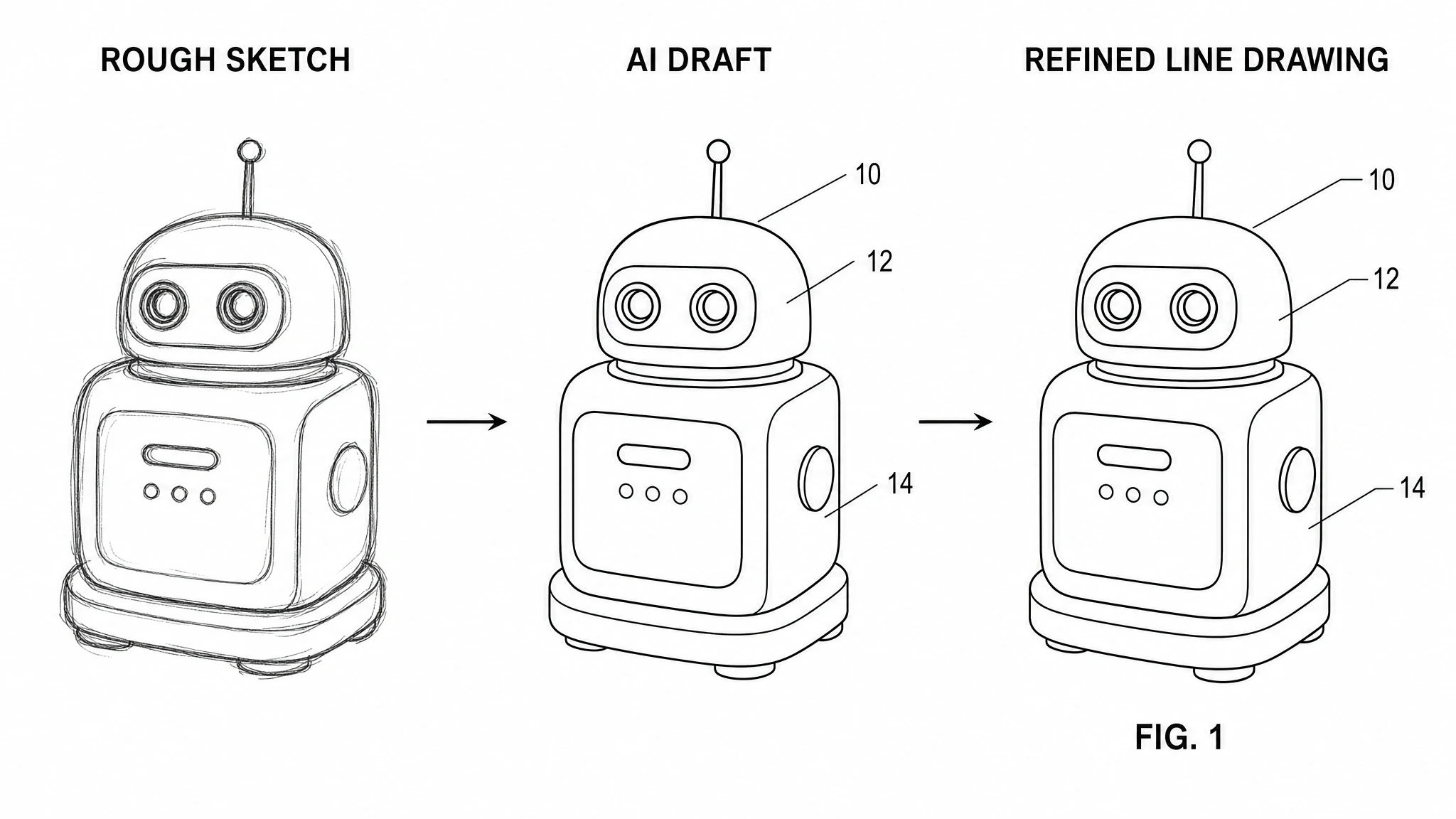
Shows how rough source material can become a cleaner patent-style review draft.
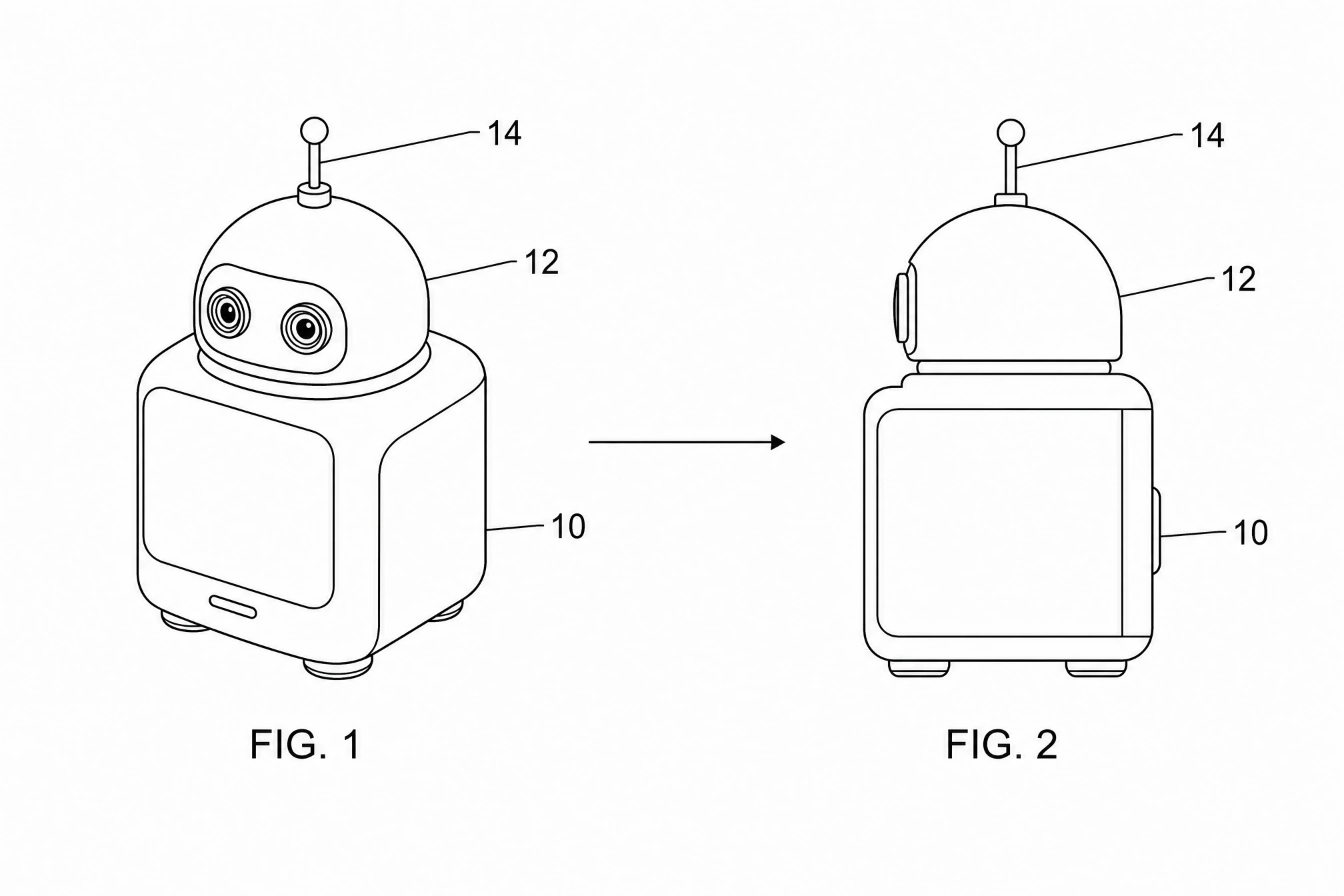
Useful for the refinement pass when callouts, line clarity, or crowding need adjustment.
Example Patent Figure Drafts
Use different figure types to review structure, part relationships, and hidden details before the formal drawing stage.
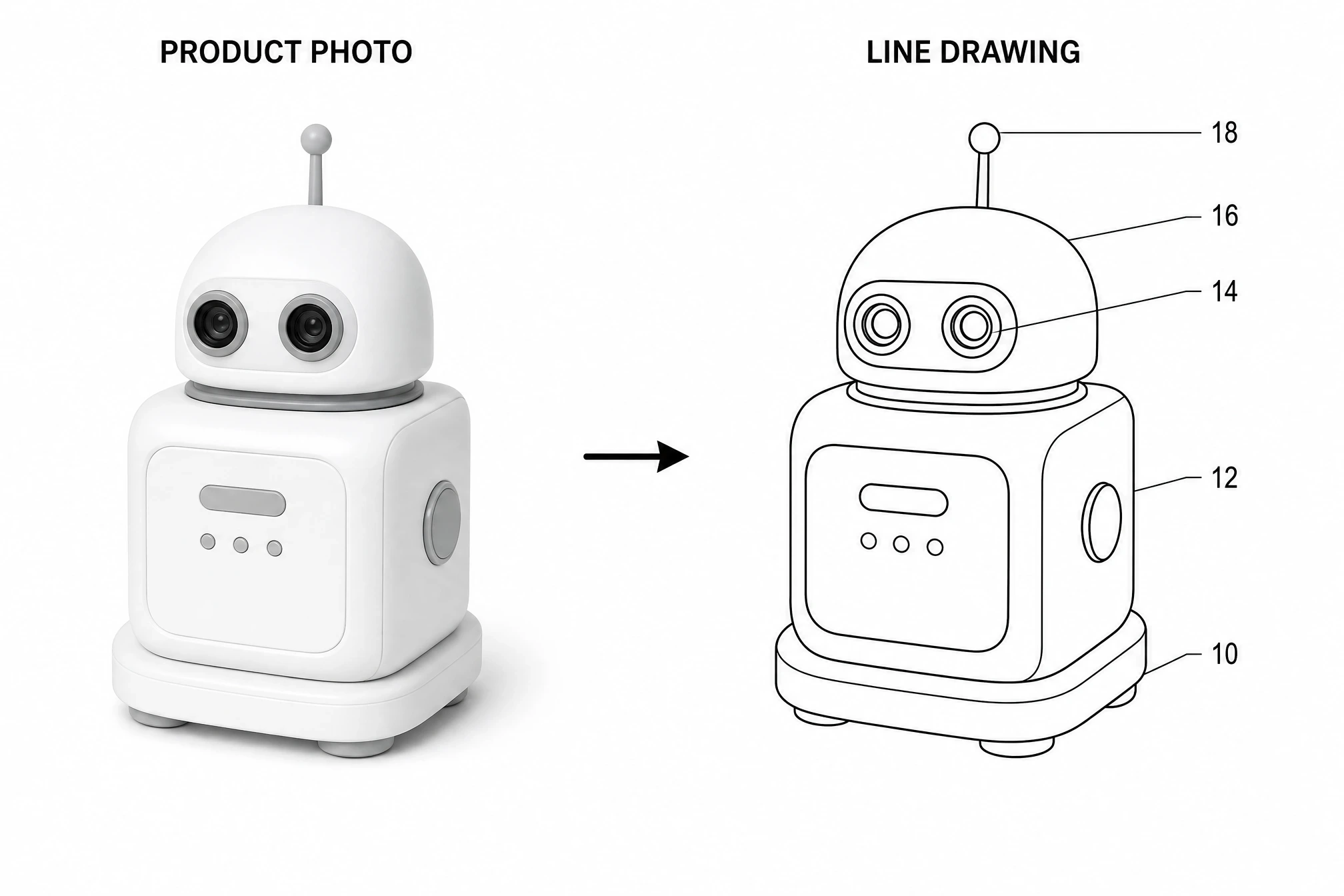
Useful for explaining how a product photo or prototype reference can become a cleaner line-art draft for review.
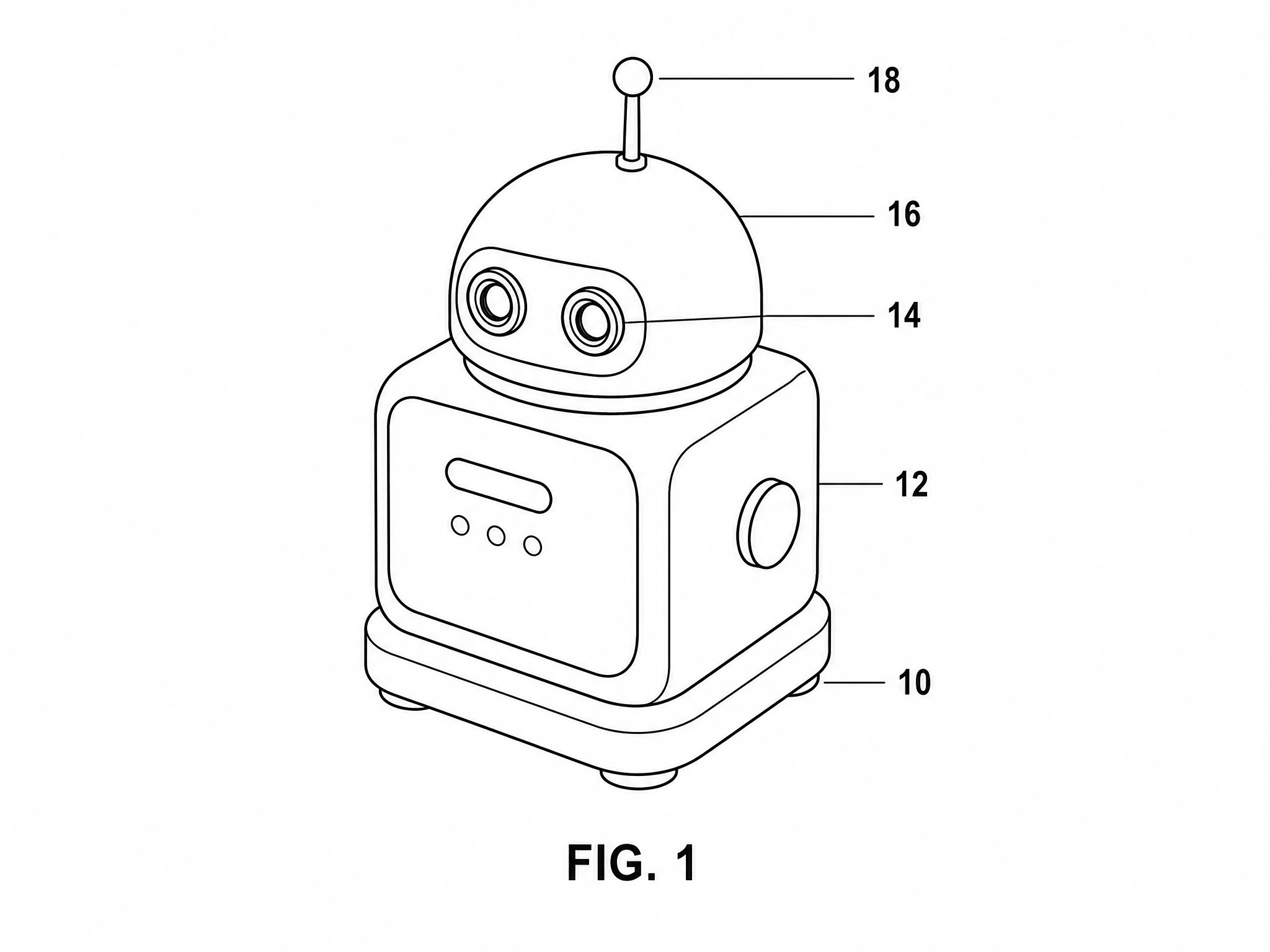
A first-pass view helps reviewers decide whether the major structure, silhouette, and part relationships are clear enough before expanding into more views.
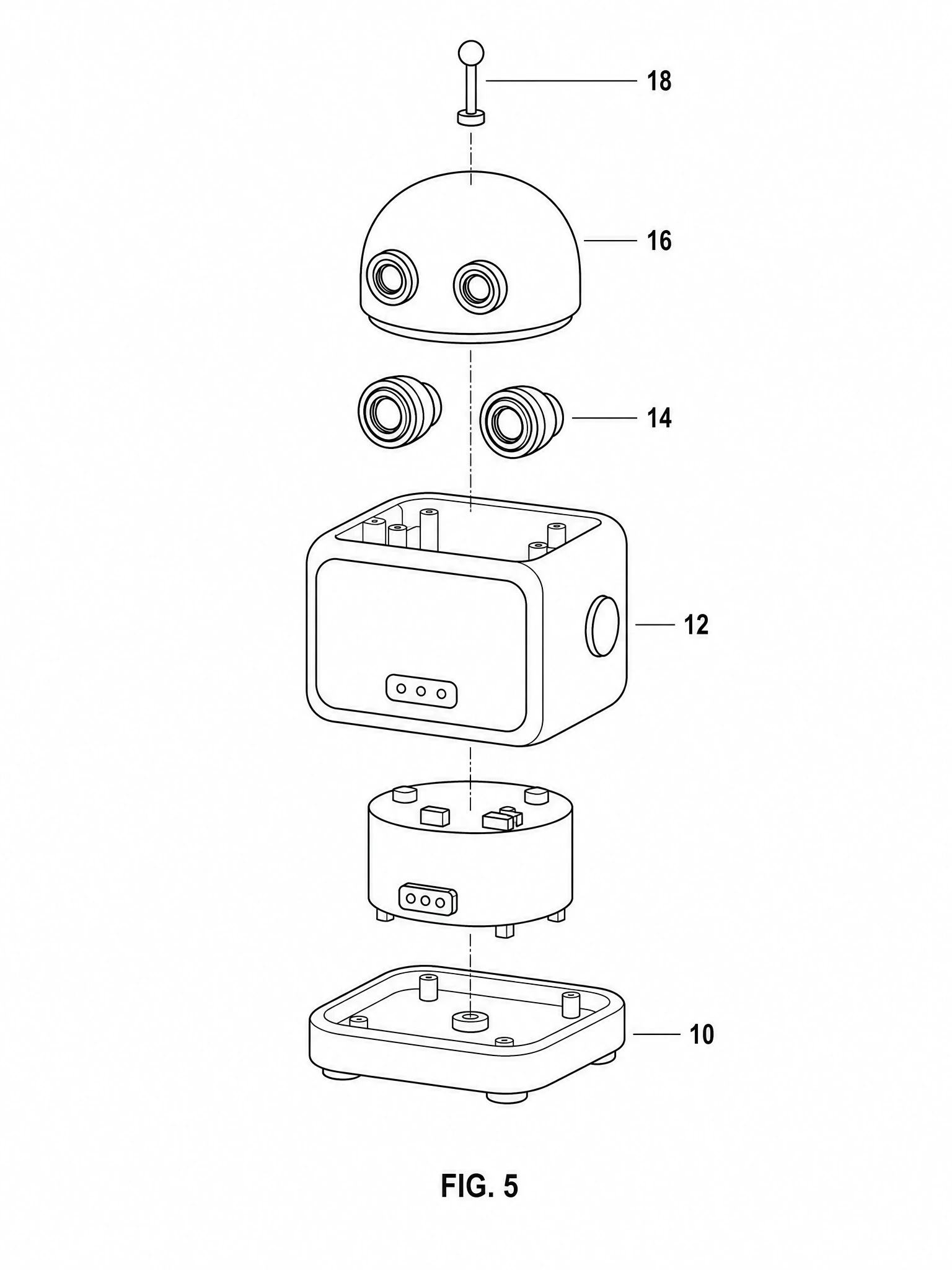
Exploded views can make part relationships easier to discuss when an invention depends on how components fit together.
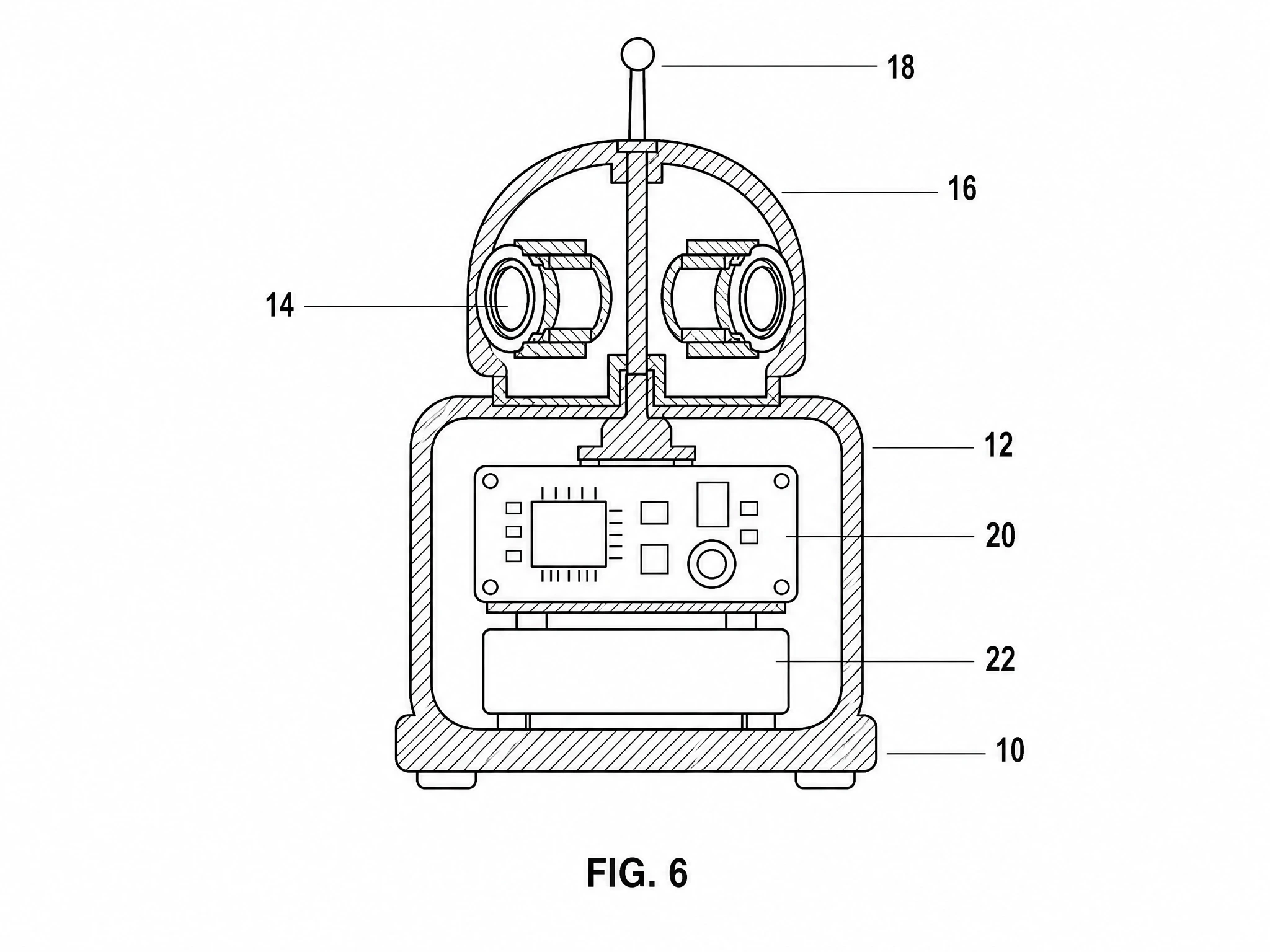
Sectional or cutaway drafts help surface interior structure that may not be visible in a normal outside view.
A Practical AI Patent Drawing Workflow
Use RunDiffusion as a drafting and revision workspace before the formal patent drawing stage. Start with the disclosure, generate structured figure drafts, then refine what reviewers need to see more clearly.
- 1
Start with the invention disclosure
Gather what the invention is, which parts need to be shown, how those parts connect or move, which views are needed, and which elements need reference numerals.
- 2
Upload sketches or reference images
Use hand sketches, CAD screenshots, prototype photos, product renders, or rough diagrams as references so the draft keeps the right overall structure.
- 3
Generate a first-pass line drawing
Ask for simple black line art on a white background. Avoid decorative rendering, gradients, color, heavy shadows, or marketing-style visuals.
- 4
Create multiple views
Generate perspective, front, side, top, exploded, or sectional views when they help explain the invention more clearly.
- 5
Review for consistency
Check for missing parts, changed numerals, conflicting labels, extra unsupported features, or lines that became unclear between views.
- 6
Refine before formal drafting
Use prompt-based revision to simplify outlines, adjust callouts, remove clutter, or create cleaner review materials before formal drawing prep.
Example Prompts
These are review-stage prompt patterns, not final filing promises.
First-pass single view
Create a patent-style black-and-white line drawing draft of this invention from the attached reference image. Use clean outlines, no shading, no color, no logos, and leave room for reference numerals and leader lines.
Four-view sheet
Create a patent-style four-view figure sheet showing perspective, front, side, and top views of the same invention. Keep the structure consistent between views, use simple black line art on a white background, and avoid decorative rendering.
Revision pass
Revise this patent-style drawing draft. Keep the invention structure the same, simplify the outlines, improve line clarity, move the reference numerals away from crowded areas, and keep the same part numbers. Do not add new components.
Exploded assembly view
Create a patent-style exploded-view draft of this assembly. Show how the major parts relate to each other, keep the line work clean, avoid shading, and leave space for reference numerals.
What to Avoid
- Color Unless There Is a Specific Approved Reason
- Photorealistic Product Renders When Line Drawings Would Be Clearer
- Excessive Text Inside the Drawing
- Marketing Labels or Brand Marks
- Inconsistent Part Numbers
- Crowding Too Many Views onto One Sheet
- Decorative Shading That Reduces Legibility
- Adding New Features That Were Not Part of the Invention Disclosure
- Treating AI Output as Automatically Filing-Ready
Why Use RunDiffusion for This Workflow
Move faster from concept to draft
Turn notes, sketches, renders, and screenshots into clearer line-art drafts without standing up a local AI workflow.
Compare figure approaches
Generate different views, layouts, and diagram structures so inventors and legal teams can review clearer options earlier.
Revise through prompts
Use ChatGPT Image 2.0 to simplify outlines, adjust leader lines, create side views, or clean up crowded draft figures.
Keep work in one cloud workspace
RunDiffusion keeps reference-driven generation and revision in one browser-based environment instead of splitting the process across disconnected tools.
Important note
AI can speed drafting and iteration, but it should not replace compliance review. Final drawings should be checked against the applicable patent-office requirements and by a patent professional or experienced patent draftsperson before filing.
FAQ
Keep the language conservative: draft support, revision support, and review support, not filing-ready guarantees.
Can AI create patent drawings?
AI can help create patent-style drawing drafts, convert rough sketches into cleaner line art, and generate multiple views for review. Final drawings should still be checked for accuracy, disclosure support, and applicable filing requirements.
Are AI-generated patent drawings compliant?
Do not assume that an AI-generated drawing is compliant. AI can help produce visuals that resemble patent figures, but formal compliance depends on the application, jurisdiction, drawing rules, and review by a qualified professional.
Can ChatGPT Image 2.0 make patent-style line drawings?
Yes. ChatGPT Image 2.0 is a strong fit for structured image generation, reference-guided creation, diagram-like visuals, and targeted image edits. Learn more on the ChatGPT Image 2.0 page.
What should I upload?
Useful inputs include rough sketches, CAD screenshots, prototype photos, product renders, written descriptions, part lists, and existing figure drafts. The clearer the reference material, the easier it is to generate a useful drawing draft.
Can I create multiple views of the same invention?
Yes. You can prompt for perspective, front, side, top, exploded, sectional, or detail views. Always review consistency between views, especially reference numerals and part relationships.
Should I use AI instead of a patent illustrator?
AI is best used to speed up early drafting, exploration, and revision. For formal filings, work with a patent professional or experienced patent illustrator to review the drawings and ensure they support the application.
Turn Invention Concepts into Clearer Patent-Style Drafts
Use RunDiffusion and ChatGPT Image 2.0 to create clean line-art drafts, explore figure layouts, revise technical visuals, and prepare stronger review materials before final patent drawing work.