
The YouTube Thumbnail Maker app on RunDiffusion's Runnit platform makes it easy to create eye-catching, custom thumbnails using AI no design software needed. Whether you're a content creator, influencer, or part of a media team, this tool helps you generate scroll-stopping visuals with just a few clicks.
In this guide, we’ll walk you through exactly how to use the app and share practical tips to improve your thumbnail workflow.
Why Use the YouTube Thumbnail Maker?
Thumbnails are the first thing viewers see and often the deciding factor on whether they click. With the YouTube Thumbnail Maker, you can:
- Generate high-quality thumbnails using just a text prompt
- Apply different visual styles or characters using LoRAs
- Stylize existing images with img2img
- Get everything done entirely in the cloud no installs or GPUs needed
How to Launch the App
Follow these steps to get started:
Log in at RunDiffusion
Navigate to the Runnit Platform: https://app.rundiffusion.com/runnit/home
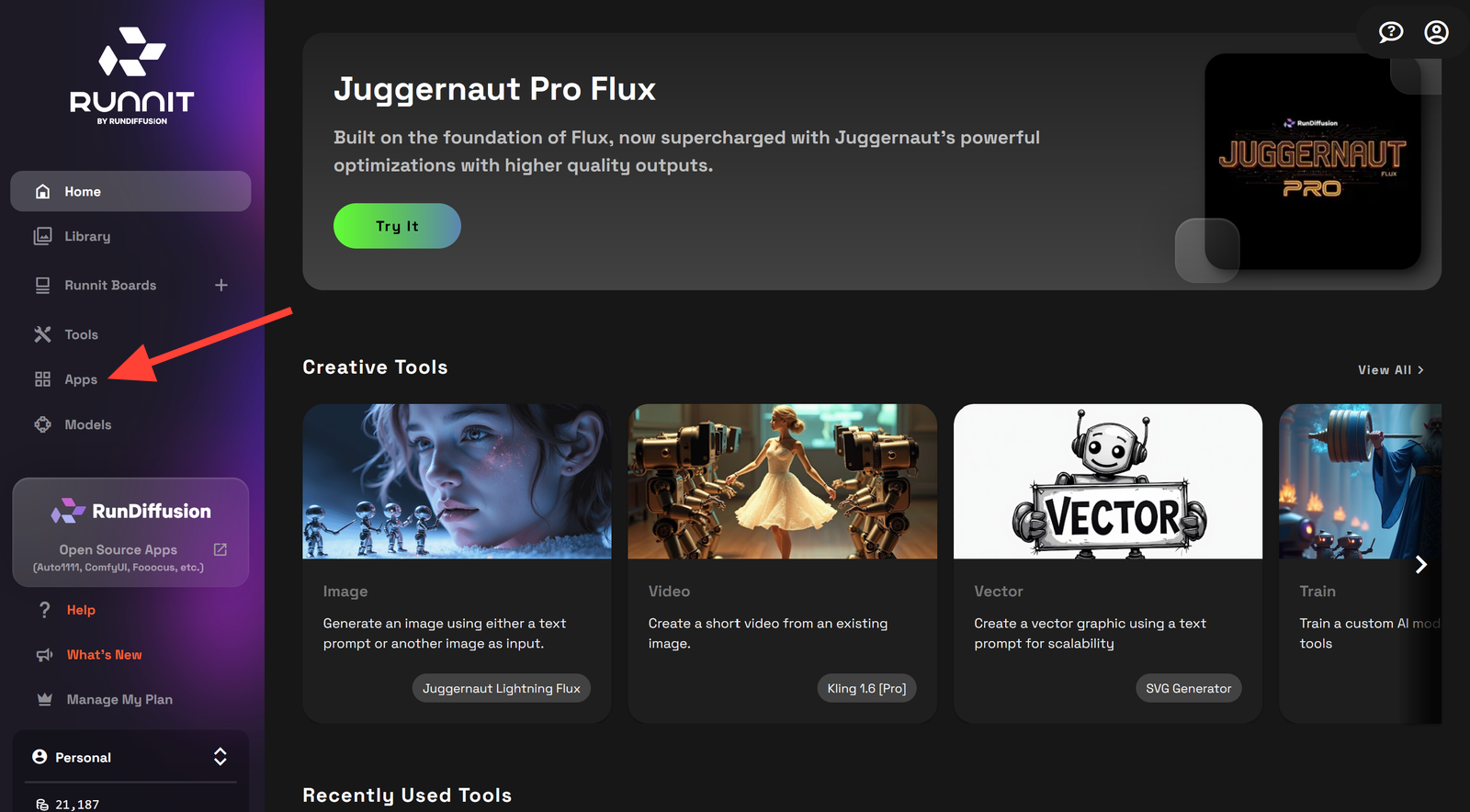
Click on APPS on the left side.
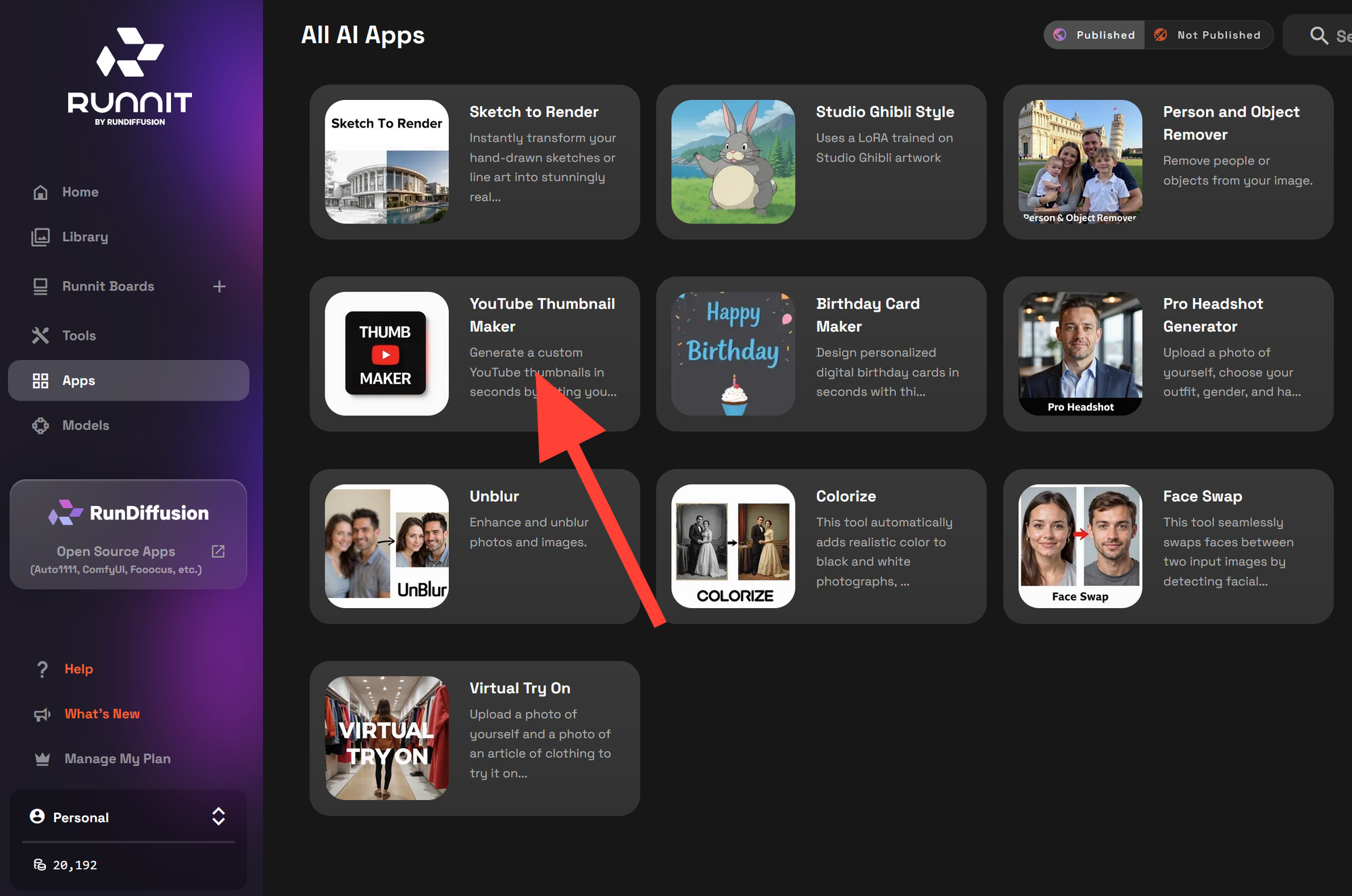
Click YouTube Thumbnail Maker in the left sidebar
How to Generate a Thumbnail
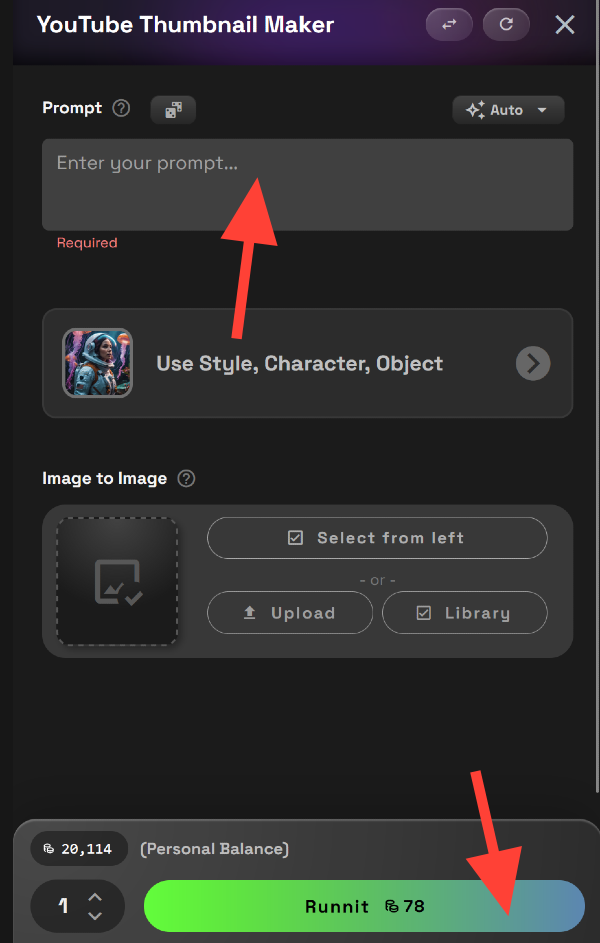
Enter Your Prompt
Describe a Prompt then click Runnit at the bottom.
Example:
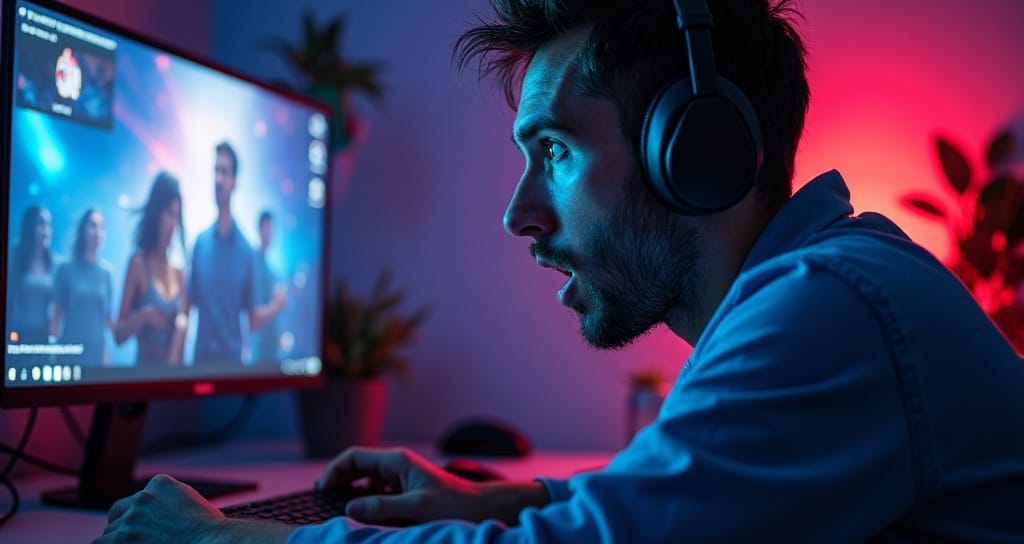
“A shocked gamer looking at a glowing monitor, cinematic lighting, blue and red neon, YouTube interface in the background.”
(Optional) Select a LoRA
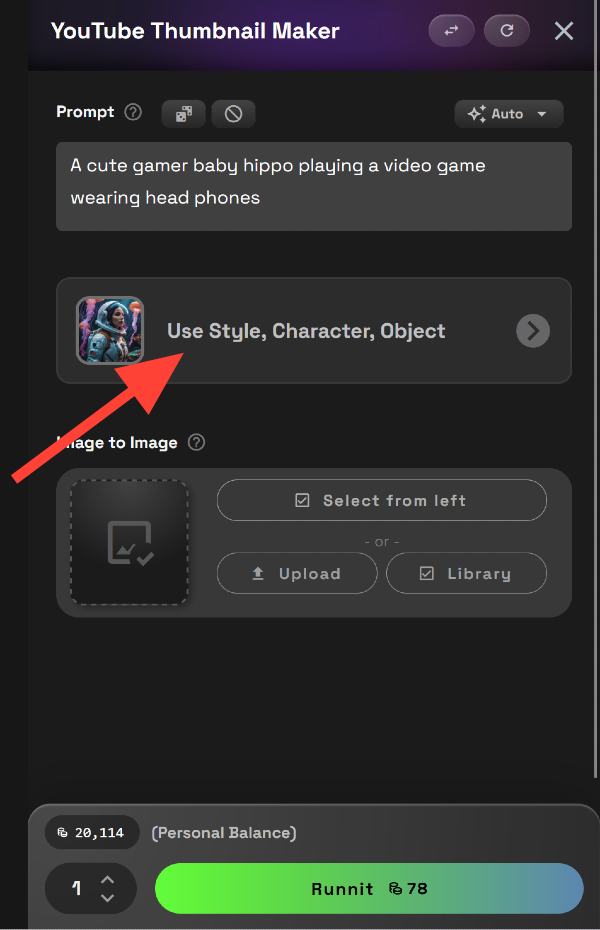
If you have a LoRa you'd like to use to create a specific character or style in your thumbnail click on the Use Style, Character, Object button. Enter your prompt then click Runnit.
Example:
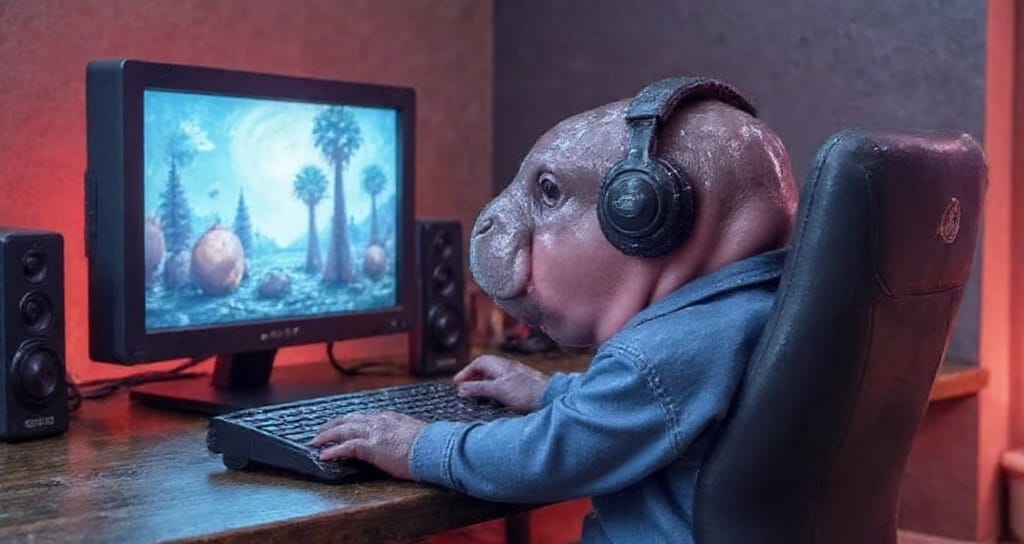
Prompt+Hippo LoRa:"a cute gamer baby hippo with head phones playing on a gaming computer"
(Optional) Use img2img
Upload a base image if you want to enhance or stylize a photo you’ve already created. Useful for branding or refining existing thumbnails. This can be used with a Lora or without. Click on Upload or Library to select an image.
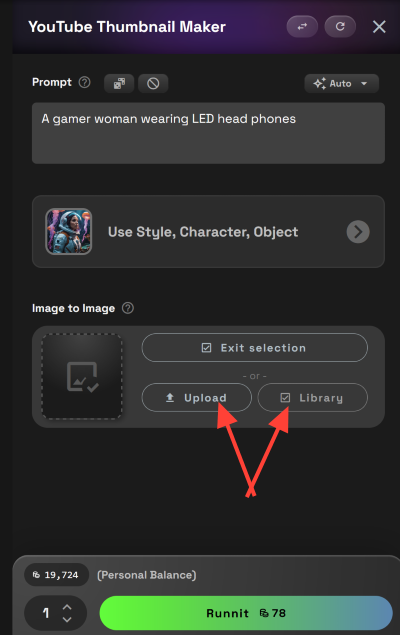
You can adjust the influence of your or use the default setting of .8 then click Runnit.
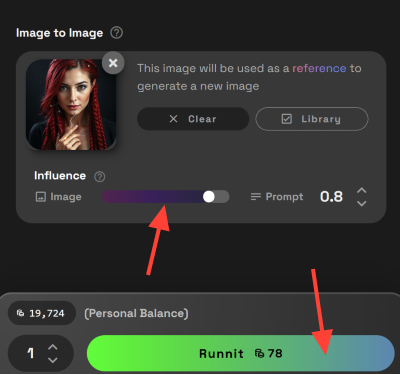
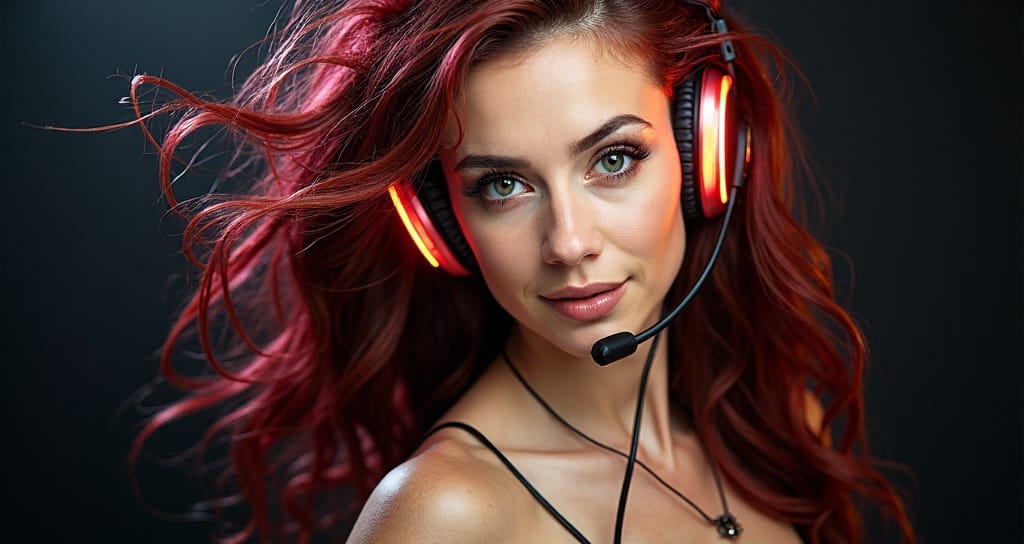
Example:
Prompt+ Image: "A gamer woman wearing LED head Phones"
Pro Tip: Make a LoRA Based on Yourself
If you're a content creator who appears in your own thumbnails, you can build a custom LoRA based on your face, style, and expressions. This gives you full control over your brand image and lets you create consistent, stylized thumbnails every time.
Use the RunDiffusion's Lora Trainer to do this directly in the cloud. Once trained, your personal LoRA can be applied inside the Thumbnail Maker for instant, recognizable results.
Tips for Better Thumbnails
Here are some real-world best practices to get the most out of the Thumbnail Maker:
- Use Subject-First Prompts: Lead with the person or object in focus.
→ “A surprised streamer…” is more effective than “Colorful background with a person…” - Apply Style-Consistent LoRAs: Choose a LoRA that fits your channel’s aesthetic—like cinematic, cartoon, or bold pop-art.
- Refine with img2img: Reuse an old thumbnail or upload a selfie for stylized variations that stay on-brand.
- Bold is Better: YouTube thumbnails are small choose styles that produce high contrast and dramatic lighting.
Related Tools on Runnit
Expand your visual workflow with these tools:
- Text-to-Image with Runnit
- Sketch to Render Pro in Runnit
- Train Your AI Models with Runnit LoRA Trainer
Final Thoughts
The YouTube Thumbnail Maker on RunDiffusion's Runnit Platform is the fastest way to generate professional, stylized thumbnails using prompt-based AI. It’s built for speed, flexibility, and creators who want to focus on content—not tools.