

Edit
Flux Kontext: Precision Image Editing Available on Runnit
Explore Flux Kontext on the RunDiffusion Platform for precise natural-language image editing, targeted changes, and stronger character consistency.
Read guideLearn how to restyle, replace, enhance, upscale, remove, retouch, and selectively regenerate creative assets with RunDiffusion.
Start here
Explore Flux Kontext on the RunDiffusion Platform for precise natural-language image editing, targeted changes, and stronger character consistency.
Read guideArticle library
Explore the complete collection across targeted edits, inpainting, style transfer, enhancement, upscaling, faces, backgrounds, and video regeneration.

Explore MMAudio V2 and Pixverse Sound Effects on the RunDiffusion Platform for adding music and sound effects to videos with short prompts.
Read guide
Transcribe audio files with high accuracy using AudioLab on RunDiffusion. Choose between WhisperX and OpenAI Whisper.
Read guide
Explore Sound Forge in AudioLab for AI-powered text-to-audio generation of soundscapes, effects, and audio textures.
Read guide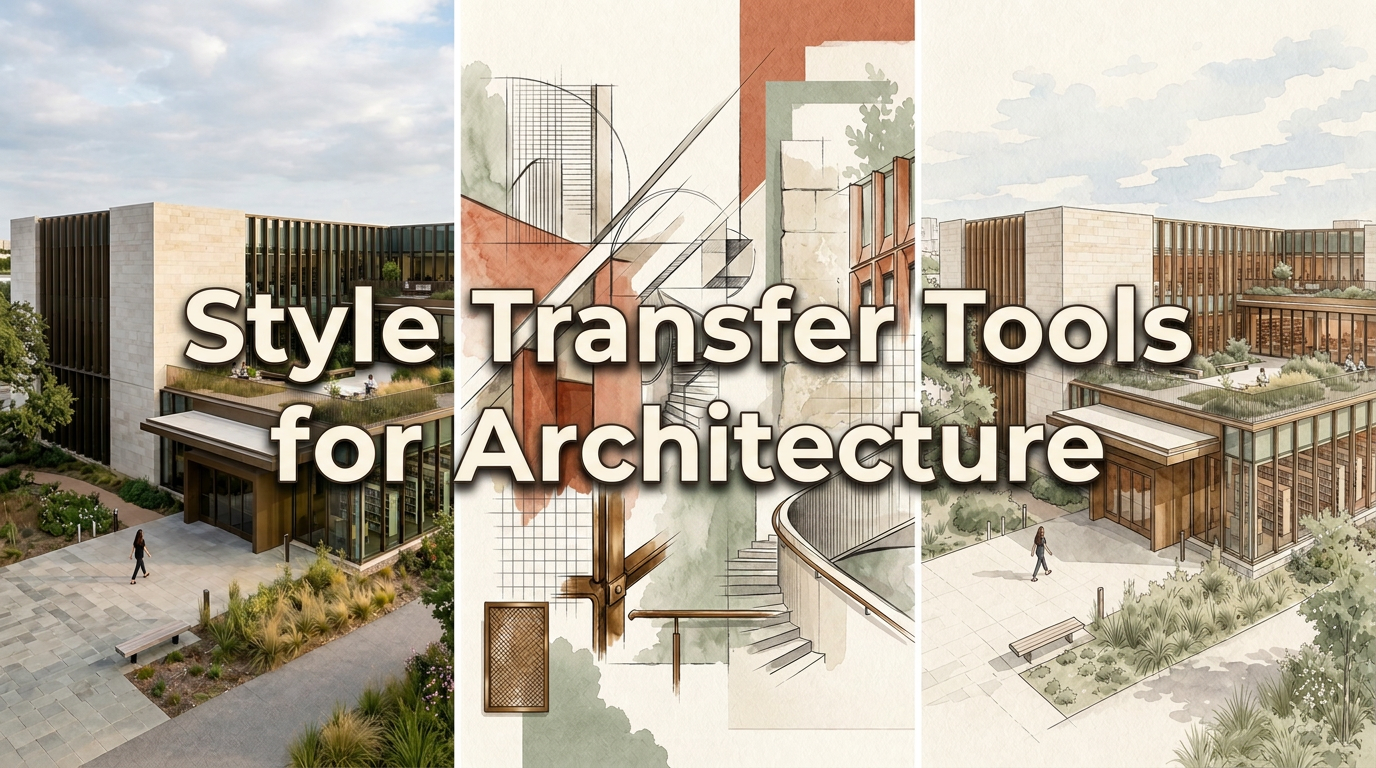
Explore style transfer tools for architecture to present concepts with mood, storytelling, and artistic direction while preserving geometry.
Read guide
Learn how architects use Gemini 2.5 Edit on the RunDiffusion Platform to transform images, refine interiors, and adjust materials or lighting.
Read guide
Explore Topaz tools on the RunDiffusion Platform for denoising, sharpening, detail recovery, and high-quality image upscaling.
Read guide
Learn how to use the FaceSwap app on RunDiffusion to upload images, adjust settings, and create upscaled results on the RunDiffusion Platform.
Read guide
Use the Colorize App on RunDiffusion to turn black-and-white images into color with fast, cloud-based AI workflows.
Read guide
Learn how to use the YouTube Thumbnail Maker on Rundiffusion to generate high-quality thumbnails with prompts, styles, or img2img.
Read guide
Use the Person and Object Remover App on the RunDiffusion Platform to remove unwanted elements from photos with fast AI-powered inpainting.
Read guide
Learn how to use the preloaded RDFacefusion extension in Automatic1111 on RunDiffusion for cloud-based face swaps.
Read guide
Learn how to get started on RunDiffusion, from account setup and platform basics to launching your first opensource application.
Read guide
Discover practical FaceFusion tips and tricks for improving swaps, refining outputs, and getting more reliable results on RunDiffusion.
Read guide
Explore FaceFusion 3.0 on RunDiffusion, including updated features, face swap workflows, and practical tips for cleaner results.
Read guide
Follow this SD Upscaler tutorial to improve image resolution, recover details, and create cleaner high-quality outputs.
Read guide
Learn how to use outpainting with Fooocus to extend compositions, add scene context, and create larger visual frames more easily.
Read guide
Learn how to install and manage face swapping models on RunDiffusion for Automatic1111, FaceFusion, and ComfyUI.
Read guideLearn how to use outpainting in Automatic1111 to expand images beyond their original frame with more seamless visual continuity.
Read guide
Learn the basics of AI upscaling so you can improve image resolution, detail, and overall presentation quality.
Read guideLearn how to use Extras in Automatic1111 for upscaling images, processing batch directories, and improving output quality more efficiently.
Read guideSign up for RunDiffusion to explore editing, enhancement, upscaling, and video tools that begin with the image or sequence you already have.
Continue with related workflows, tools, and creative disciplines across RunDiffusion.