
Mobius Is Here
Mobius is a new high-performance server option for RunDiffusion open source applications, built to make creative sessions feel faster, smoother, and more responsive from the moment you launch.

Launching First With ComfyUI, Automatic1111, and FaceFusion
Mobius launches first for ComfyUI, Automatic1111, and FaceFusion.
ComfyUI users get a more responsive environment for node-based workflow building, advanced image pipelines, SDXL workflows, video experiments, and iterative creative systems.
Automatic1111 users get the familiar Stable Diffusion interface with a new server option designed for faster prompt testing, extension-based workflows, and everyday image generation.
FaceFusion users get a faster server option for face-focused creative workflows, including image and video projects where responsiveness matters during setup, processing, review, and iteration.
As Mobius expands, supported applications will show the Mobius label or Mobius Supported badge in the RunDiffusion launcher.

Faster Performance for Professionals
Mobius is high-performance built for supported RunDiffusion open source applications. Compared with the Default option, Mobius is designed for stronger session responsiveness during demanding creative work, including complex workflows, larger jobs, image and video processing, extension-heavy environments, and production-level output.

Choose Your Build
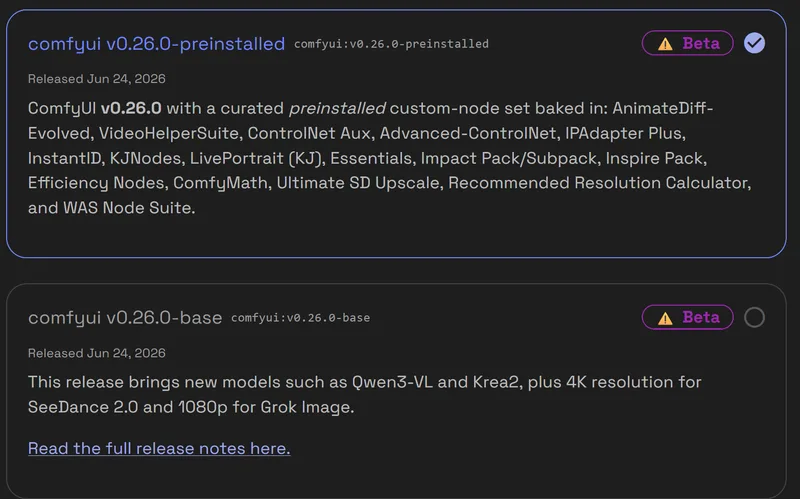
Mobius gives supported applications two clear starting points.
Preinstalled Build
Choose Preinstalled Build when you want curated nodes, extensions, and dependencies already included. This is the fastest path into common workflows because the environment is prepared before you launch.
Base Build
Choose Base Build when you want a clean environment without preinstalled nodes or extensions. This is the best starting point when you want to install your own setup, control your dependencies, or keep the environment minimal.
To begin creating immediately, choose Preinstalled Build. For full control over your environment, choose Base Build.
Mobius Storage Is Separate From Default
Mobius uses its own storage environment.
Files stored in Default sessions are not automatically synchronized with Mobius sessions. Once you launch Mobius, make sure any files, models, outputs, workflows, or project assets you need are uploaded or moved into the Mobius environment.
This keeps Mobius separate from Default and helps reduce compatibility issues between different server paths.
Built for Teams, Classes, and Managed Creative Environments
Mobius is not only useful for individual creators. It is also a strong option for teams, classrooms, labs, and enterprise creative environments that need a faster, more consistent way to launch supported open source AI applications.
For organizations using ComfyUI, Automatic1111, or FaceFusion at scale, Mobius gives users a clearer server choice for production sessions, training environments, workflow development, and repeat creative work.
RunDiffusion is built to support managed AI usage across teams, with platform features designed for enterprise operations, governance, user access, and team-level workflow management.
Mobius fits naturally into that structure by giving supported open source applications a dedicated server path that teams can standardize around when speed, stability, and session responsiveness matter.

Why Mobius Matters
Open source AI applications are powerful, but the experience depends heavily on the server behind each session. When the server feels faster, the entire creative process improves.
Mobius is designed for that difference.
Instead of working through delays while you create, Mobius gives supported RunDiffusion sessions a sharper and more responsive environment. That matters when you are building workflows, adjusting prompts, processing projects, reviewing outputs, and moving through production work.
For creators, teams, and power users, small delays add up. Mobius is built to reduce that friction.
Mobius vs Default
The Default option remains available. Mobius gives you an additional server choice for supported applications.
When to Use Mobius
Use Mobius when you want the newer, faster server option for a supported application. Mobius is optimized for modern creative workflows, with server sizes designed for different levels of workload.
When to Use Default
Use Default when you need the existing environment for a known workflow, compatibility requirement, or process built around the Default option.
Workflows that depend on files, settings, extensions, or behavior from the Default environment should continue using Default unless the needed assets have been moved into Mobius.
How to Launch With Mobius
Starting a Mobius session is part of the standard RunDiffusion launch flow.

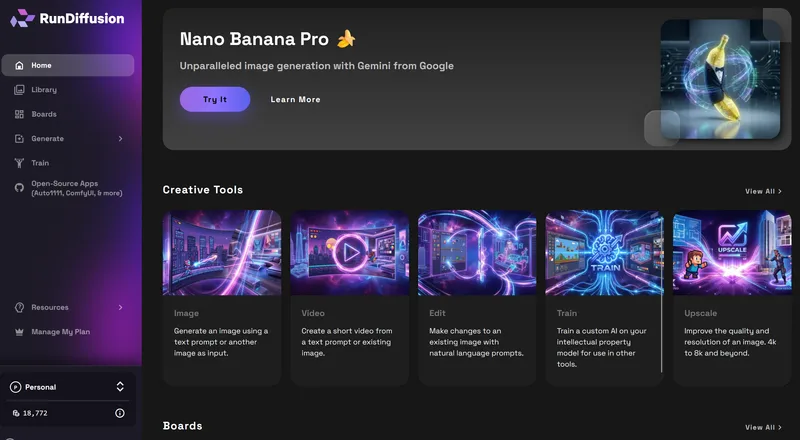
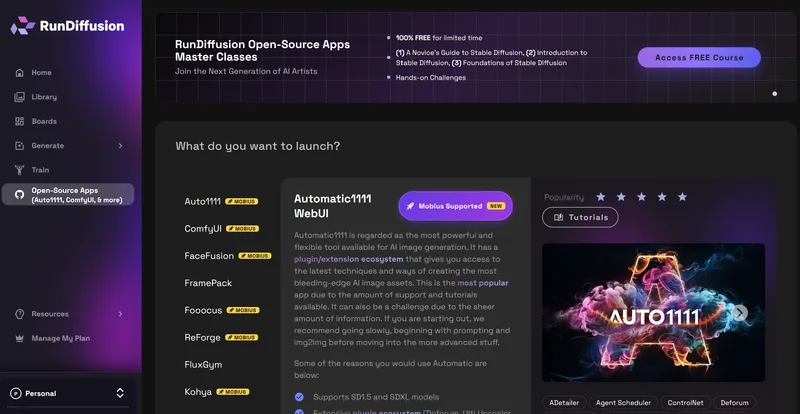
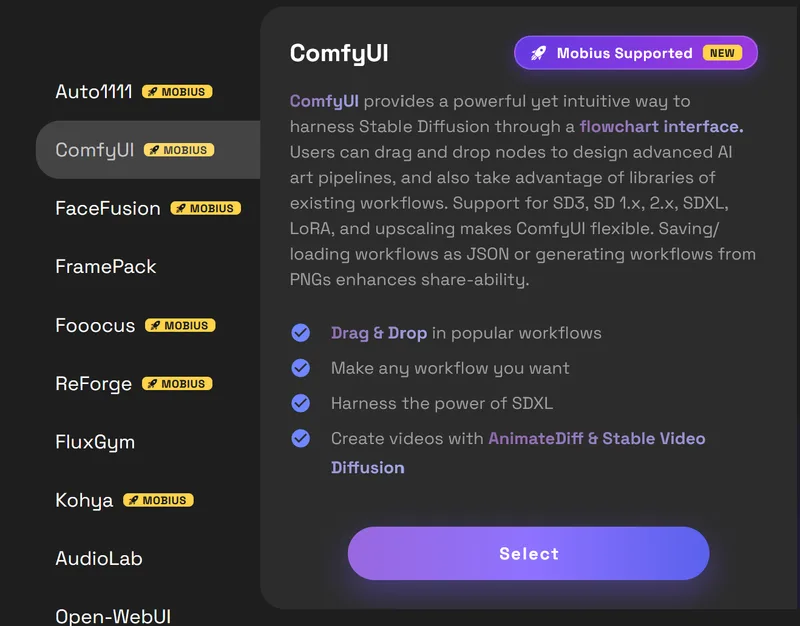
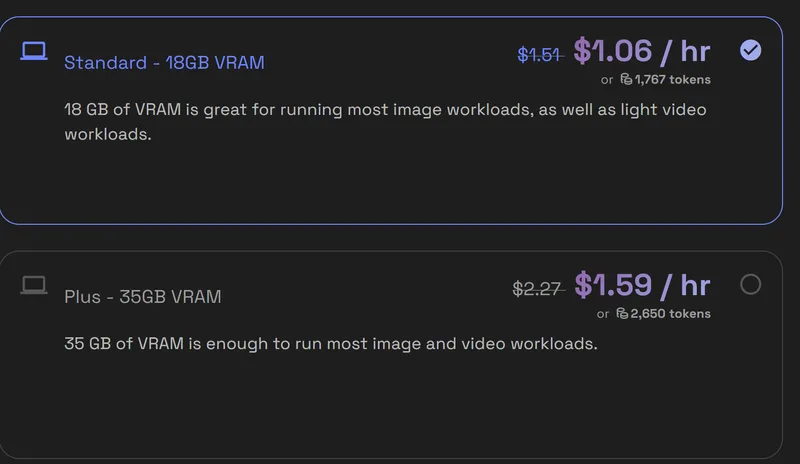
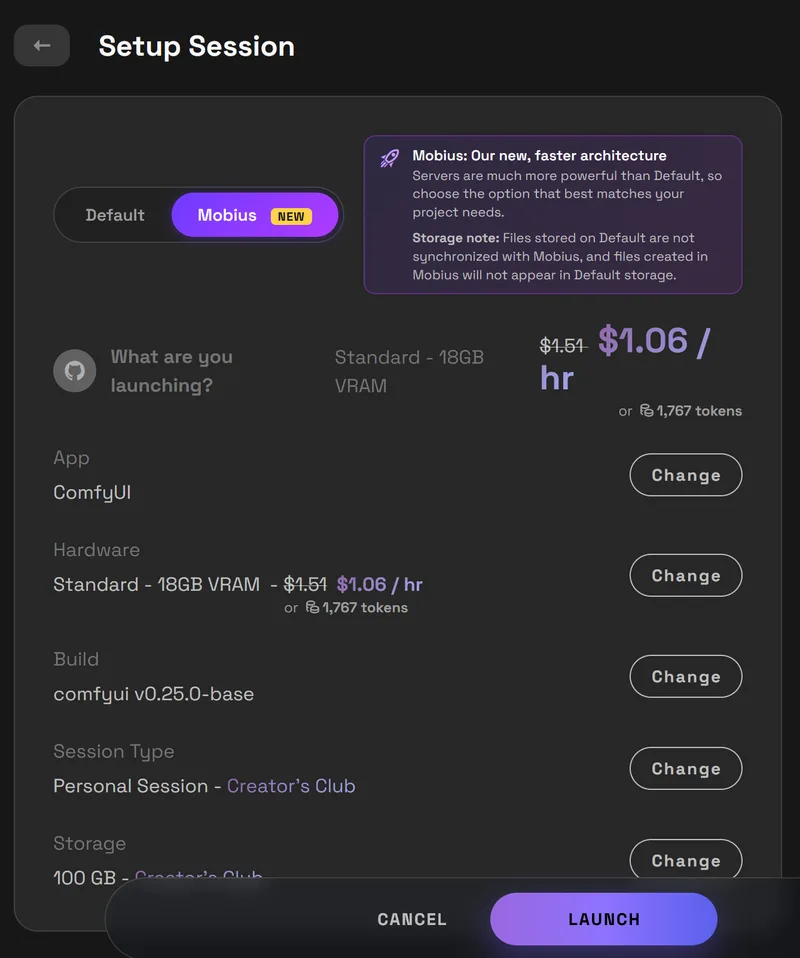
If Mobius does not appear for a tool, that application is not currently supported on Mobius. Use the available launch option for that tool.
Benchmarks and Speed
Mobius delivers strong performance gains across high-resolution image and video generation tests. Results are measured in seconds. Lower is faster.
| Server | SDXL 1024 | Z-Image 2048 | Wan 720p / 4s | Hy3D 1-ref |
|---|---|---|---|---|
Small | 3.2s | 158s | OOM | 40s |
Medium | 3.2s | 53s | 388s | 22s |
Large | 2.8s | 42s | 285s | 15s |
Max | 3.2s | 29s | 190s | 13s |
Mobius Standard | 3s | 37s | 251s | 21s |
Mobius Plus | 3s | 21s | 130s | 12s |
Benchmark Parameters
Technical details and model configurations used for performance testing.
| Test | Model(s) | Resolution / Frames | Steps | CFG | Sampler / Scheduler |
|---|---|---|---|---|---|
| SD1.5 512 | DreamShaper_8_pruned | 512×512 | 25 | 7 | dpmpp_2m / karras |
| SDXL 1024 | juggernautXL_juggXI | 1024×1024 | 25 | 7 | dpmpp_2m / karras |
| Z-Image 2048 | z_image_turbo_bf16 + qwen_3_4b (lumina2) + ae | 2048×2048 | 8 | 1 | res_multistep / simple |
| Wan 720p 4s | wan2.1_t2v_14B_fp8 + lightx2v_T2V LoRA | 1280×720, 65 frames @16fps | 4 | 1 | euler / simple |
| Hunyuan3D 1-ref | hunyuan3d-dit-v2 (+ bundled clip_vision/vae) | octree 256, latent res 3072 | 20 | 1 | euler / normal |
| Hunyuan3D 3-ref | hunyuan3d-dit-v2-mv (multiview) | octree 256, latent res 3072 | 20 | 7.5 | euler / normal |
Frequently Asked Questions
Is Mobius useful for enterprise teams?
Is Mobius a good fit for classes or training labs?
How does Mobius fit with RunDiffusion governance features?
Is Mobius replacing Default?
Which applications support Mobius at launch?
Are Mobius server sizes the same as Default?
Does Mobius use the same storage as Default?
What is the difference between Preinstalled Build and Base Build?
Should every workflow use Mobius?
How do I know if an application supports Mobius?
Ready to Launch?
Launch Mobius for a faster, more responsive RunDiffusion session built to support the full creative workflow, from first setup to final output.