
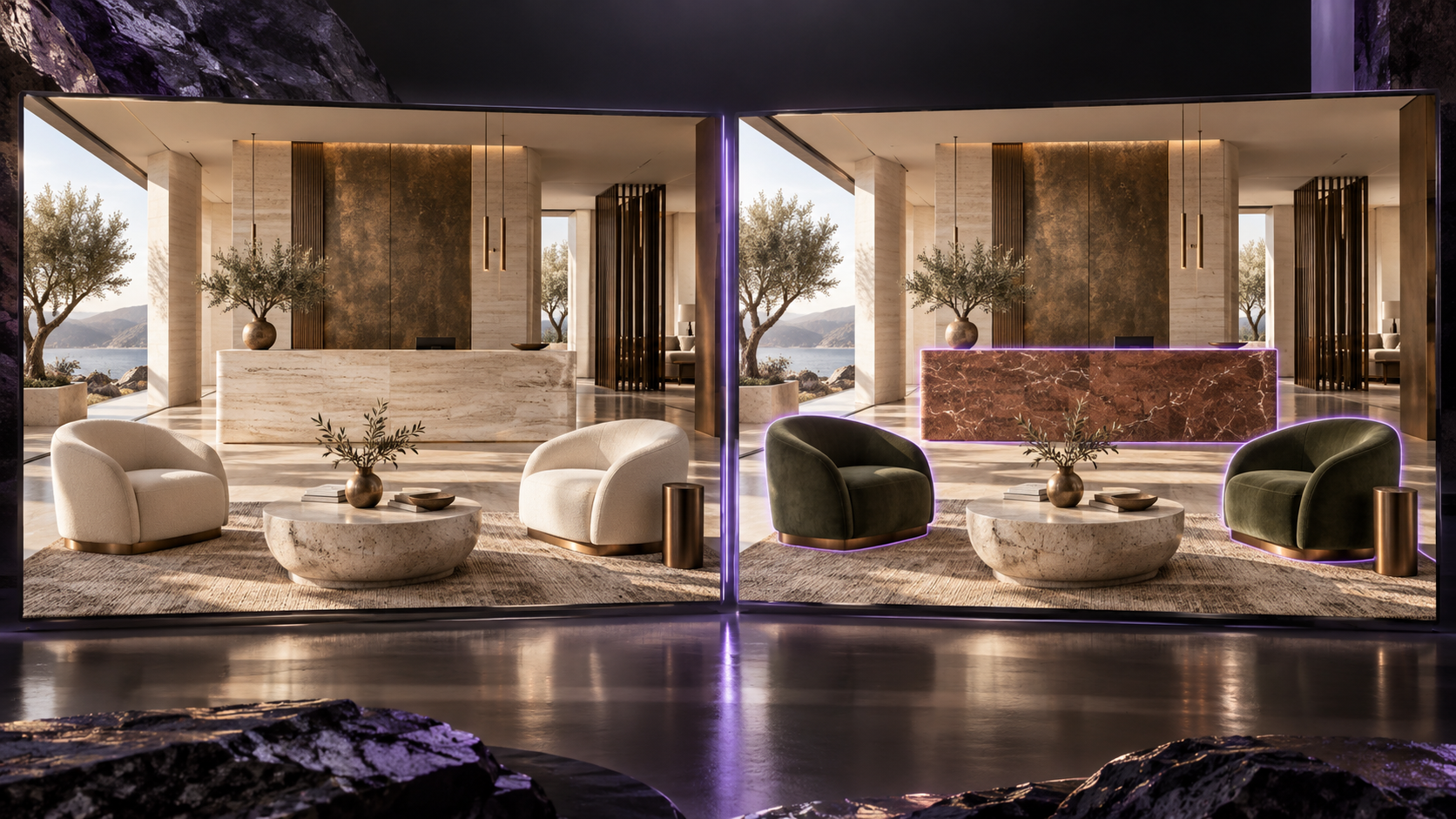
Nano Banana 2.1 is now available on RunDiffusion. Generate an image from a written prompt or supply up to fourteen images for a multi-image editing task, with output options up to 4K.
Choose generation or image editing
Write your instructions in Prompt. Leave Image(s) to Edit empty to create an image from text, or add your source images to direct an edit. When several images are involved, explain which image provides the composition and which images provide materials, objects, or other references.
Aspect Ratio combines the output shape and resolution tier. Choose 1K, 2K, or 4K in formats including 21:9, 16:9, square, and 9:16. The default output is a 1K square.
Make a controlled material revision
For an interior revision, identify the surface to change and the parts of the image to preserve. Add a separate material image when the finish needs a specific appearance.
A starting prompt: Use the first image as the room to edit. Replace only the reception desk cladding with the reddish stone in the second image. Keep the desk shape, joinery lines, lighting, camera angle, and all other materials unchanged.
Example: changing an upholstery finish


For more editing examples and reusable instructions, read the Nano Banana 2.1 Prompt Guide.
Related changelogs
Flux 3 Image, Klein, Klein Base, and Video Upscale
View all product updates in the RunDiffusion changelog.