
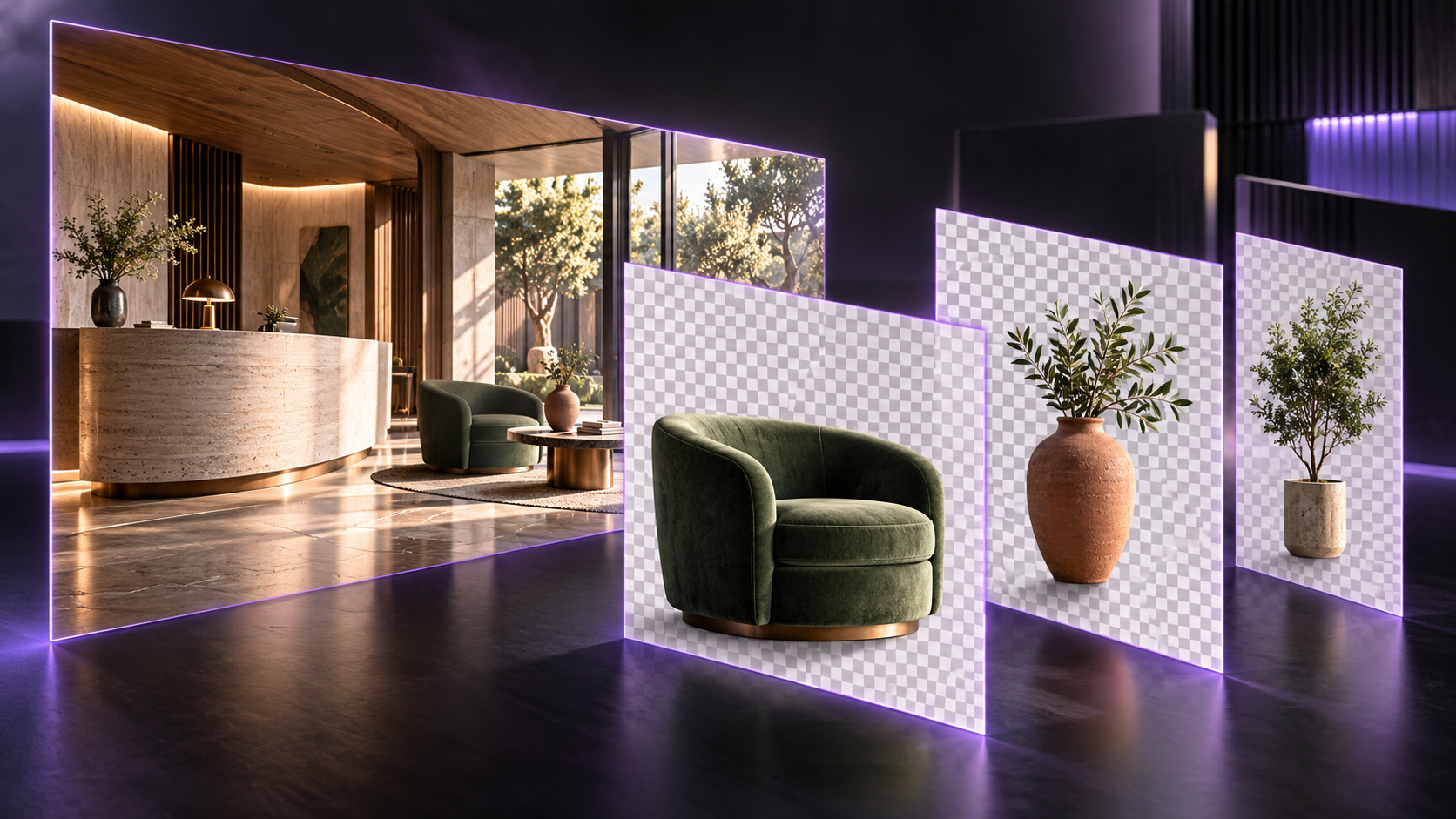
Seedream 5 Pro Layerize is now available on RunDiffusion. Separate a finished image into a layered Photoshop file containing a base image and individual editable elements.
Choose what to separate
Upload the finished visual in Source Image. Use Separation Instructions to name the elements you want isolated, or leave the field blank to separate the major elements automatically.
Output Resolution offers Auto, Auto 1K, Auto 1.5K, and Auto 2K. Prompt Enhancement has Standard and Fast options. Standard prioritizes image quality, while Fast reduces generation time.
Prepare a visual for further editing
For an interior or landscape presentation, use the instructions to identify specific foreground objects or design elements. A useful starting brief might ask to separate the sofa, lounge chair, and planting while retaining the room as the base image.
Review the separated edges and the reconstructed base before making final adjustments in Photoshop. Layerize creates editable elements from a finished image; the result should be checked against the source where objects overlap.
Example: separating furniture and accessories


The source reception lounge is also shown in the Flux 3 image tools update.
Related changelogs
View all product updates in the RunDiffusion changelog.