
Changing your email address on RunDiffusion is simple. Follow these steps to update your account information quickly:
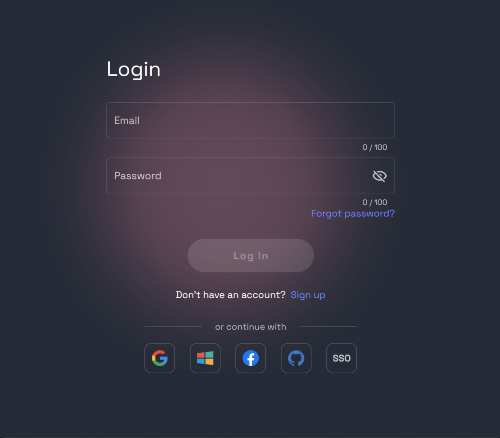
Login to your account at RunDiffusion.
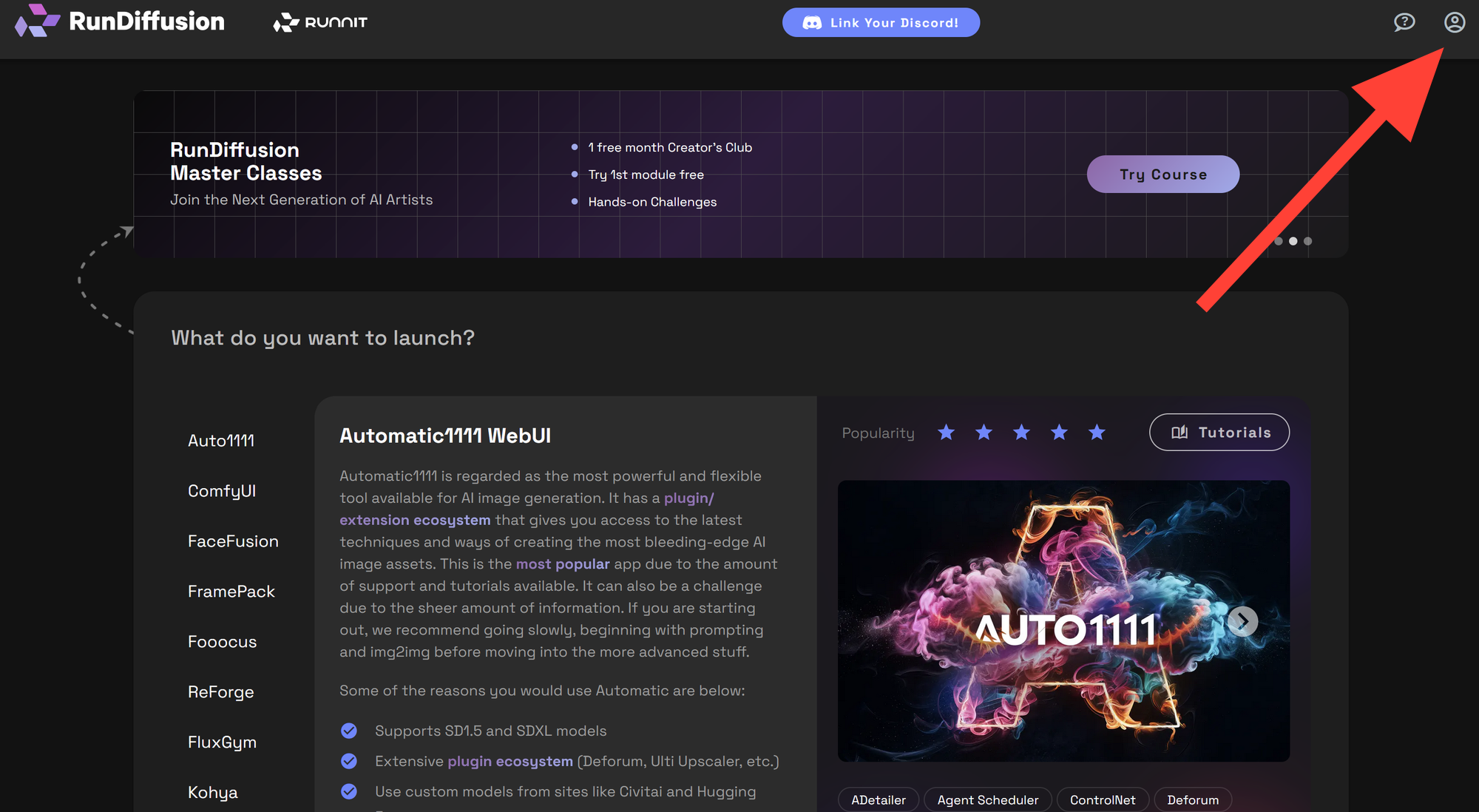
Click on your Account Icon in the top-right corner of the dashboard on the RunDiffusion website.
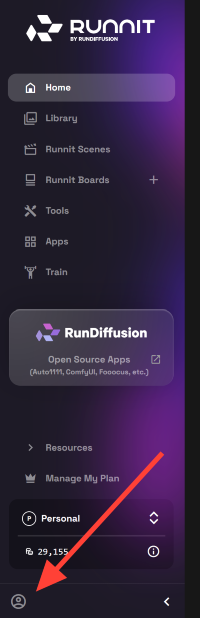
If you are using the RunDiffusion Platform (Formerly Runnit Platform), the Account Icon can be found in the bottom left side bar.
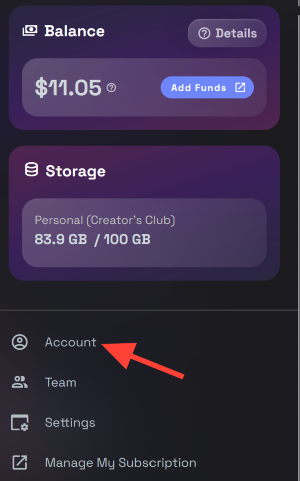
Select Account from the sidebar menu.
Navigate to Login Settings.
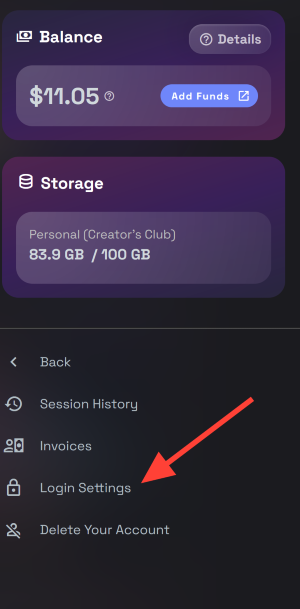
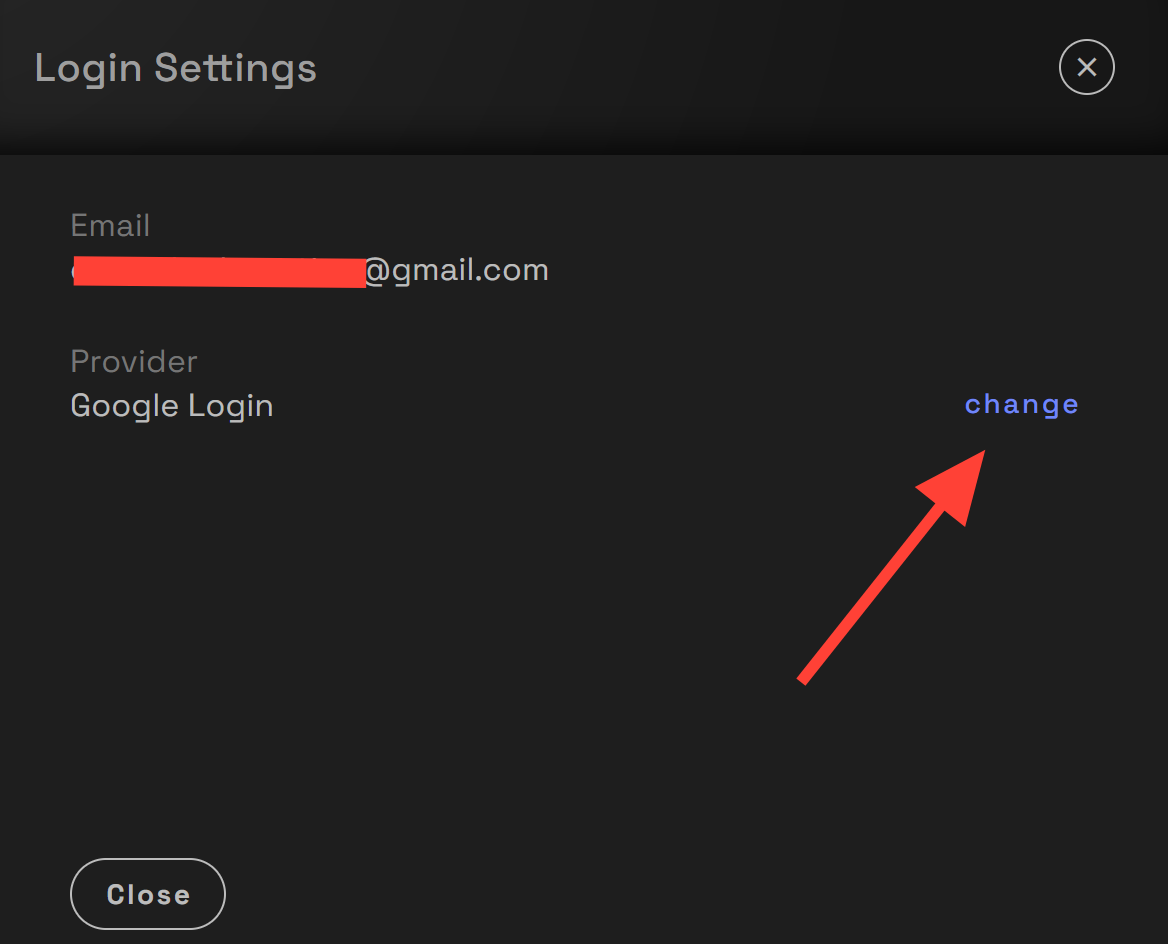
If you already have an email authenticator like google Click on Change next to your current email/password login .
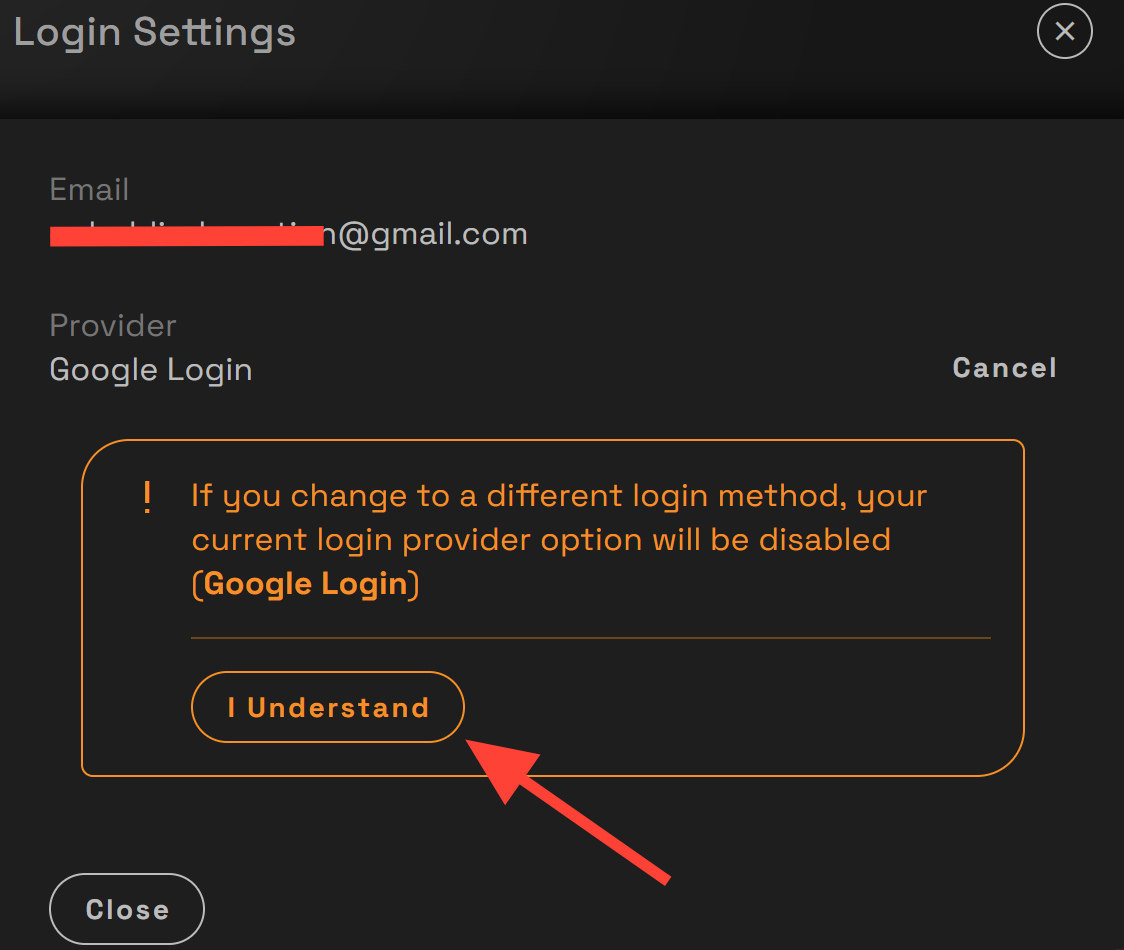
Click I understand when Prompted.
Enter your new email address, then save the changes. Check your email for a verification link and confirm the update. Once verified, your new email address will be active on your RunDiffusion account.
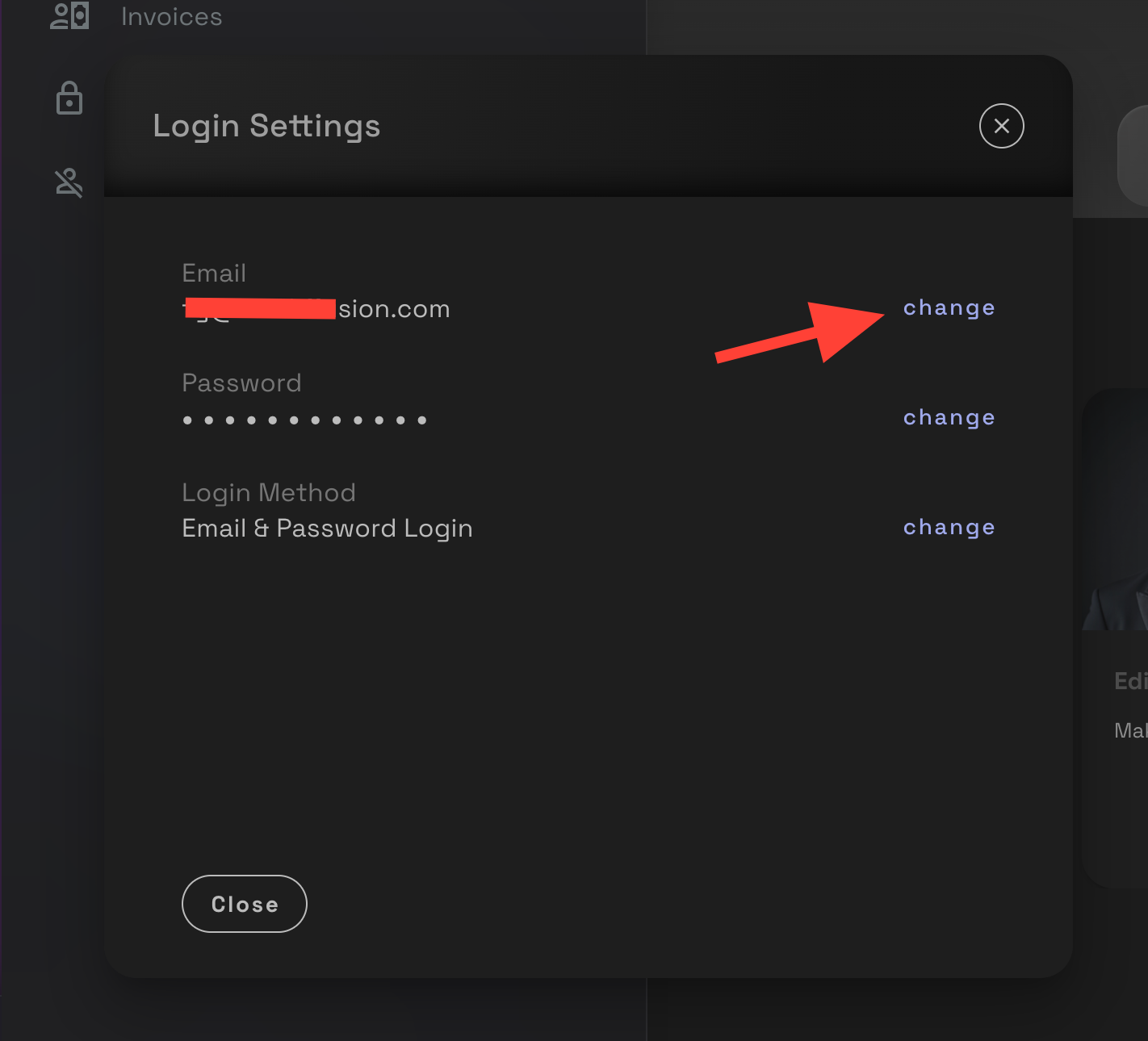
If you are using the email password login method. Click Change directly on your email.
Further Reading
Launching Multiple OpenSource Applications | RunDiffusion
RunDiffusion makes it easy to run multiple OpenSource Application sessions at the same time. This is perfect for testing different workflows, comparing results, or running separate projects in parallel. Why do I need multiple sessions? Launching multiple sessions is especially useful when working on projects that require significant processing time. For example: * Running long Deforum animations or audio reactive videos in ComfyUI * Performing high resolution upscaling which may take sever
RunDiffusion Team

How to Open a Support Ticket | RunDiffusion
Need help? Open a support ticket by clicking the Help Chat Icon in the top right, our team will assist you as soon as possible!
RunDiffusion Team

How to Access Your Logs for Open Source Applications | RunDiffusion
When you’re troubleshooting you often need to access your log file on RunDiffusion. Reviewing log files is a vital step. RunDiffusion’s FILES ONLY app gives you direct access to your Cloud Filebrowser storage including your logs, without needing to relaunch a session. In this article, we’ll walk through how to access logs using FILES ONLY, what to look for, and how it helps when using apps like ComfyUI, Auto1111, or Kohya etc. Step by Step: How to Access Logs Using FILES ONLY Login to RunDi
RunDiffusion Team