

If you need help with billing, the RunDiffusion platform, or an open source application, you can open a support ticket from the Help Center. Follow the steps below and include the right details so our team can investigate efficiently.
How to open a RunDiffusion support ticket
1. Sign in and open Help
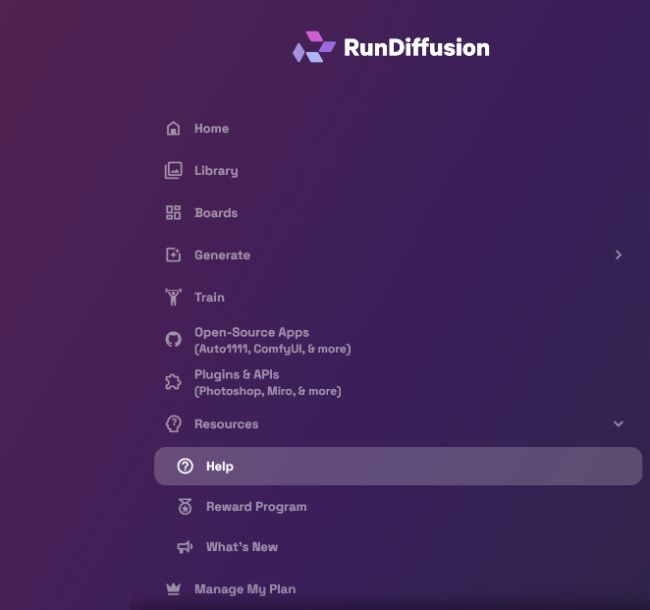
Sign in to the RunDiffusion platform. From the left sidebar, open Resources, then select Help.
2. Select Chat with Support
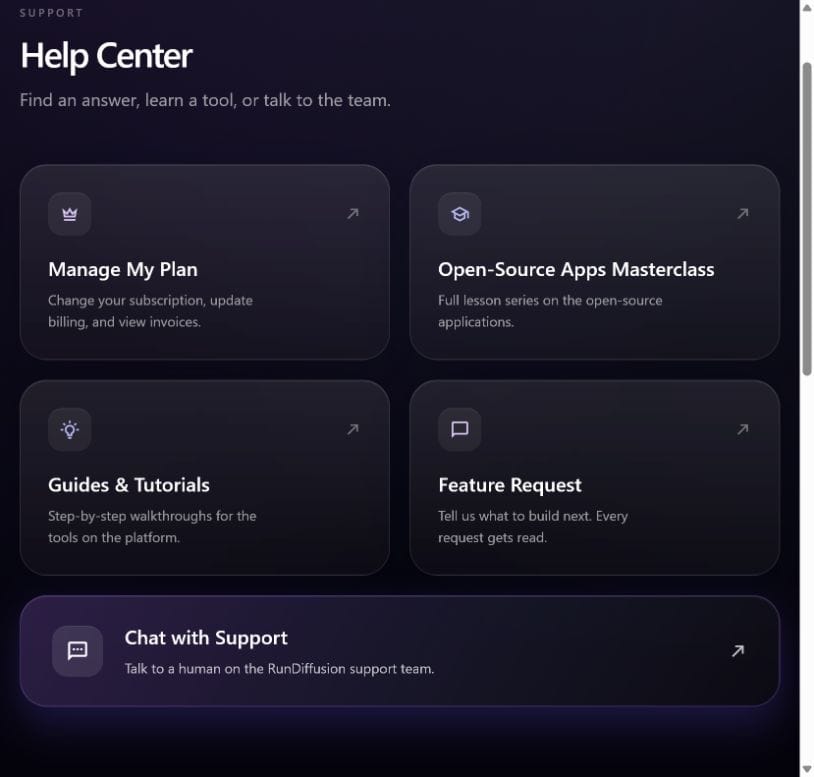
The Help Center includes plan management, guides, feature requests, and support. Select Chat with Support to begin.
3. Choose the correct support category
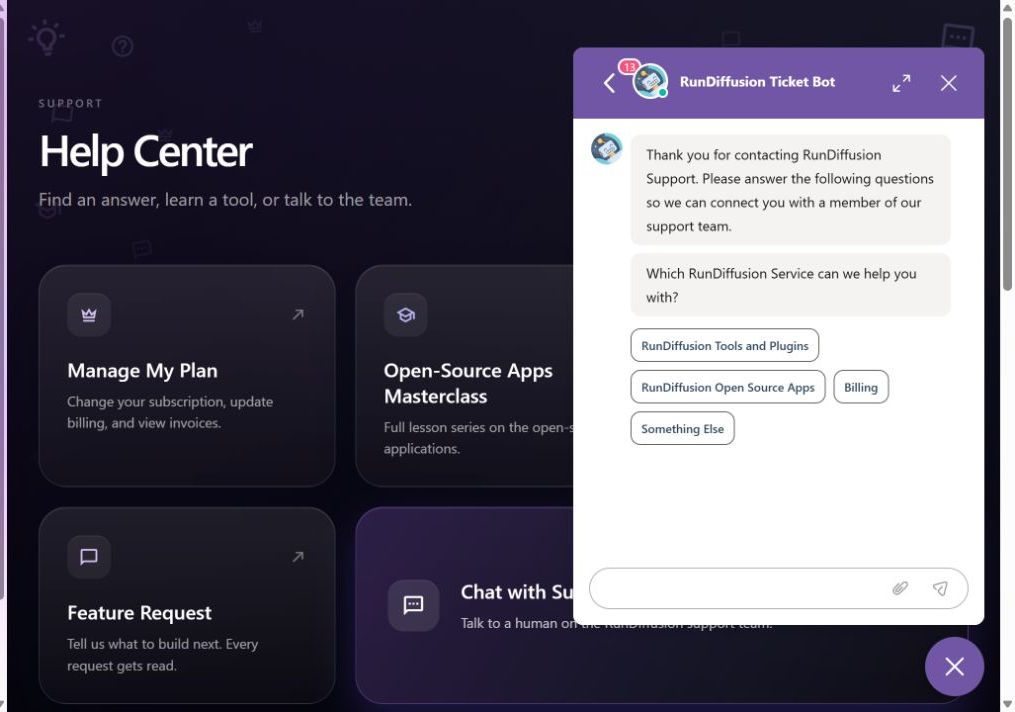
The support chat asks which RunDiffusion service you need help with. Choose the category that best matches your issue:
- RunDiffusion Tools and Plugins
- RunDiffusion Open Source Apps
- Billing
- Something Else
4. Follow the prompts and submit your request
Answer the questions in the chat, describe the problem clearly, and attach any relevant screenshots or logs. Specific details help the support team route and troubleshoot your request.
If the support chat does not open: Some ad blockers, privacy extensions, or VPNs may prevent the chat widget from loading. Temporarily disable them for the RunDiffusion site, reload the Help Center, and try again.
What to include in your support request
A complete ticket reduces follow-up questions and gives the support team a clearer starting point. Include:
- The email address registered to your RunDiffusion account.
- The affected tool, plugin, feature, or open source application.
- A concise description of the issue.
- The steps that led to the problem.
- What you expected to happen and what happened instead.
- The approximate date and time of the issue, including your time zone.
- The complete error message, if one appeared.
- Relevant screenshots or logs with sensitive information removed.
Billing issues
Include your account email, the date and amount of the charge or invoice, and a brief explanation of the issue. Never send your password or complete payment-card details.
RunDiffusion tools and plugins
Name the tool, plugin, or feature you were using. Include the steps that produced the issue, your browser or host application when relevant, the full error message, and a screenshot. If it is safe to share, include the settings or input needed to reproduce the problem.
Open source applications
Include the application name and version, the server size shown for the session, a detailed issue description, the exact error message, the approximate time the problem occurred, and any relevant screenshots or logs.
What happens after you submit
The support team will respond as soon as possible. If you discover more information after submitting your request, add it to the existing conversation so the full context remains together.
Ready to contact support?
Open the Help Center and start a conversation with the RunDiffusion support team.