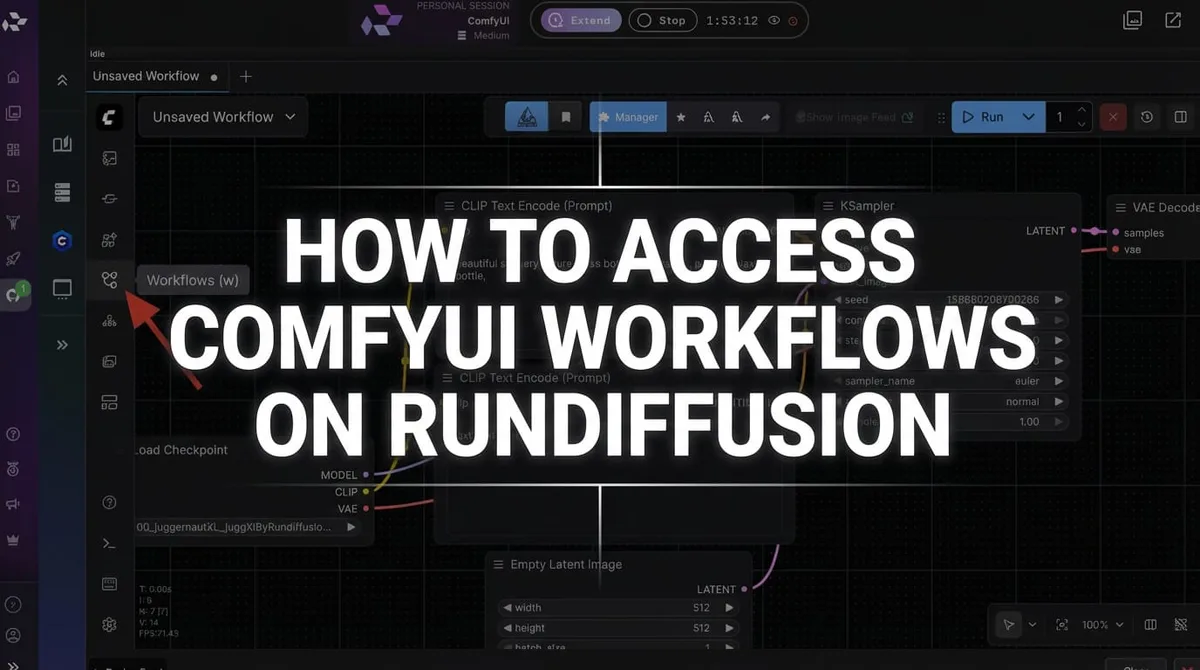
- ReActor fits ComfyUI users who want flexible, node-based campaign workflows.
- Advertising teams can use it for concepting, social ad variations, product lifestyle concepts, and higher-volume visual exploration.
- ComfyUI has a learning curve, so the Consistent Character template may fit teams that need a guided workflow.
- RunDiffusion cannot host or automatically download the InSwapper_128 model; commercial users must handle licensing and upload models manually.
ReActor in ComfyUI is useful for advertising teams that prefer node-based workflows and need batch-oriented campaign variation work around a consistent face or persona. The Consistent Character template is a more guided option for repeatable character visuals, but it does not currently offer batch processing.
| At a glance | |
|---|---|
| Tool | ReActor nodes |
| Host app | ComfyUI |
| Platform | RunDiffusion |
| Best fit | Batch-oriented advertising workflows |
| Required model folder | models/insightface/ |
Professional advertising work depends on consistency, speed, and the ability to explore multiple creative directions without losing the core identity of a campaign. If your team needs to build visual concepts around the same person, spokesperson, or campaign persona, ReActor nodes in ComfyUI on RunDiffusion can be a useful concepting option and can support batch processing.
ComfyUI supports workflows using ReActor, which is available as an open-source application on RunDiffusion's Runnit Platform. For users who prefer ComfyUI and want flexibility, including batch-oriented workflows, ReActor can be a strong fit.
At the same time, the Consistent Character template serves a different purpose. It offers a more guided approach to creating repeatable character-based visuals inside the RunDiffusion Platform that are high quality and ready for clients, though it does not currently offer batch processing.
That distinction matters for professional advertising teams. These options serve different workflows, different user preferences, and different production needs. When using ReActor, you need to build a workflow to increase fidelity and output quality.
Why ReActor matters for ad campaigns
Modern ad campaigns rarely stop at one image. A single concept may expand into paid social creatives, landing page visuals, banners, email graphics, client pitch boards, and presentation decks. When the featured person changes too much from one image to the next, the campaign starts to lose cohesion.
That is where ReActor can be useful.
For advertising teams, ReActor can help with:
- concepting around a consistent face or campaign persona
- producing multiple creative directions around the same subject
- building campaign mockups for internal review
- exploring high-volume visual variations in a ComfyUI workflow
- supporting batch-oriented output for teams that need more scale
For agencies, in-house brand teams, and creative production teams, this makes ReActor especially relevant when large volumes of images need to be processed.
Why use ReActor in ComfyUI on RunDiffusion

The main advantage of ReActor is batch processing and building custom node-based workflows. This is suitable for advanced users who already prefer ComfyUI and want the flexibility of a node-based environment. Otherwise, we recommend the Consistent Character template.
Inside ComfyUI, you can build a more customized workflow around face-focused image generation, reference images, prompting, and refinements. That makes it appealing to users who want to shape how the process works rather than rely on a more guided template flow.
For advertising work, that matters when your team wants to:
- build more customized image pipelines
- create large sets of campaign variations
- work in a batch-oriented process
- stay inside a ComfyUI workflow they already know
- control how generation steps connect together
RunDiffusion makes that possible in the cloud, so your team can access ComfyUI through the platform instead of dealing with setup overhead.
What ReActor is useful for in professional advertising

Campaign concept development
ReActor can help you create multiple concept directions around a single recognizable person or persona. That is useful for client pitches, internal approvals, and early-stage campaign planning.
Branded social ad variations
If you need multiple ad sizes and formats with a recognizable face across them, ReActor can help support that consistency inside a ComfyUI workflow.
Product lifestyle concepts
You can explore how a campaign persona appears across different settings, product use cases, and visual treatments while keeping the broader campaign direction aligned.
High-volume experimentation
For teams that prefer ComfyUI and need batch-oriented generation, ReActor can be useful when the project involves many variations rather than a handful of one-off assets.
Creative production pipelines
Some teams want flexibility, control, and repeatability in a node-based system. ReActor fits naturally into that working style.
Is ComfyUI challenging to use?
Yes, for many teams it can be.
ComfyUI is powerful, but it also comes with a learning curve. That is especially true for advertising teams that include non-technical users such as marketers, account leads, designers, brand managers, and creative directors who do not want to spend time troubleshooting node graphs.
ComfyUI can feel challenging when you need to:
- understand how nodes connect and affect output
- troubleshoot workflows when something breaks
- manage prompting and reference-image relationships
- keep results consistent across many outputs
- move quickly under campaign deadlines
That does not make ComfyUI a bad choice. It simply makes it a better fit for certain users.
If your team already likes ComfyUI and wants a flexible, batch-oriented workflow, ReActor can make sense. If your team wants a more guided way to create repeatable character visuals inside the RunDiffusion Platform, the Consistent Character template may be the better fit for that workflow.
ReActor and Consistent Character serve different purposes
It is important to position these correctly.
ReActor in ComfyUI is useful for users who prefer working in ComfyUI and want flexibility, especially when batch processing matters to the workflow.
The Consistent Character template serves a different role. It is designed for users who want a more guided way to create repeatable character-driven visuals inside the RunDiffusion Platform without building or managing a more advanced ComfyUI process.
At the moment, the Consistent Character template does not currently offer batch processing, though that may change in the future.
So the real question is not which one is better overall. The better question is which one fits your current production process.
When to use ReActor in ComfyUI
ReActor is a strong fit when:
- you prefer working in ComfyUI
- your team is comfortable with node-based workflows
- batch processing is important to your production needs
- you want a more flexible setup for campaign variation work
- you need a workflow that suits higher-volume experimentation
For some ad teams, that is exactly the right setup. It offers more control and fits naturally into a ComfyUI-based production flow.
When to use the Consistent Character template
The Consistent Character template is a strong fit when:
- you want a more guided workflow
- your priority is repeatable character consistency
- you want a simpler path inside the RunDiffusion Platform
- non-technical users need an easier process
- batch processing is not a current requirement
For many marketing and creative teams, that difference is important. The Consistent Character template helps keep the focus on campaign visuals and allows beginners and experts to use it.
Downloading the model
Due to licensing and commercial usage restrictions, RunDiffusion is unable to host or facilitate the automatic download of the InSwapper_128 model.
If you plan to use this model for commercial purposes, you must contact InsightFace directly to obtain the appropriate permissions or licensing. To remain compliant, users are now required to upload and manage face swapping models manually within their own RunDiffusion Storage.
For ComfyUI, place the model in this folder inside your RunDiffusion Storage:
models/insightface/
For a full walkthrough on how to do that, refer to the full article here.
How to access ReActor in ComfyUI on RunDiffusion
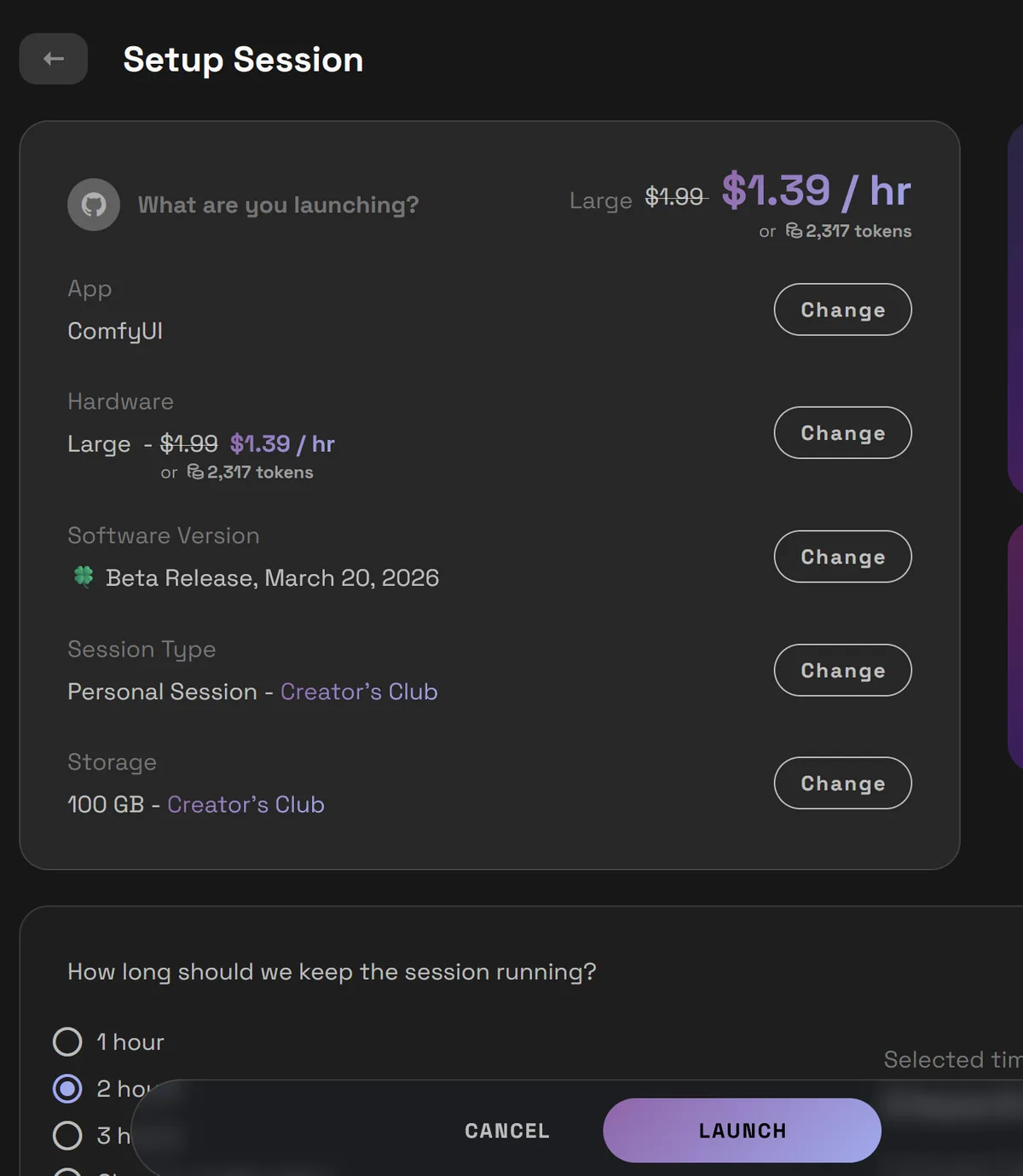
To launch ComfyUI on RunDiffusion:
- Log in to RunDiffusion.

- On the RunDiffusion Platform, select Open-Source Apps in the left sidebar.
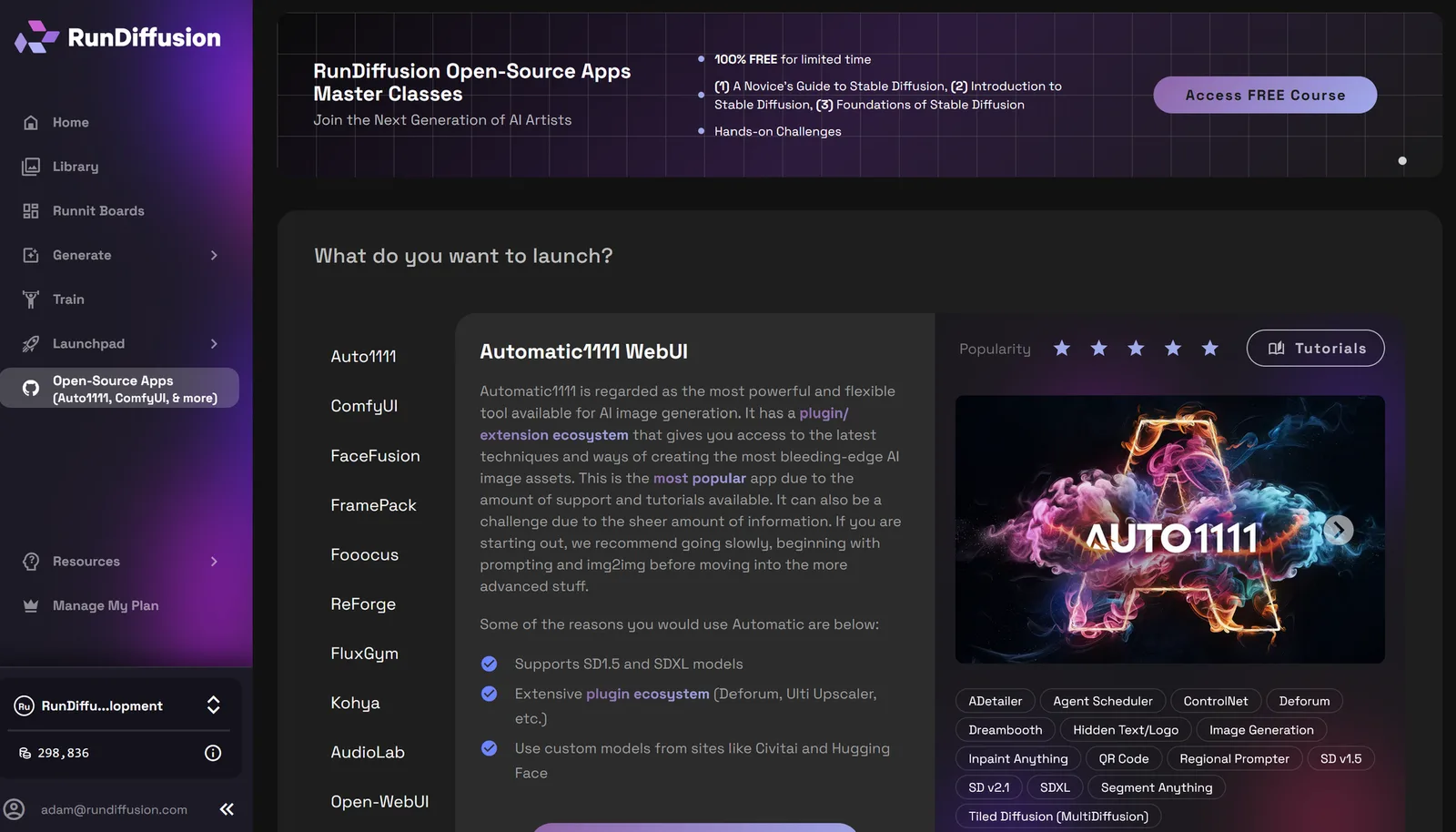
- Select ComfyUI. Click Select.
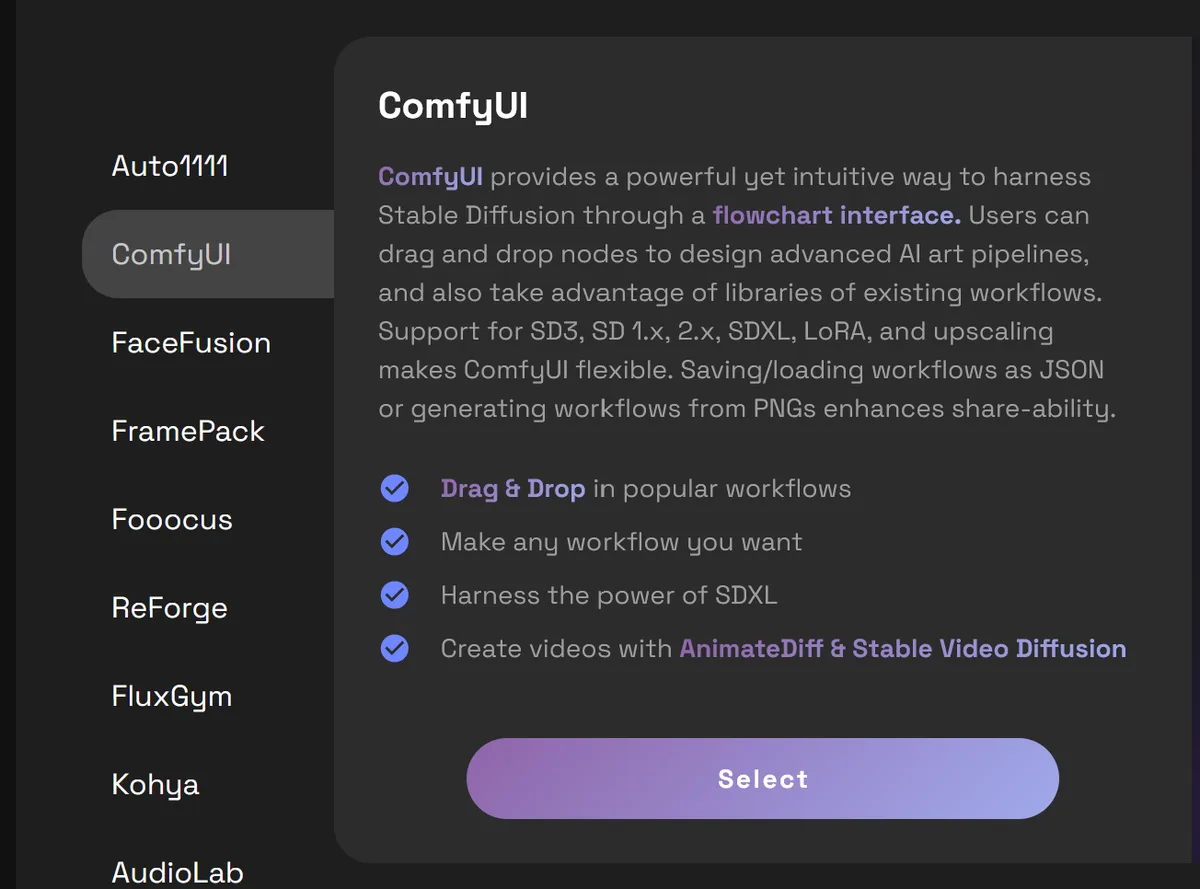
- Choose at least the March 20, 2026 Beta Build, then click Launch.
Inside ComfyUI, you will want to add the ReActor face swap node and start with two Load Image nodes: one for the Input_image and one for the source_image. For the swapped_image, connect a Save Image node. This is a basic workflow, and you may want to use face models and other images to improve fidelity as well as attach your favorite upscale workflow. Once everything is connected, click Run and watch the source image be applied to the load image.
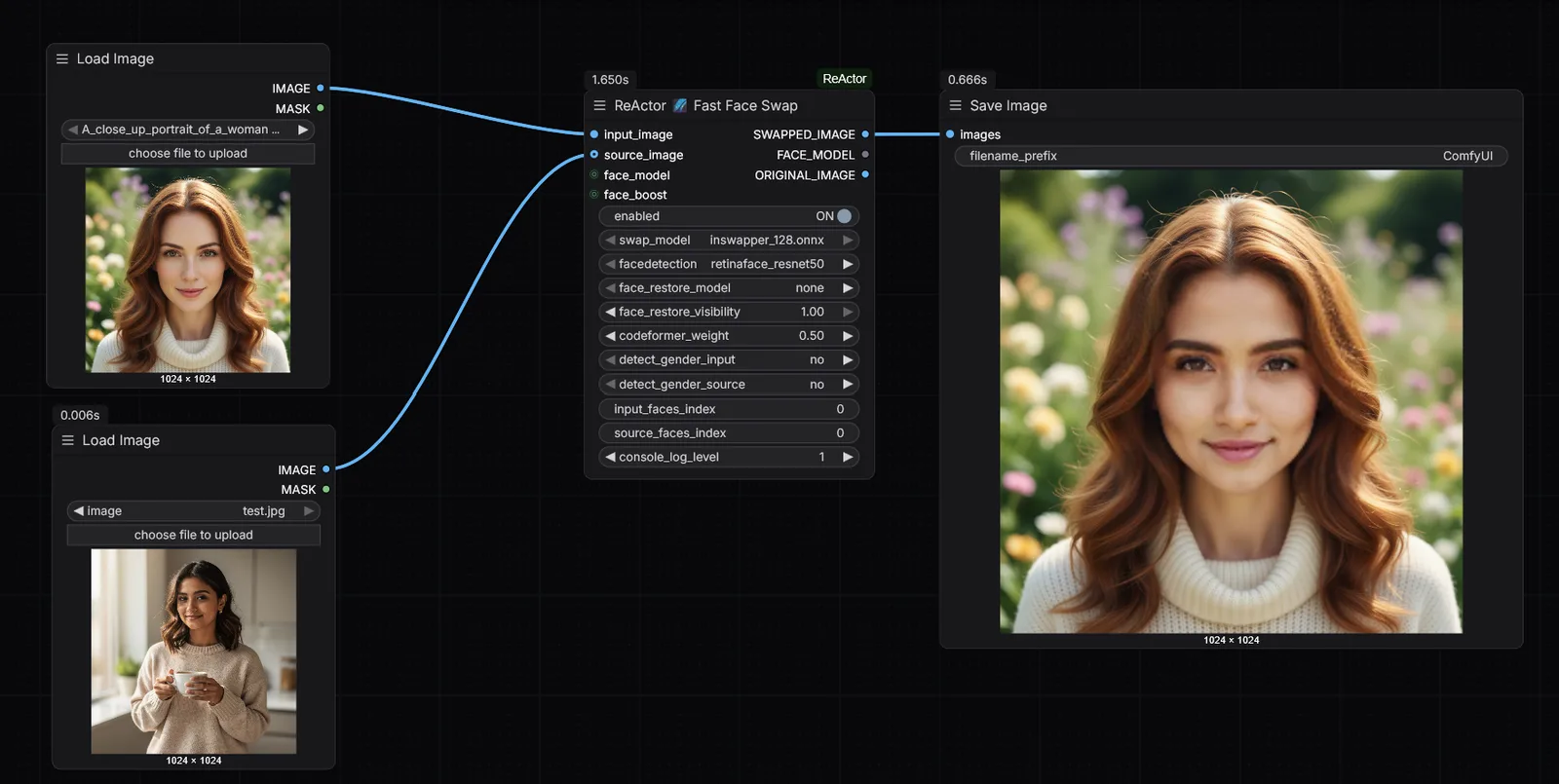
This is the correct current flow for opening ComfyUI on RunDiffusion. You can use it for early concepting and batch processing. Those results can be refined further with RunDiffusion Runnit tools or templates.
How to access the Consistent Character template
To use the Consistent Character template, follow the Consistent Character Template tutorial.
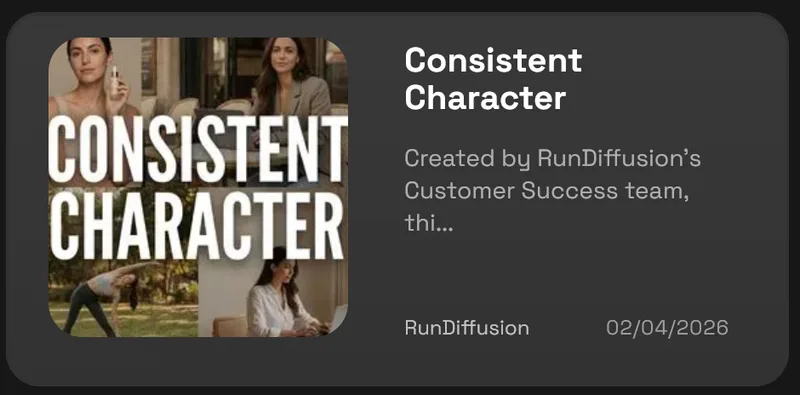
That path is different from launching ComfyUI, because the Consistent Character template is a platform-native workflow option rather than an open-source application launch.
Best practices for advertising teams
Start with strong source images
The quality of your references affects the quality of the outcome. Use clear, well-lit images that match the style and tone of the campaign direction.
Define consistency before scaling output
Before generating many variations, decide what should remain stable. That may include hairstyle, age range, wardrobe direction, framing, tone, or lighting.
Match the workflow to the team
If your team prefers ComfyUI and batch-oriented production, ReActor may fit better. If your team wants a more guided workflow for repeatable character visuals, the Consistent Character template may fit better.
Helpful internal resources
To help readers continue inside the RunDiffusion ecosystem, these are useful next steps:
FAQ
What is ReActor in ComfyUI used for in advertising?
ReActor is useful for advertising teams that want to build concepts around a recognizable face or campaign persona inside a ComfyUI workflow. It can support repeated creative exploration, identity continuity, and higher-volume campaign variation work.
Is ReActor better than the Consistent Character template?
No. They serve different purposes. ReActor is useful for users who prefer ComfyUI and batch processing. The Consistent Character template is useful for users who want a more guided character-consistency workflow inside the RunDiffusion Platform that does not require a separate license.
Does the Consistent Character template support batch processing?
Currently, no. The Consistent Character template does not currently offer batch processing, though that may change in the future.
Is ComfyUI challenging for advertising teams?
Yes, it can be. That is why we created the Consistent Character template. ComfyUI is powerful, but many teams find it more technical than they need, especially when multiple non-technical stakeholders are involved or campaign deadlines are tight.
When should I choose ReActor instead of the Consistent Character template?
Choose ReActor when you prefer working in ComfyUI, want a node-based workflow, and need flexibility or batch-oriented production.
When should I choose the Consistent Character template instead of ReActor?
Choose the Consistent Character template when you want a more guided way to produce repeatable character-driven visuals.
Where do I find the Consistent Character template on RunDiffusion?
You can find it under featured templates accessible inside Runnit Boards.
Try Consistent Character Template
Launch ComfyUI in the cloud
Use RunDiffusion to access ComfyUI without local GPU setup and build flexible creative workflows in the cloud.