
RunDiffusion Logo
  • Products
  • Industries
    • ArchitectureSketches and arch renders
    • AdvertisingCampaign & product visuals
    • FashionLookbooks and editorials
    • Interior DesignRooms and material renders
    • GamingCharacters and worlds
    • Design CreativesConcept art and branding
    Explore
    • All industriesAI workflows by industry
    • Use casesReal RunDiffusion workflows
    AI creative industry workflows
    Architecture
    See how studios ship real work with RunDiffusion.
    Explore industries→
  • Plugins
    • All pluginsPhotoshop, Miro, Revit beta
    • PhotoshopNewAI image editing in Photoshop
    • MiroNewDrag your library onto the board
    • RevitNewSketch to render inside Revit
    Creative tool plugin integrations
    Now in private beta
    Photoshop, Miro, and Revit are available now in private beta — request access for your team.
    Explore plugins→
  • Platform
    • Enterprise overviewCreative AI cost control
    • Team WorkspacesTeam and client spaces
    • AnalyticsUsage and prompt reports
    • BudgetingBudgets and chargebacks
    • SSOIdentity and protected IP
    • Solutions EngineerOnboarding architecture
    • FAQProcurement and security
    Enterprise AI team operations dashboard
    Built for your whole org
    See how RunDiffusion fits your organization.
    Talk to sales→
  • Read
    • Articles & Blog
    • Guides
    • News
    • Learn
    Community
    • Creative Partner Program
    • Affiliate Program
    RunDiffusion resources and articles
    Articles & Blog
    Guides, launches, and prompt tips from the team.
    Read the blog→
  • Pricing
Log inFree Signup
How to Use the YouTube Thumbnail Maker on RunDiffusion
Edit3 min read

How to Use the YouTube Thumbnail Maker on RunDiffusion

Learn how to use the YouTube Thumbnail Maker on Rundiffusion to generate high-quality thumbnails with prompts, styles, or img2img.
Read more →
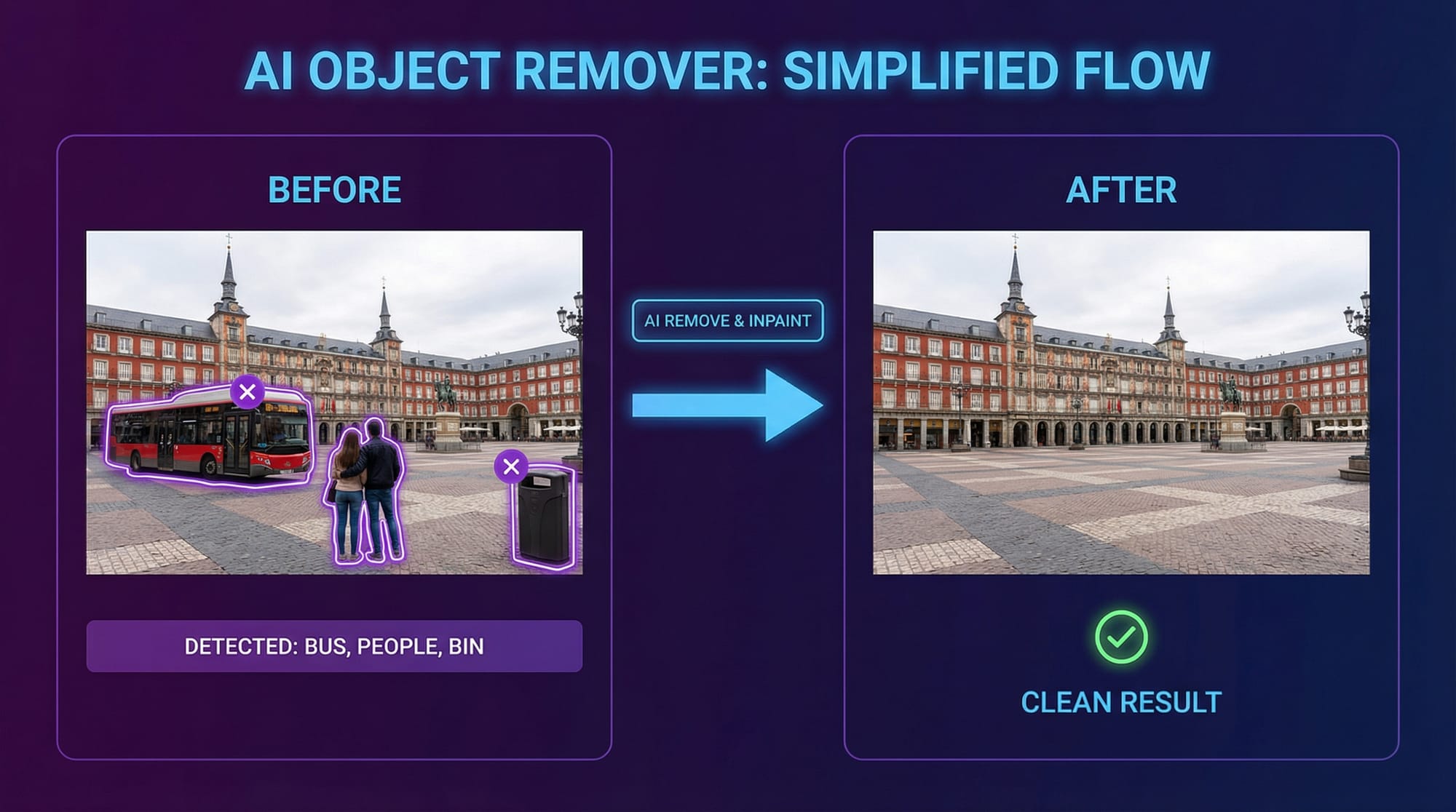
Person and Object Remover App
Edit3 min read

Person and Object Remover App

Use the Person and Object Remover App on Runnit to remove unwanted elements from photos with fast AI-powered inpainting.
Read more →
Facefusion in Automatic1111 on RunDiffusion
Edit | Automatic11113 min read

Facefusion in Automatic1111 on RunDiffusion

Learn how to use the preloaded RDFacefusion extension in Automatic1111 on RunDiffusion for cloud-based face swaps.
Read more →
Getting Started on RunDiffusion's Opensource Applications
Edit | Automatic11114 min read

Getting Started on RunDiffusion's Opensource Applications

Learn how to get started on RunDiffusion, from account setup and platform basics to launching your first opensource application.
Read more →
FaceFusion: Tips and Tricks
Edit3 min read

FaceFusion: Tips and Tricks

Discover practical FaceFusion tips and tricks for improving swaps, refining outputs, and getting more reliable results on RunDiffusion.
Read more →
FaceFusion 3.0 Overview
Edit1 min read

FaceFusion 3.0 Overview

Explore FaceFusion 3.0 on RunDiffusion, including updated features, face swap workflows, and practical tips for cleaner results.
Read more →
Ultimate SD Upscaler Tutorial
Edit | Comfyui6 min read

Ultimate SD Upscaler Tutorial

Follow this SD Upscaler tutorial to improve image resolution, recover details, and create cleaner high-quality outputs.
Read more →
Outpainting with Fooocus
Edit3 min read

Outpainting with Fooocus

Learn how to use outpainting with Fooocus to extend compositions, add scene context, and create larger visual frames more easily.
Read more →
Face Swapping on RunDiffusion
Edit | Automatic1111 | Comfyui5 min read

Face Swapping on RunDiffusion

Learn how to install and manage face swapping models on RunDiffusion for Automatic1111, FaceFusion, and ComfyUI.

Read more →
Edit | Automatic11111 min read

Outpainting Automatic1111

Learn how to use outpainting in Automatic1111 to expand images beyond their original frame with more seamless visual continuity.

Read more →
Upscaling 101
Edit | Automatic11114 min read

Upscaling 101

Learn the basics of AI upscaling so you can improve image resolution, detail, and overall presentation quality.

Read more →
Edit | Automatic11111 min read

Extras - Upscaling, Batch Directories

Learn how to use Extras in Automatic1111 for upscaling images, processing batch directories, and improving output quality more efficiently.

Read more →
Previous
12
Next
  • Image AI Models
  • AI Models on RunDiffusion's Platform
  • AI for Advertising and Marketing Teams
  • How to Create Consistent Character Campaign Images With Nano Banana 2
  • Nano Banana 2
  • Juggernaut XI Early Concept Development
  • Juggernaut Z Prompt Guide
  • Juggernaut Z Is Now live on RunDiffusion
  • Nano Banana 2 Is Live on RunDiffusion
  • Video AI Models
  • How to Use Seedance 2.0 for Architecture on RunDiffusion
  • How to Use Kling O3 Standard Reference Video to Video
  • Seedance 2.0: Director Level AI Video Generation to RunDiffusion
  • Wan 2.5 Image AI Tool
  • Kling 2.5 Turbo Pro AI Tool
  • Bytedance Seedance AI Tool
  • Seedance 2.0 Video and Fast Now on RunDiffusion
  • Seedance 2.0 Prompt Guide - English
  • Wan 2.7 Image and Video Now Available in RunDiffusion
  • Edit AI Models
  • ChatGPT Image Edit AI Tool
  • Nano Banana Edit AI Tool
  • Seedream V4.5 Edit AI Tool
  • Seedream V5 Lite and Seedream V5 Lite Edit Are Now on RunDiffusion
  • Topaz Generative Upscaler AI Tool
  • Magnific Upscaler AI Tool
  • AI Architecture Guide for Architects
  • ChatGPT Image 2.0 Now Available on RunDiffusion
  • Platform
  • Products
  • Plugins
  • Developers
  • Enterprise
  • Governance & Security
  • Team Management
  • Company
  • About Us
  • Contact Us
  • Careers
  • Changelog
  • Affiliate
  • Creative Partner Program
  • Agents
RunDiffusion logo

© 2026 Runnit Inc. All rights reserved.

  • Privacy Policy
  • Terms of Service
  • Cookie Policy
  • Refund Policy
  • DSAR Form
  • Consent Preferences