- Juggernaut X is built for creators who want precise control over image generation.
- Detailed, specific prompts work better than broad style shorthand.
- Useful prompt components include subject, action, setting, color, style, mood, lighting, perspective, texture, time period, cultural elements, emotion, medium, clothing, and text.
- Recommended Juggernaut X SAFE and NSFW settings are DPM++ 2M Karras, 30-40 steps, CFG 6-7, and common SDXL resolutions such as 1024x1024, 832x1216, or 1216x832.
Juggernaut X responds best to detailed, specific prompts that name the subject, action, setting, style, lighting, perspective, texture, color, and other visual constraints. Use clear trigger words such as skin textures, high resolution, and cinematic, then keep prompts under about 75 tokens for the recommended Juggernaut X settings.
| At a glance | |
|---|---|
| Model | Juggernaut X |
| Model family | Stable Diffusion XL |
| Best fit | Prompt-controlled realistic and cinematic image generation |
| Primary settings | DPM++ 2M Karras · 30-40 steps · CFG 6-7 |
Adam Stewart's guide to crafting effective prompts for Juggernaut X and SDXL
An updated sequel to this guide for prompting Juggernaut XI and XII is now available: Prompt Guide for Juggernaut XI and XII.
Before we dive into this guide, I would like to extend my gratitude to Kandoo for his exceptional dedication to the development of Juggernaut X NSFW + RunDiffusion Photo and Juggernaut X SAFE + RunDiffusion Photo. A heartfelt thank you is also due to RunDiffusion for its significant contributions to RunDiffusion Photo and collaborative work with Team Juggernaut. I must also acknowledge the generous support of my private sponsor, whose assistance in navigating the complexities of AI has been invaluable.
This guide, much like our models, is a service aimed at enriching the art creation experience for all and showing the transformative power of decentralized and open-source AI. If you find it helpful, please follow Team Juggernaut, RunDiffusion, and Adam Stewart.
Introduction
Juggernaut X is tailored for professionals who demand precise control over image generation. This advanced model thrives on detailed, specific prompts, enabling users to adjust each element to align with their vision. While this guide is written with Juggernaut X in mind, the components of a prompt are applicable to other models too.
Audience: Juggernaut X is ideal for artists, designers, and visual professionals who require control over their image outputs.
Prompting style: To leverage Juggernaut X fully, prompts should be detailed and specific. Unlike predecessors such as Juggernaut 8 or 9, where general prompts might suffice, Juggernaut X requires explicit, impactful trigger words. This precision helps the AI understand and execute the desired image elements accurately.
Juggernaut X versions
As of April 27, 2024:
- Juggernaut X SAFE (Suitable AI for Everyone): available on RunDiffusion.
- Juggernaut X NSFW: available on CivitAI and Hugging Face.
- Juggernaut X NSFW Hyper: available on CivitAI and Hugging Face.
Key trigger words for Juggernaut X
To optimize image quality and detail, consider incorporating these trigger words into your prompts:
- Skin textures: essential for detailed depictions of human or animal skin.
- High resolution: helps generate images with clarity. This token has three versions:
High Resolution,High-Resolution, andHigh-Resolution Image. - Cinematic: useful for dynamic, narrative-rich images with a film-like quality.
At the end of this guide is a larger list of common tokens.
Understanding the importance of detailed prompting
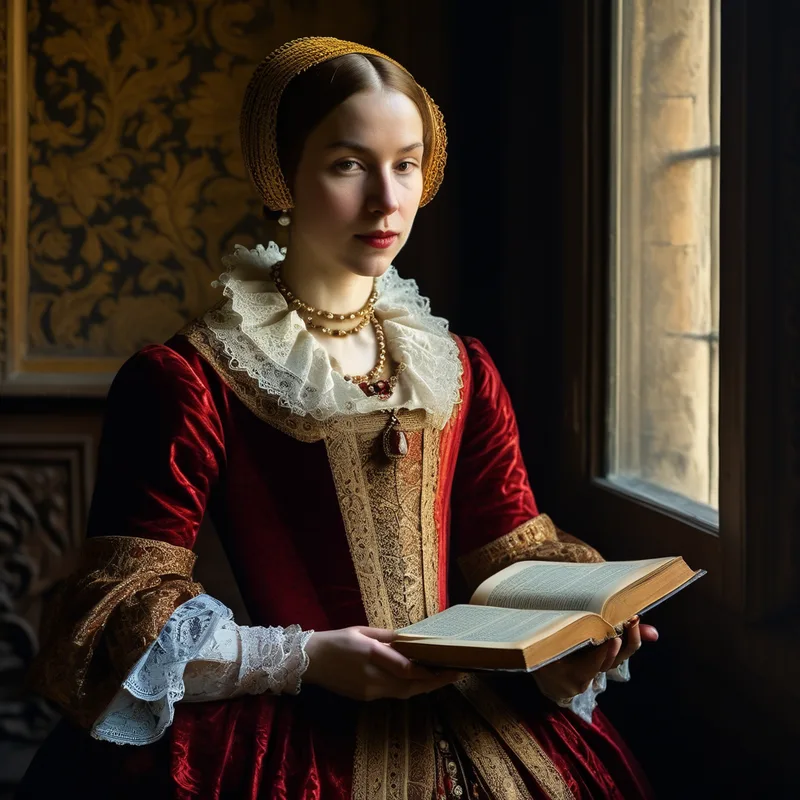
Example prompt:
high-resolution portrait of a Renaissance noblewoman, intricate lace collar, holding an ancient book, dominant colors deep red and gold, style reminiscent of Vermeer's lighting techniques, mood thoughtful, lighting soft, natural window light, perspective close-up, texture rich fabrics and aged paper, cultural elements European Renaissance elegance
Components of a prompt
Craft each part of your prompt to be direct and descriptive, avoiding unnecessary verbosity.
Subject
- Definition: the primary focus of the image, such as a person, animal, or object.
- Example:
Renaissance noblewoman,vampire queen.
Action
- Definition: what the subject is doing, adding dynamism or narrative.
- Example:
holding an ancient book.
Environment or setting
- Definition: the background or scene surrounding the subject.
- Example:
in a dimly lit Gothic castle.
Object
- Definition: secondary items that enhance the subject or story.
- Example:
wearing an intricate lace collar.
Color
- Definition: dominant colors or color schemes.
- Example:
shades of deep red and gold,monochrome palette with stark contrasts.
Style
- Definition: the artistic style or method of rendering.
- Example:
in the style reminiscent of Vermeer's lighting techniques,emulating a noir film.
Mood or atmosphere
- Definition: the emotional or atmospheric quality.
- Example:
atmosphere of mystery,serene mood.
Lighting
- Definition: specific lighting conditions or effects.
- Example:
bathed in soft, natural window light,dramatic shadows under a spotlight.
Perspective or viewpoint
- Definition: the angle or perspective from which the scene is viewed.
- Example:
bird's eye view,from a low angle.
Texture or material
- Definition: prominent textures or materials visible in the image.
- Example:
textures of rich velvet and rough stone.
Time period
- Definition: a specific era or historical period.
- Example:
Victorian Era,futuristic 22nd century.
Cultural elements
- Definition: elements that reflect specific cultures or traditions.
- Example:
inspired by Norse mythology,traditional Japanese setting.
Emotion
- Definition: the expressed emotion if the subject is sentient.
- Example:
expression of deep contemplation,joyful demeanor.
Medium
- Definition: the artistic medium or level of detail.
- Example:
resembling a watercolor painting,crisp digital rendering.
Clothing
- Guidance: clearly specify that subjects are clothed by describing the garment types and styles, particularly when avoiding inappropriate content.
- Example:
clothed in a Victorian gown,dressed in modern casual wear.
Text
- Capabilities: Juggernaut can generate text, though accuracy decreases with sentence length and complexity. Use short, clear phrases enclosed in quotes to improve output.
- Example:
A sign with the text "Peace".
NSFW content
- Avoidance: explicitly include terms to exclude inappropriate content due to the model's training data. Place sensitive terms in the negative prompt section.
- Integration: adding these terms in a prompt will create NSFW content.
- Sensitive tokens:
Naked,Nude,Vagina,Penis (big, Long),Pussy,Breasts (Small, Medium, Large),Testicles.
Token bleed and multiple subjects
- Challenges: when prompts combine multiple subjects or themes, there may be blending of elements, known as token bleed.
- Solution: be aware that multiple attempts may be needed to separate subjects in complex interactions such as
Angel and Devil. It may not always be possible to completely prevent token bleed, but experimenting with seeds and token arrangement can improve the likelihood of success.
Juggernaut X Hyper NSFW
- Challenge: managing nudity is particularly difficult with the Hyper model because it lacks support for traditional strong negative prompts.
- Solution 1: include specific clothing items in your prompts. Accidental nudity may still occur, so craft prompts carefully and remain aware of this limitation.
- Solution 2: set CFG options to level 2 to get limited influence from negative prompts. This allows for a slight adjustment in content direction.
- Solution 3: use the Juggernaut X SAFE version available on RunDiffusion.
Juggernaut X NSFW and Juggernaut X SAFE settings
- Sampling method: DPM++ 2M Karras
- Sampling steps: 30-40
- CFG: 6-7
- Resolution: 1024x1024, 832x1216, 1216x832. Other SDXL resolutions can work, but these are the source guide's favorites.
- Possible negative prompt: Naked, Nude, fake eyes, deformed eyes, bad eyes, cgi, 3D, digital, airbrushed
- Prompt size: do not exceed 75 tokens.
Juggernaut X NSFW Hyper settings
- Sampling method: DPM++ SDE
- Sampling steps: 6 recommended, with 4-6 possible.
- CFG: 2 recommended, with 1-2 possible.
- Negative prompt: none.
- Prompt size: do not exceed 75 tokens.
- Tip: use more tags with Hyper than with the standard model.
Hires. fix settings
- Denoising strength: 0.25-0.32
- Upscaler: 4x_NMKD-Siax_200k
- Hires steps: 0-20
- Upscale by: 1.5-2
Conclusion
By strategically incorporating specific trigger words and detailed descriptions into prompts, you can fully leverage the capabilities of Juggernaut X. This method clarifies stronger prompting practices and substantially improves the quality of generated images, helping outputs align with or surpass expectations. While Juggernaut X is adaptable to several prompting techniques, combining this detailed prompting method with tagging provides a solid foundation for creation.
Example prompts
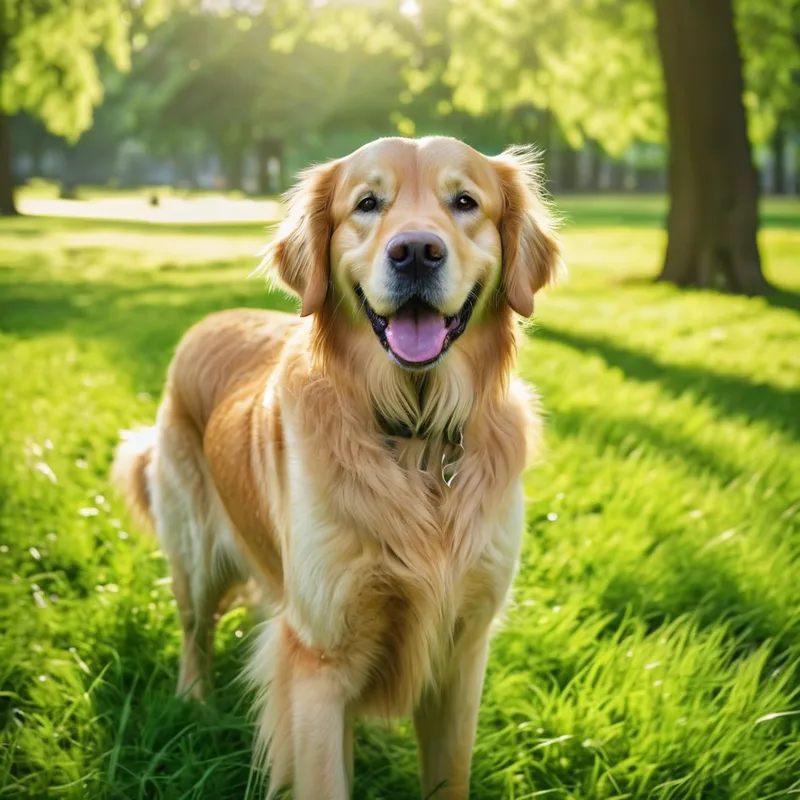
Golden retriever in a lush green park, fur glistening under the soft afternoon sunlight, colors vivid green and golden, style realistic, mood serene, lighting natural and diffused, perspective close-up, texture soft fur and fresh grass, cultural elements joyful outdoor activity.
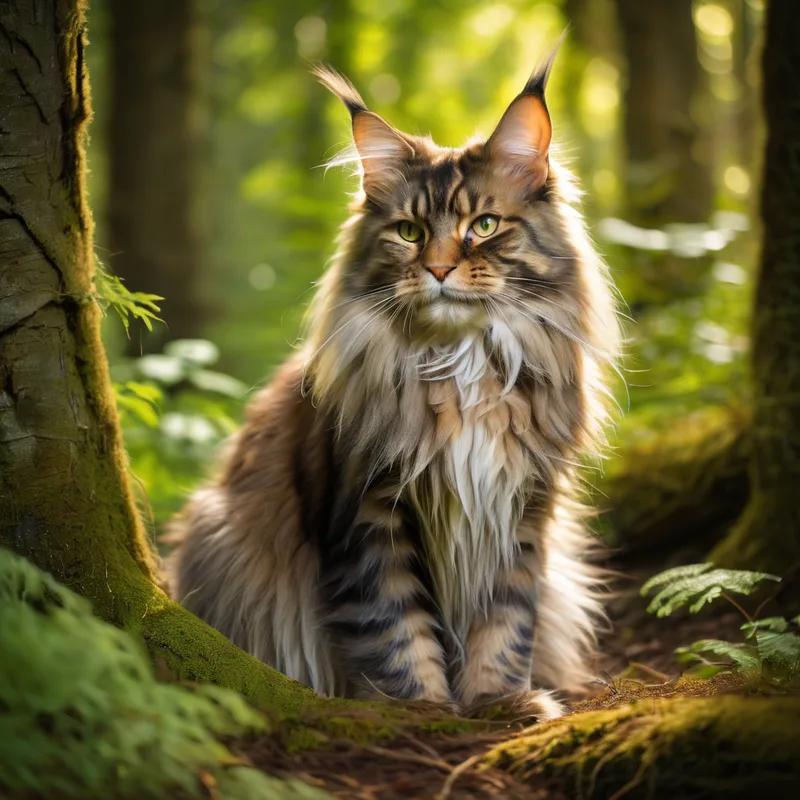
Fluffy Maine Coon cat in a sunlit forest, surrounded by vibrant greenery, colors deep greens and rustic browns, style natural habitat, mood peaceful, lighting filtered through trees, perspective ground level, texture thick fur and mossy ground.
Young woman reading a book in a cozy coffee shop, brunette hair cascading over her shoulders, colors warm browns and soft whites, style candid photography, mood relaxed, lighting natural light streaming through a nearby window, perspective over-the-shoulder, texture soft wool sweater and glossy wooden table.

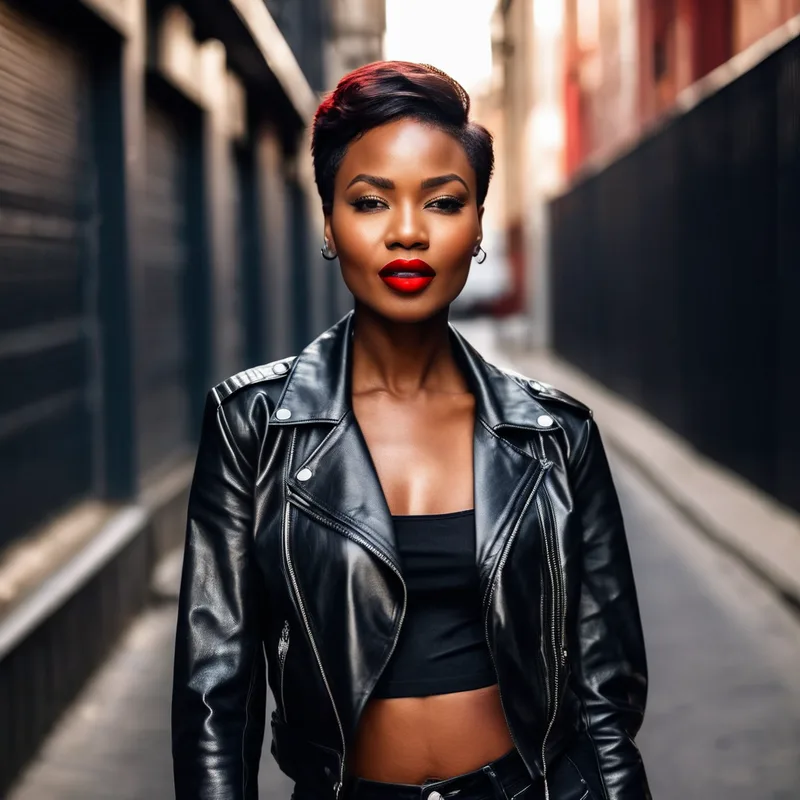
High resolution Portrait of a stylish African woman in urban setting, short brunette hair, bold red lipstick, colors striking red and deep blacks, style modern fashion, mood confident, lighting high contrast with sharp shadows, perspective frontal view, texture leather jacket and smooth skin
Common token list for Juggernaut X
This is not a complete list, but it includes some of the more common tokens in the captioning.
- alloy wheels
- active
- animal portrait
- automotive photography
- beard
- blonde
- blonde hair
- blue sky
- blurred background
- bokeh
- bokeh background
- brunette
- brunette view
- business
- business attire
- candid
- candid photography
- candid shot
- casual clothing
- casual style
- caucasian
- cinematic
- cityscape
- clean lines
- clear sky
- close-up
- cloudy
- confidence
- contemplative
- cultural attire
- curly hair
- daylight
- daytime
- depth of field
- depth of field
- dramatic lighting
- dusk
- dynamic pose
- earrings
- earth tones
- elegance
- facial hair
- fashion
- fashion
- fashion photography
- flexibility
- food photography
- forest
- freckles
- frontal view
- full body
- full body
- gaze
- greenery
- headshot
- high resolution
- high-resolution
- high-resolution image
- indoor
- intense gaze
- interior design
- jewelry
- joyful expression
- leisure
- leisure activity
- long hair
- looking at camera
- looking away
- makeup
- male
- man
- midshot
- minimalistic
- modern
- natural habitat
- natural light
- natural lighting
- natural makeup
- nature
- neutral background
- neutral color palette
- neutral colors
- outdoor
- outdoor setting
- overcast sky
- park
- parked car
- peace
- portrait
- reflection
- reflective
- selective focus
- serene
- serene
- serenity
- serious expression
- serious windows
- setting
- shadow
- sharp details
- sharp focus
- side profile
- side view
- smiling
- soft focus
- standing
- standing pose
- street
- studio
- studio portrait
- studio shot
- stylish
- stylish female
- subtle makeup
- sunglasses
- sunlit
- sunny
- traditional
- travel destination
- trees
- urban setting
- vertical composition
- vibrant colors
- warm color palette
- warm lighting
- warm tones
- white background
- white shirt
- wildlife
- woman
- wooden table
- wristwatch
- young adult
Run Juggernaut X on RunDiffusion
Use the prompt structure from this guide to test Juggernaut X and related SDXL workflows in the cloud.
Frequently asked questions
QWhat is Juggernaut X best for?
Juggernaut X is useful for artists, designers, and visual professionals who need more control over image outputs.
QWhat prompting style works best with Juggernaut X?
Use detailed, specific prompts with clear trigger words and explicit visual components.
QWhat trigger words does the guide recommend?
The guide highlights skin textures, high resolution, and cinematic as useful trigger words.
QWhat settings should I start with?
For Juggernaut X SAFE and NSFW, start with DPM++ 2M Karras, 30-40 steps, CFG 6-7, and a common SDXL resolution such as 1024x1024, 832x1216, or 1216x832.
QHow long should Juggernaut X prompts be?
The source guide recommends not exceeding 75 tokens.