Introduction
Flux Kontext Dev is a powerful model designed for advanced image editing in ComfyUI. It supports both single and multi-image inputs, enabling nuanced transformations and stylistic fusion. This guide covers how to work with Flux Kontext Dev for image-to-image editing using one, two, or three images in ComfyUI on RunDiffusion.
What is Flux Kontext Dev?
Flux Kontext Dev is an open-source, 12B-parameter image-to-image model from Black Forest Labs. It enables highly detailed image transformations that preserve context, objects, and character consistency. The model is available to be used inside ComfyUI.
Getting Started on RunDiffusion
To use Flux Kontext Dev efficiently, start by launching a session in ComfyUI on RunDiffusion’s cloud platform. No local setup required.
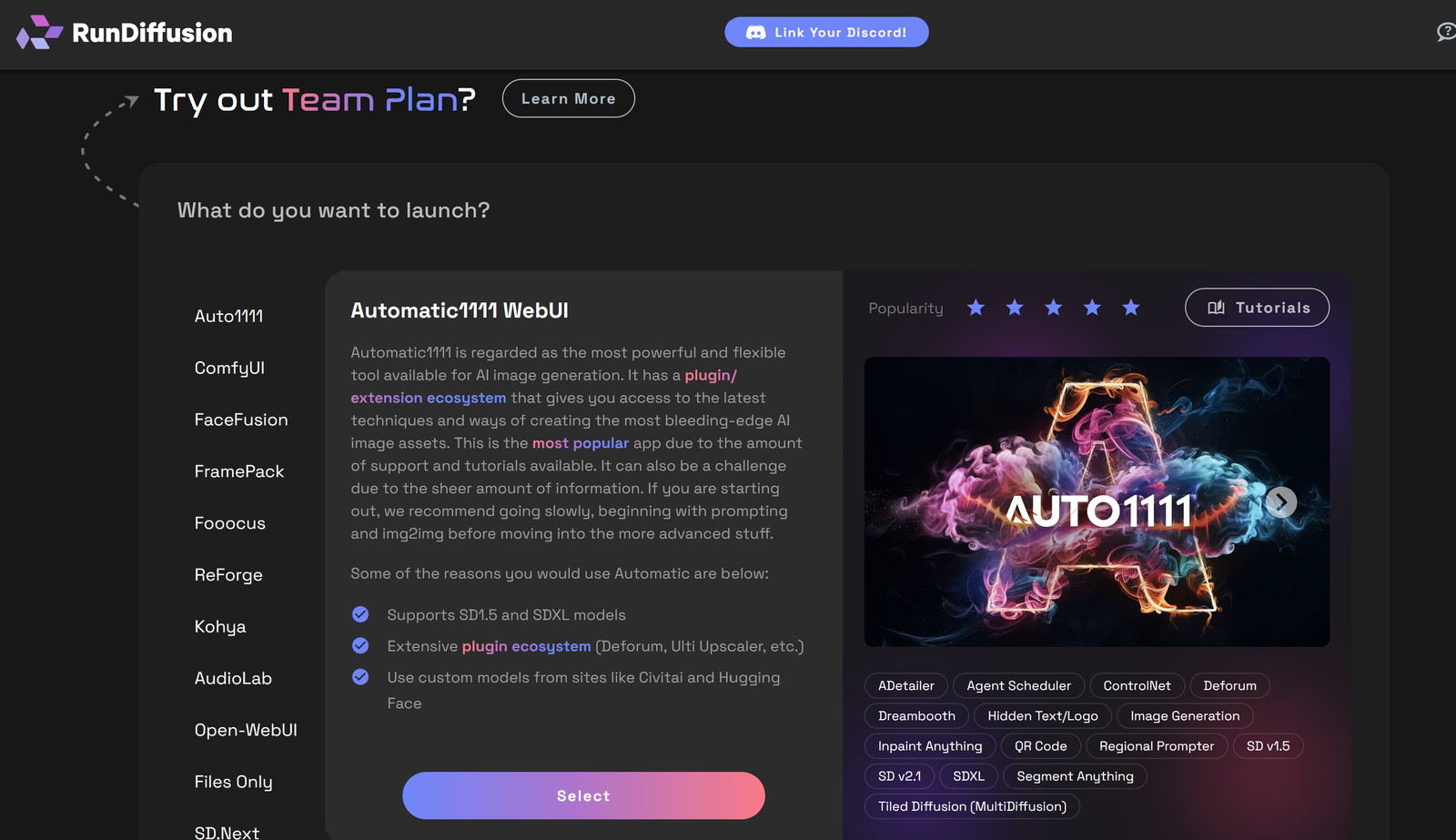
Navigate to Opensource Apps. Select ComfyUI on the sidebar.
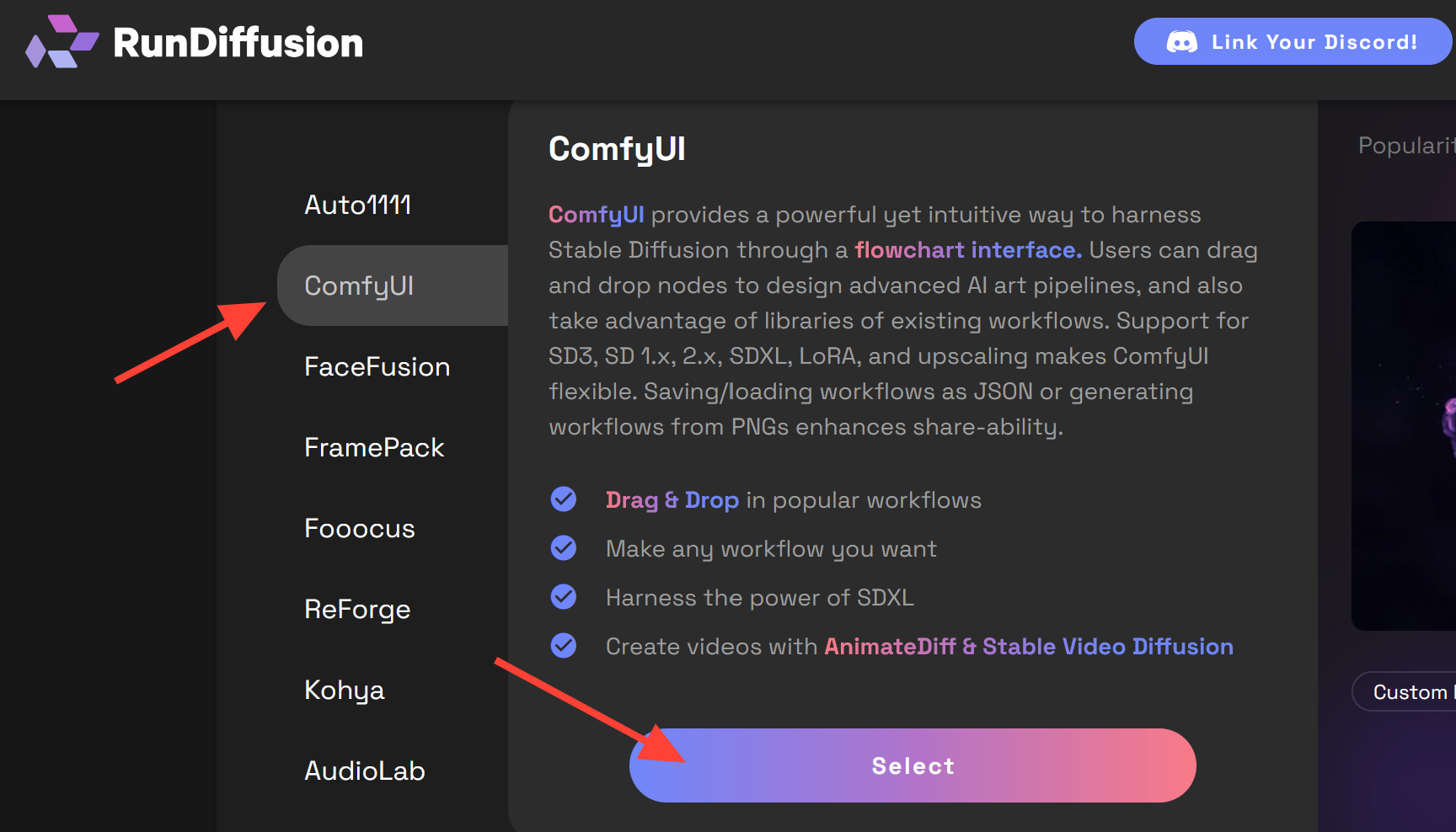
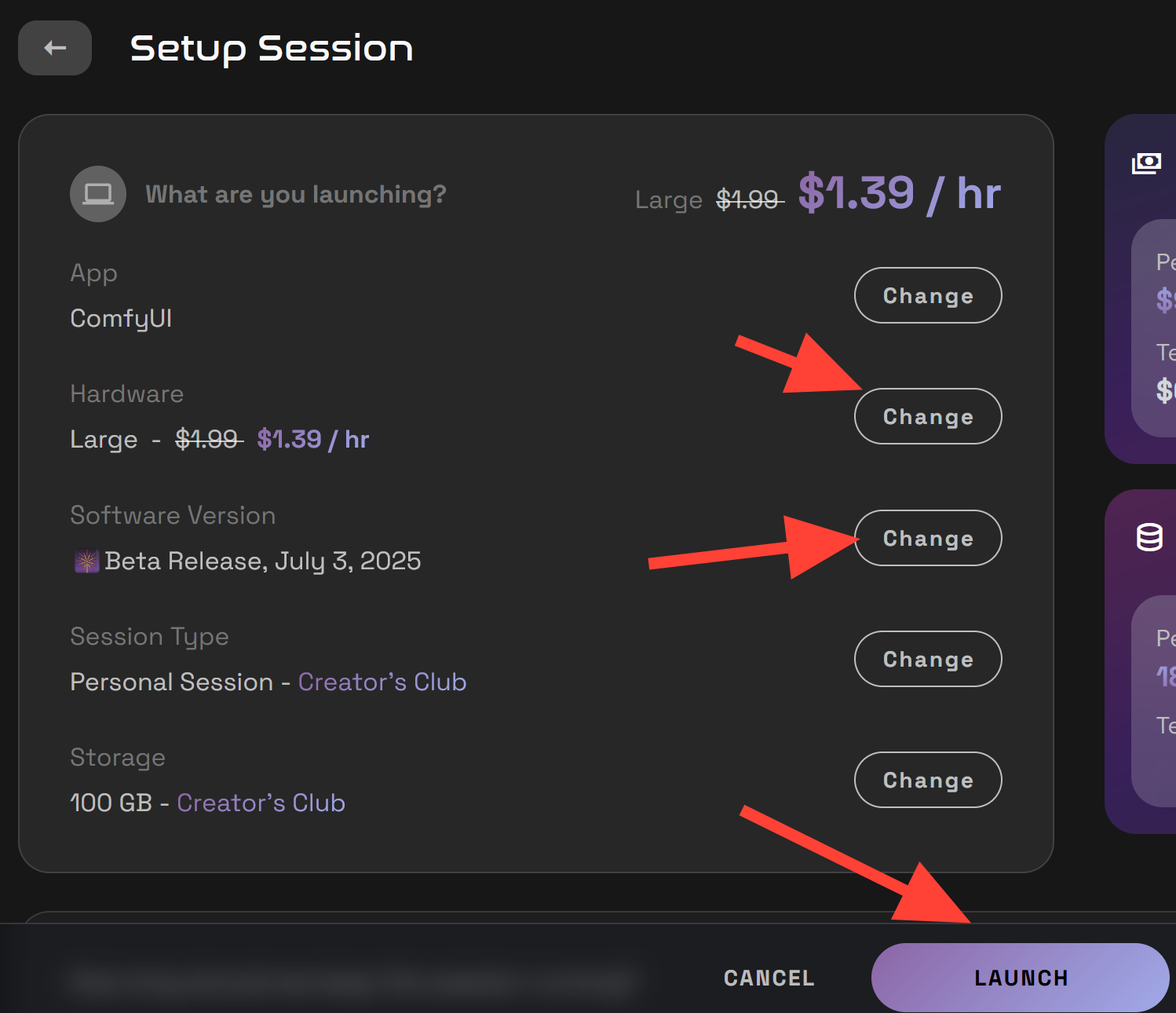
Click Select the latest beta build and Large server then Launch to begin your session.
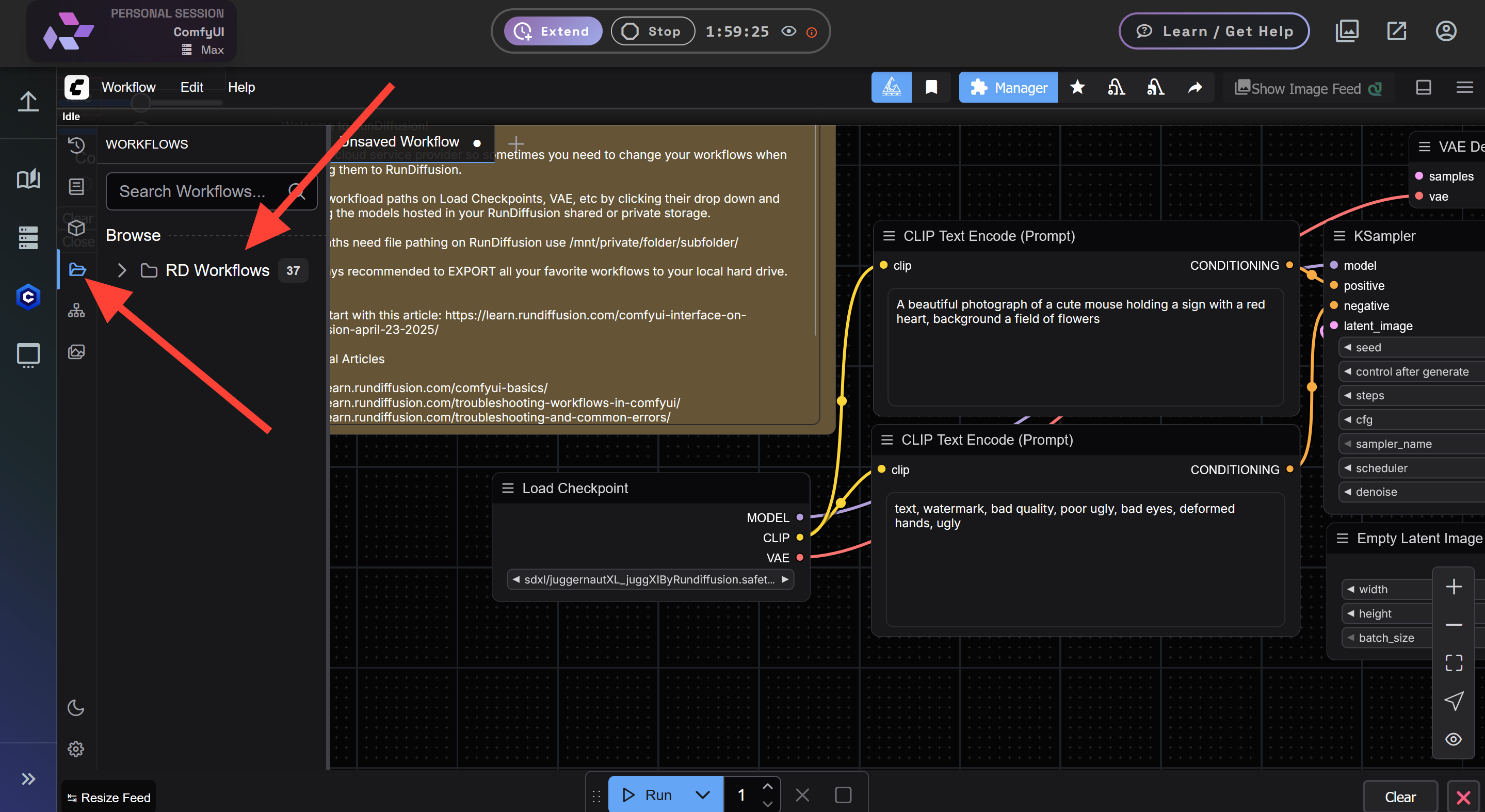
Access the Flux Kontext Premade workflows. Click on the workflow icon on the far left and click on the RD Workflows.
Scroll down to the Flux Kontext Workflows. Click on the workflow you would like to use.
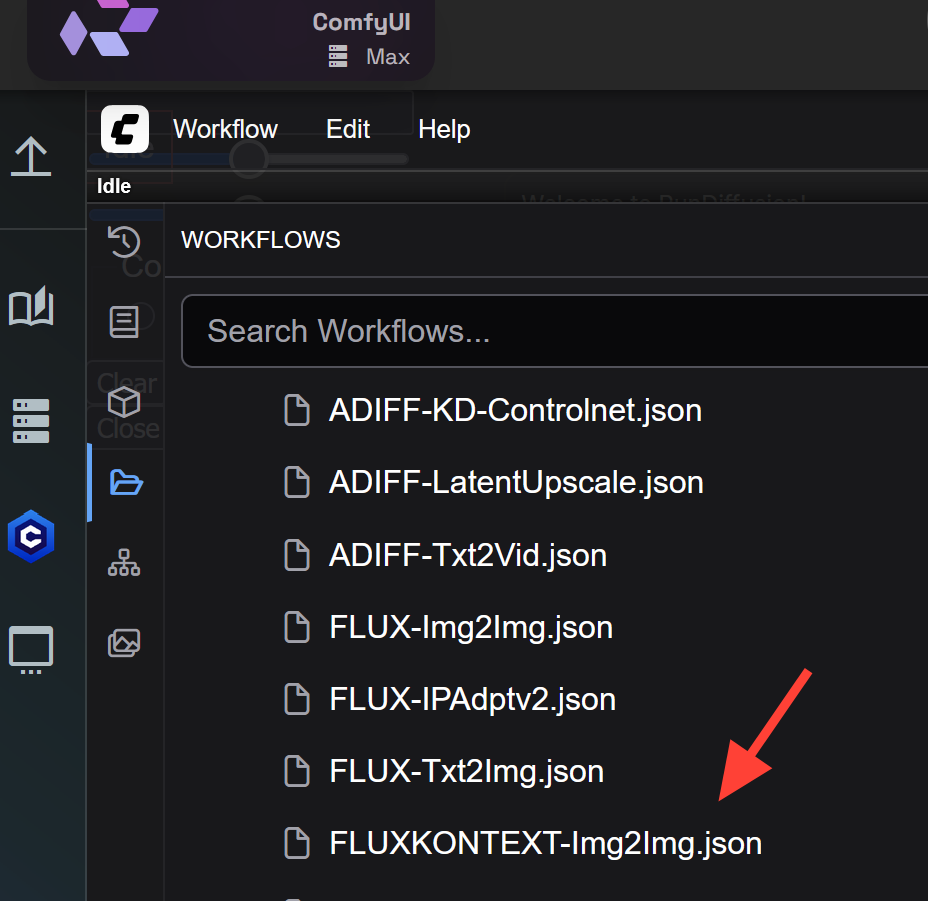
Image to Image
Select FLUXKONTEXT-Img2Img.json.

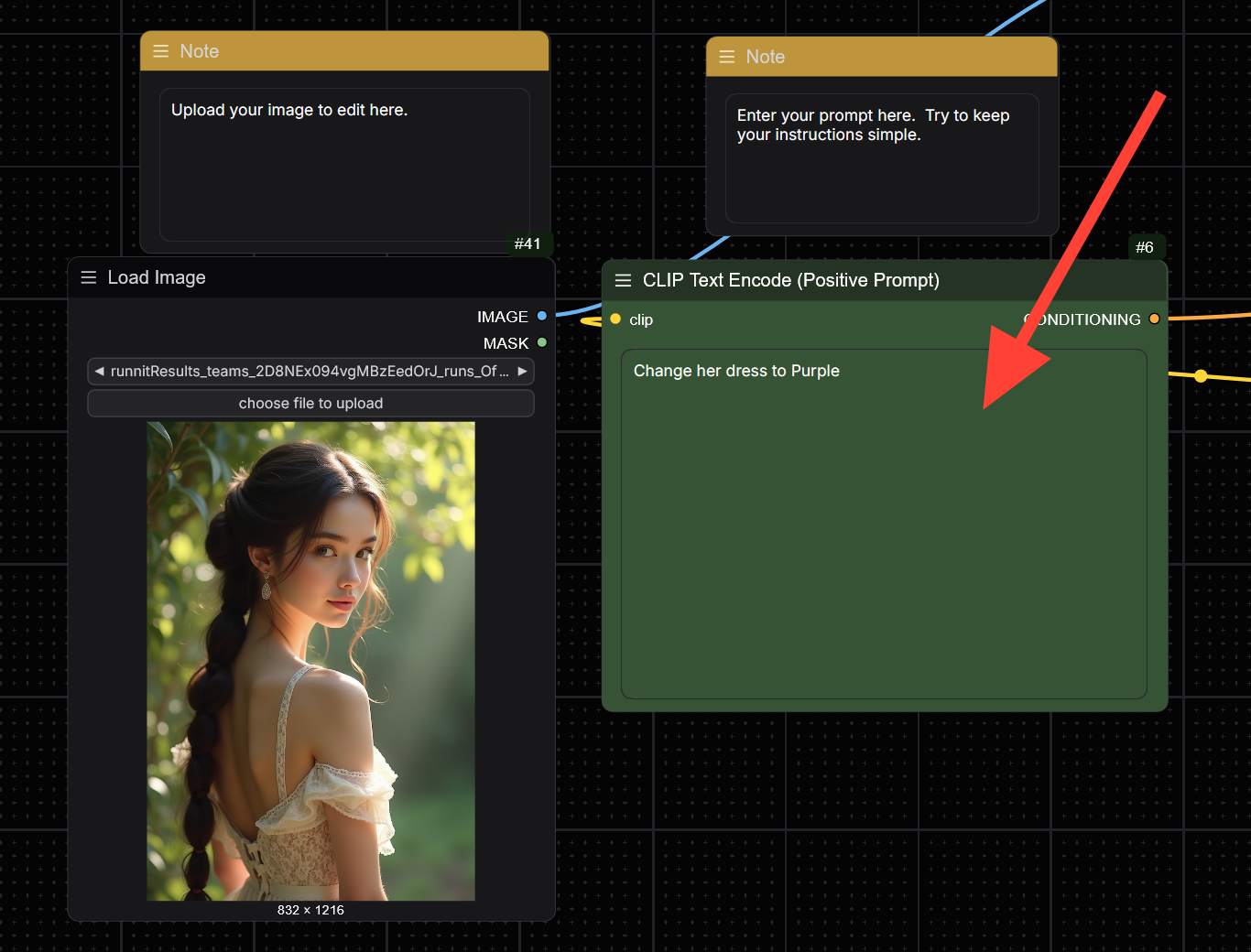
First go to the Load Image node and click Choose file to upload.
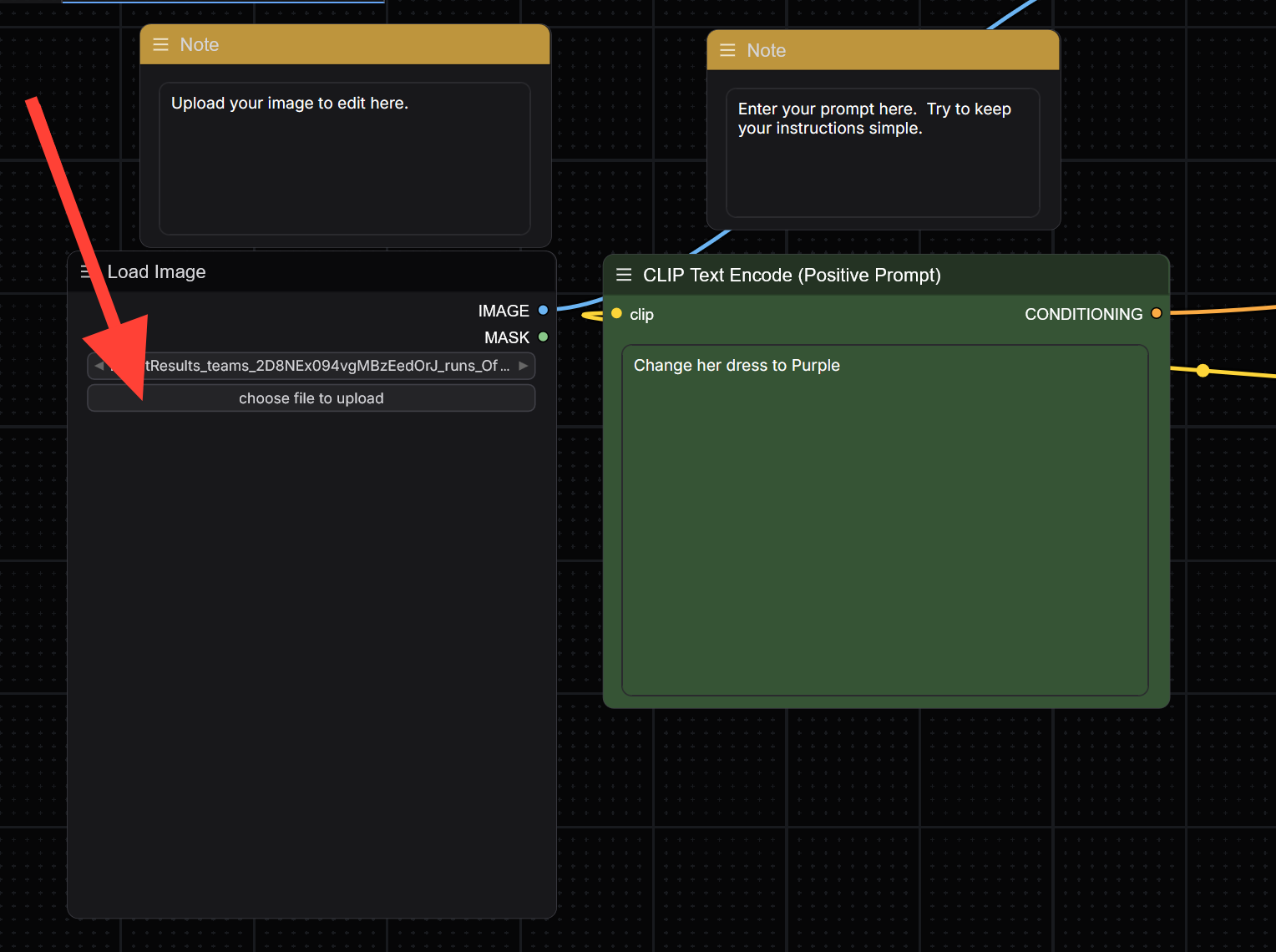
Go to the Clip Text Encode (Positive Prompt) and write a prompt. Keep your prompts specific and don't try to change too many elements at a time for best results.
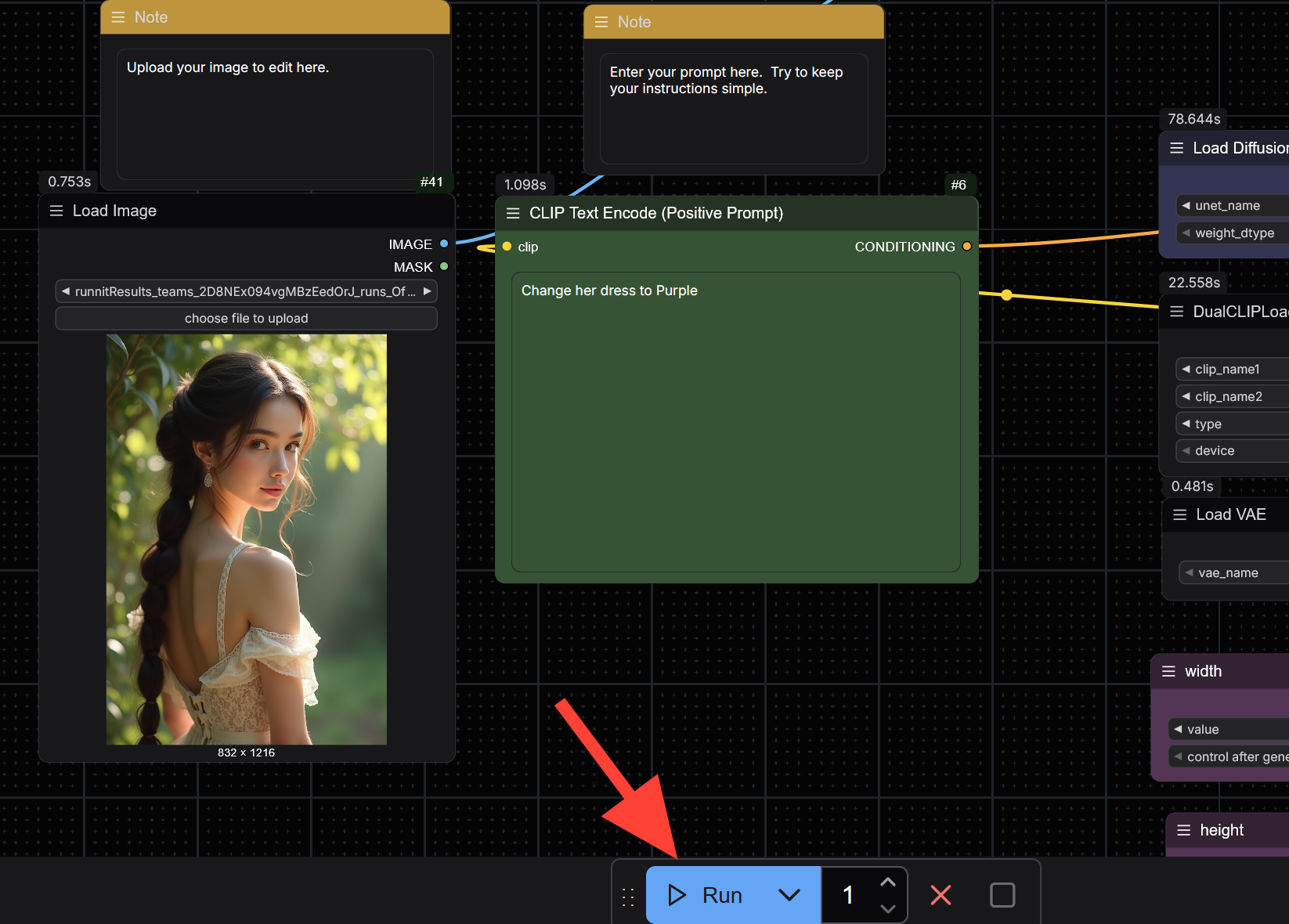
Click Runnit

Two Images to Image
Select FLUXKONTEXT-Img2Img.json.

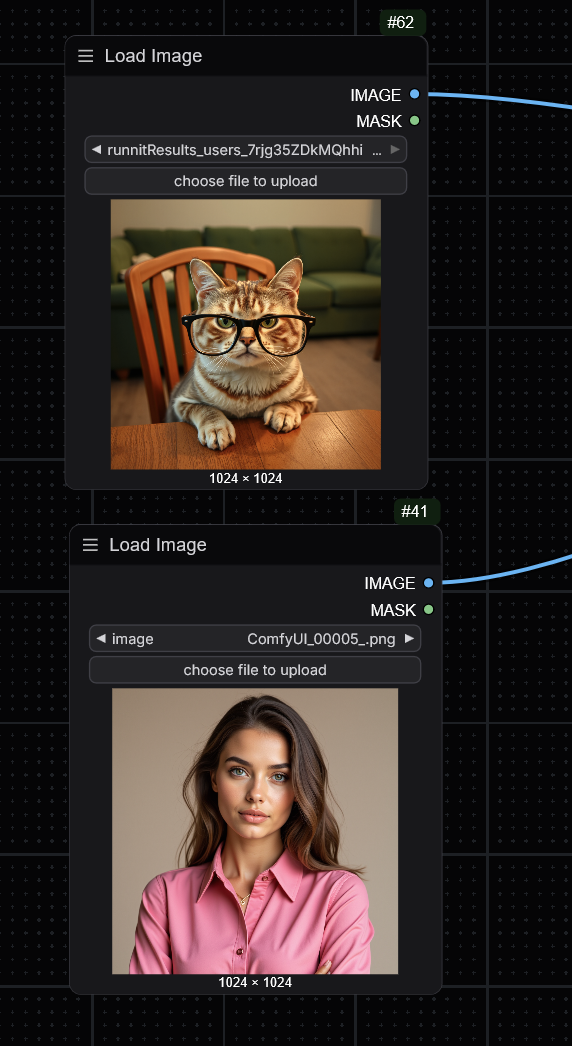
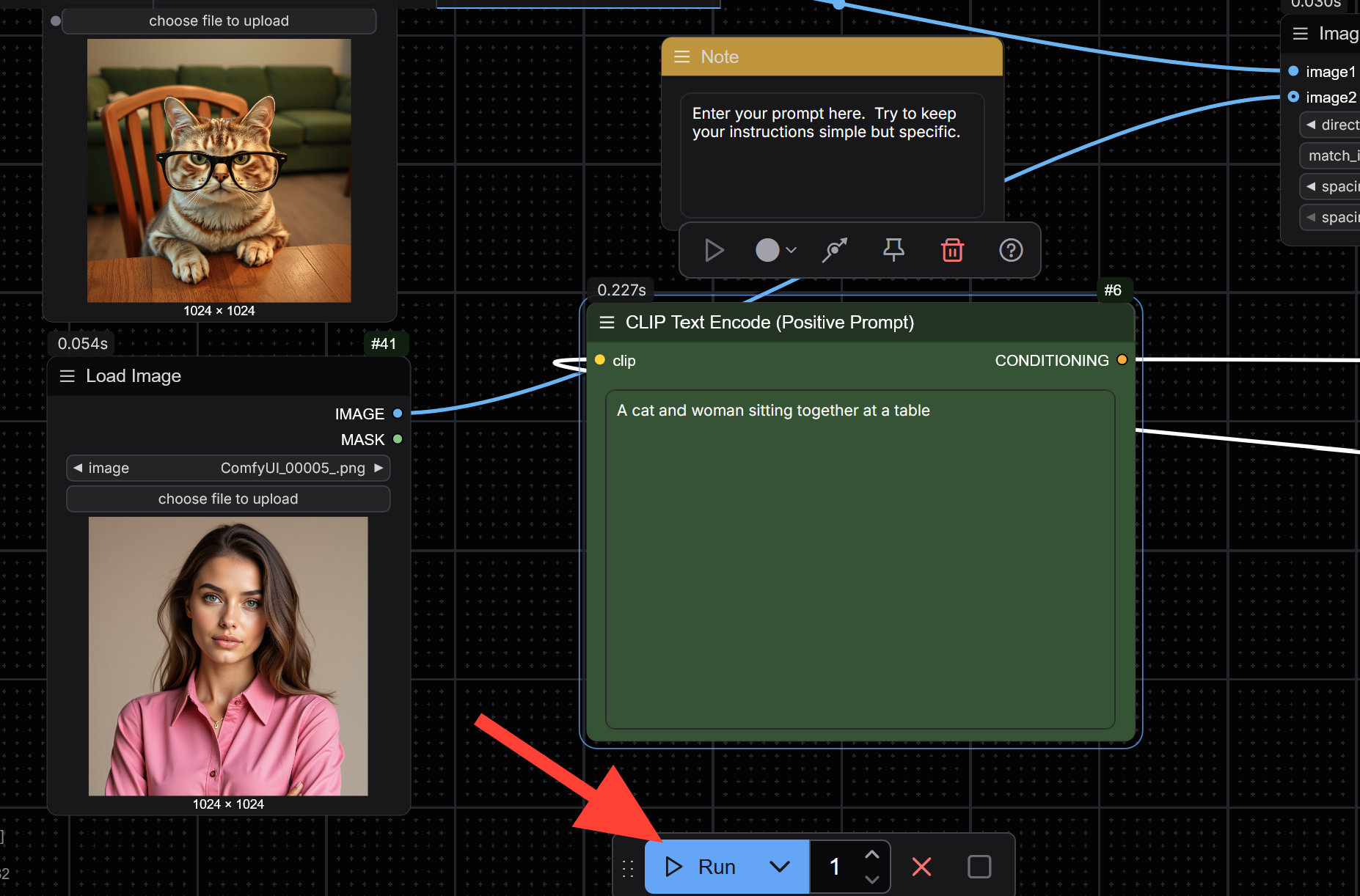
Go to the Load Image nodes and choose file to upload. Upload two images.
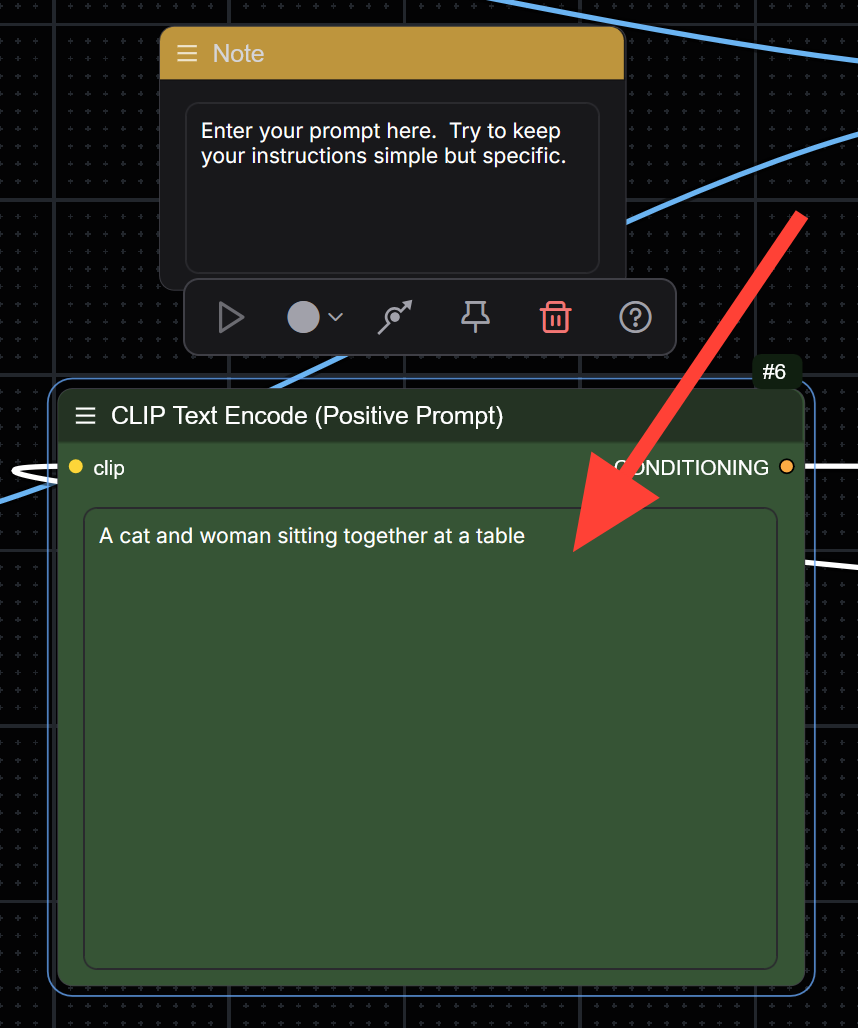
Write your prompt in the Clip Text Encode (Positive Prompt). Keep it simple and direct but be specific. This workflow will stitch the images together and then reshape it with your prompt.
Click Runnit.

Three Images to Image
Select FLUXKONTEXT-Multi(3)_Img2Img.json.

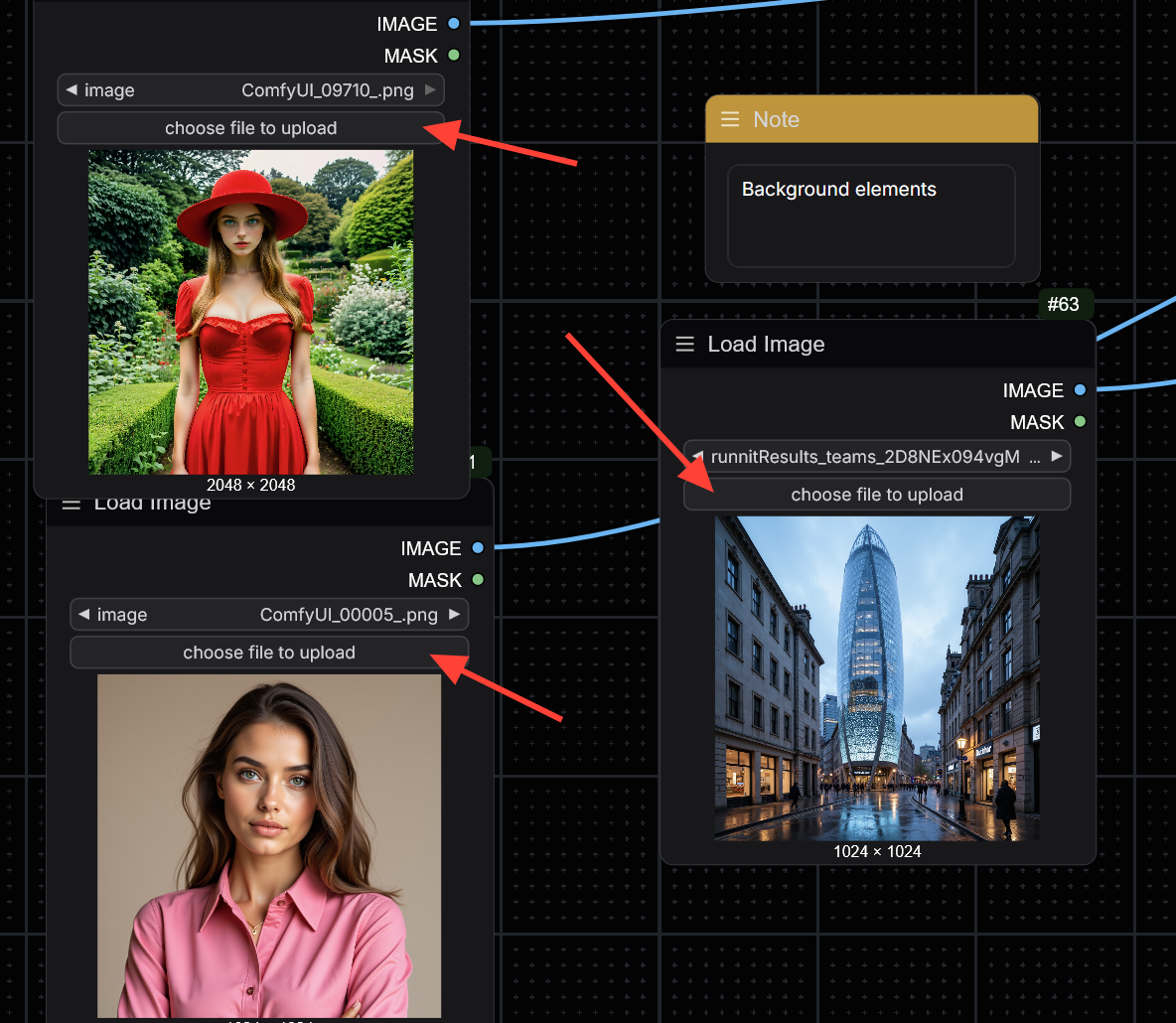
Go to the Load Image nodes and choose file to upload. Upload three images.
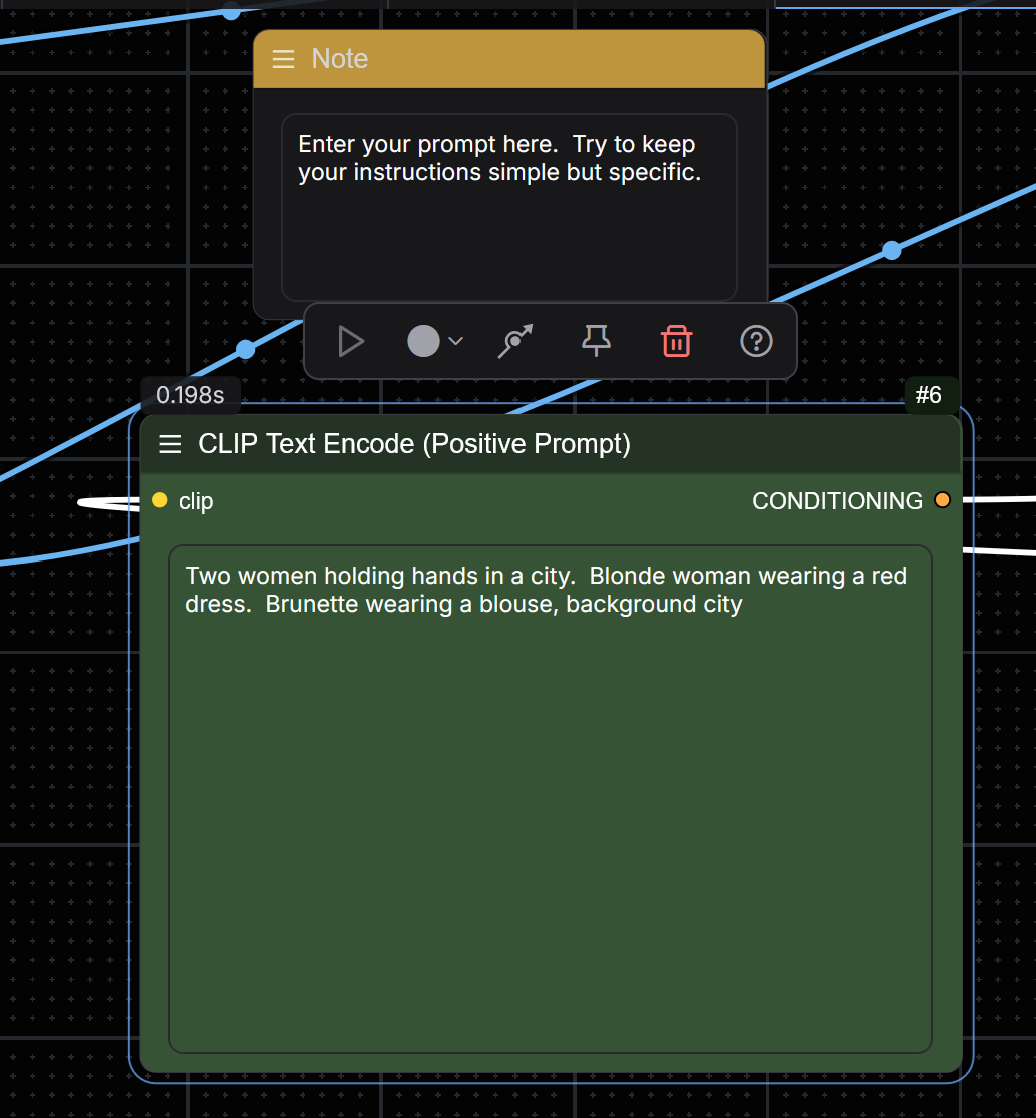
Write your prompt in the Clip Text Encode (Positive Prompt). Keep it simple and direct but be specific. This workflow will stitch the images together and then reshape it with your prompt. You will need to play with the prompt and experiment.
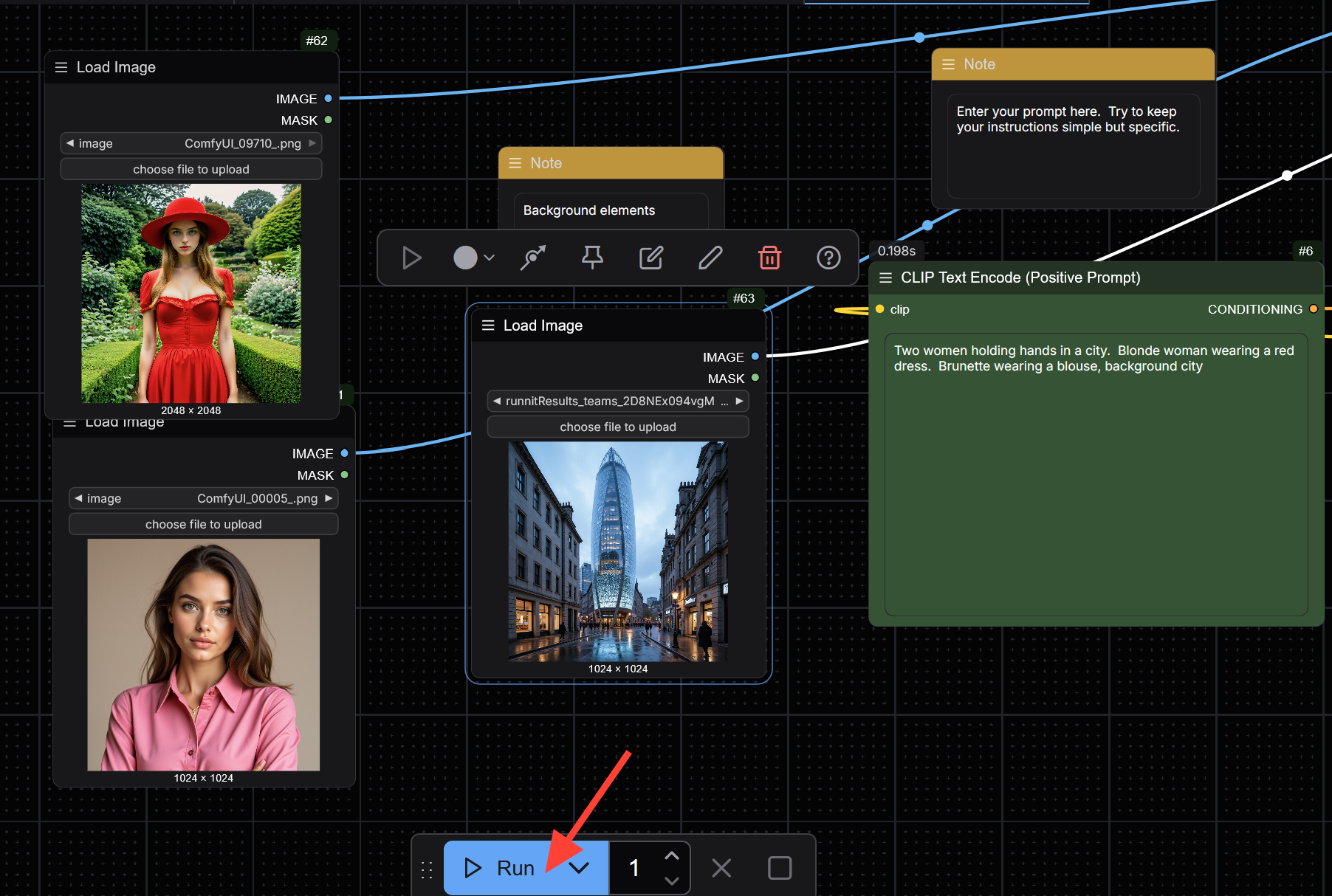
Click Runnit.
Enjoy your Creation.

Conclusion
Flux Kontext Dev adds a powerful layer of contextual editing and multi-image blending to ComfyUI workflows. Whether you're using one image or combining up to three, the premade workflows hosted on RunDiffusion simplify the process and allow for consistent, high-quality results. With experimentation and precise prompts, you can generate stylistically rich and coherent outputs without local setup or complex configurations.
Further Reading
Flux Kontext: Precision Image Editing Available on Runnit | RunDiffusion
Discover Flux Kontext on Runnit a cutting-edge AI tool for precise, instruction-based image editing using natural language prompts. Seamlessly make targeted changes, maintain character consistency, and apply artistic styles with ease.
RunDiffusion Team