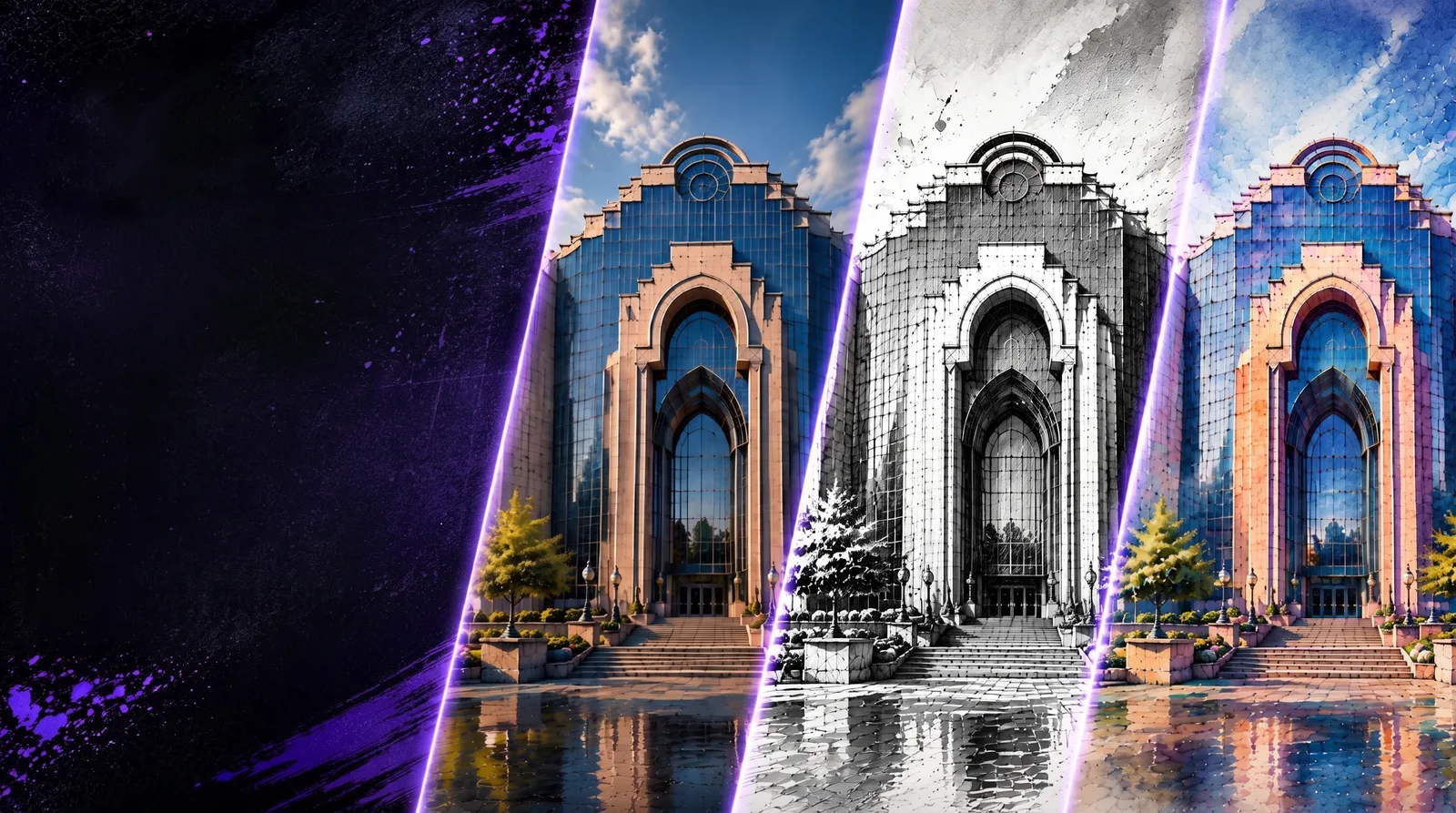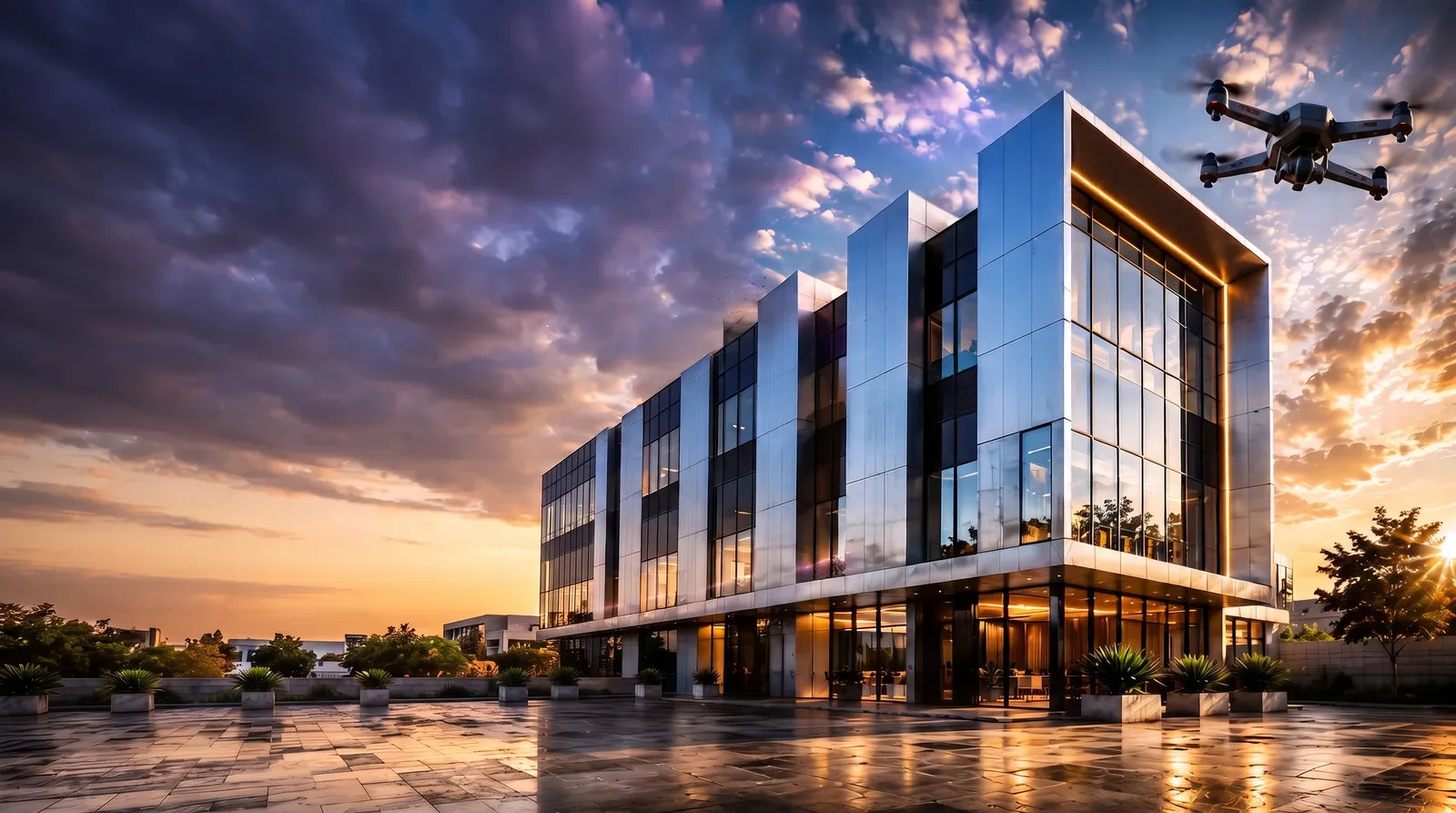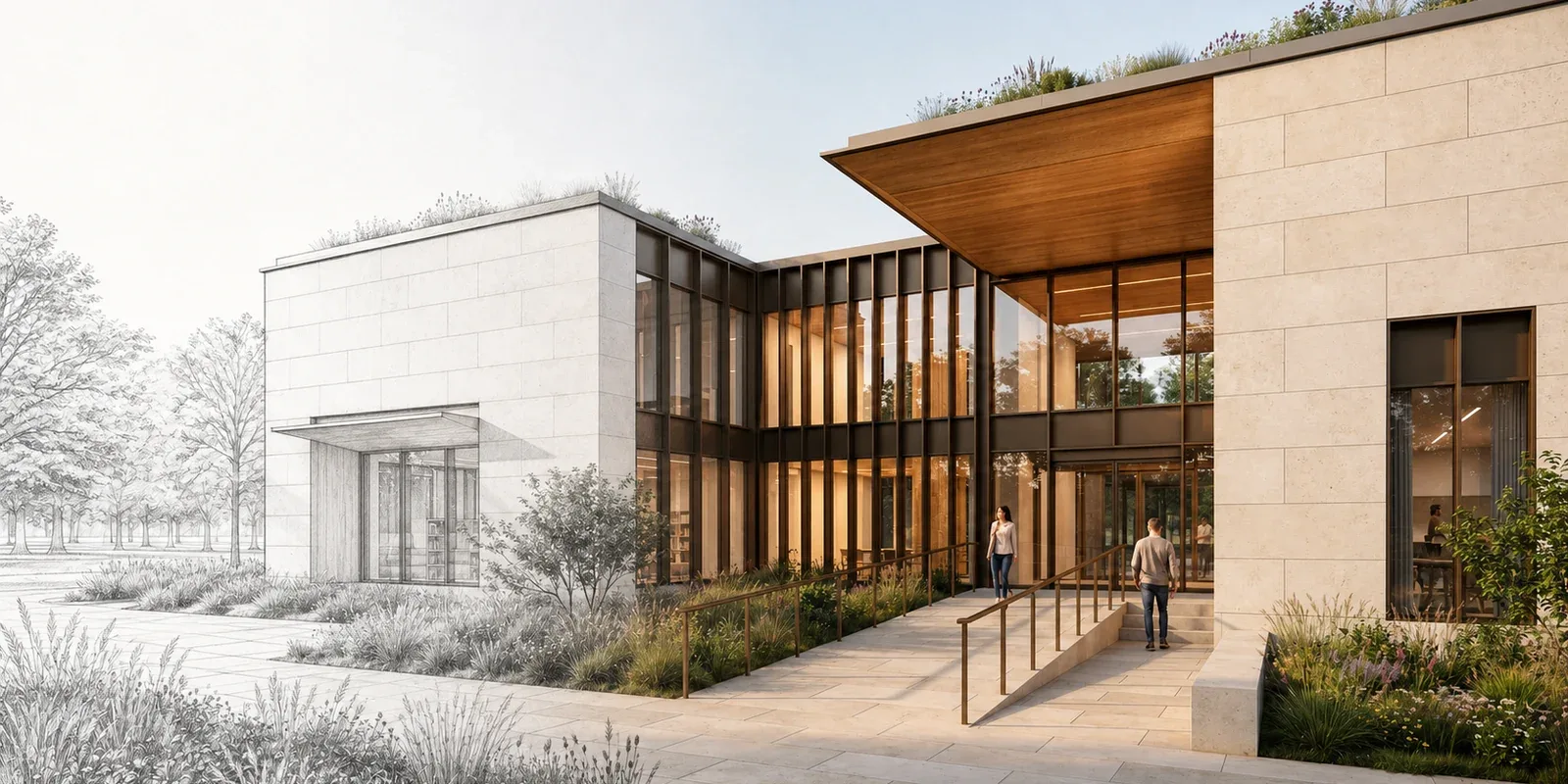
- Nano Banana Pro, Nano Banana 2, and ChatGPT Image 2.0 can generate new architecture concepts and make controlled edits.
- Testing the same brief across models reveals meaningful differences in massing, materials, lighting, and landscape decisions.
- The best starting model is the one that respects the design and needs the fewest corrections.
- Magnific and Topaz are finishing tools for an approved render, not substitutes for the generation and revision stages.
- A short workflow with clear roles is more useful than a long list of overlapping models.
For most architecture workflows, start with Nano Banana Pro, Nano Banana 2, or ChatGPT Image 2.0. Choose the model whose first result best matches the project, make focused revisions, then use Magnific or Topaz only when the approved image needs more resolution or cleaner detail.
| At a glance | |
|---|---|
| Generation and editing | Nano Banana Pro, Nano Banana 2, and ChatGPT Image 2.0 |
| Creative enhancement | Magnific |
| Controlled final pass | Topaz |
| Best fit | Architecture concepts, option studies, image edits, and presentation renders |
The best architectural rendering setup is no longer a single model. It is a short, dependable workflow that can create a concept, revise an existing design, and prepare the final image for presentation.
Nano Banana Pro, Nano Banana 2, and ChatGPT Image 2.0 are all strong AI rendering tools for architects. Each can generate new scenes and handle instructed edits, but they do not make the same visual decisions. Magnific and Topaz serve a different purpose: they help refine a chosen render after the design direction is settled.
This guide compares the models on the same architectural brief, explains where each one fits, and shows how to build a practical tool suite without adding unnecessary steps.
How to Choose the Best Tools for Architectural Rendering
The right choice depends on the task in front of you. A model that produces an impressive concept image may not be the best choice for a controlled material change. An upscaler that adds convincing surface detail should not be asked to redesign the facade.
Before opening a tool, decide which of these jobs you are doing:
- Generate a new visual direction: Turn a written brief into exterior, interior, landscape, or presentation concepts.
- Edit an existing image: Change materials, lighting, landscaping, furnishings, or presentation style while keeping the main design readable.
- Explore design options: Create focused variations so the team can discuss a real choice instead of a vague direction.
- Finish the selected render: Increase resolution, clean edges, and refine material detail after the composition is approved.
If you are still defining the visual direction, begin with a general image model. If the architecture is already approved, use a controlled edit. If the image is approved but soft at presentation size, move to a finishing tool. This distinction prevents unnecessary generations and makes model comparisons more useful.
The Best AI Rendering Tools for Architects
Nano Banana Pro
Nano Banana Pro is a dependable first choice for polished architectural scenes and detailed image edits. It handles long prompts well, balances materials and lighting, and can produce a presentation-ready direction without forcing every prompt into a dramatic concept-art look.
Use it when material relationships, landscape, glazing, and overall atmosphere need to feel coordinated. It is also useful when you have reference images and need a controlled change rather than a complete redesign. For a deeper look at prompt structure, read the Nano Banana Pro prompting guide.
Nano Banana 2
Nano Banana 2 is well suited to fast architectural iteration. It can move from a detailed written brief to a clear exterior or interior concept, then continue with focused requests for material, weather, planting, or composition changes.
Choose it when you want to review several directions in one session while keeping the instructions concrete. It is particularly useful during early design conversations, when speed matters but the output still needs credible scale, straight structural lines, and a readable program.
ChatGPT Image 2.0
ChatGPT Image 2.0 is a strong option when the prompt reads more like a design conversation than a short list of visual keywords. It responds well to explicit constraints, relationships between spaces, and requests that state what must remain unchanged.
Use it for reference-guided edits, complex revision notes, or scenes that need several requirements to work together. It is also useful when a project team wants to refine the brief through a sequence of plain-language instructions before choosing a final image.
A Genuine Model Comparison on the Same Architectural Brief
These three images use the same prompt, aspect ratio, and output settings. The brief called for a compact civic library and community hall formed by two limestone volumes, a glazed central atrium, deep timber soffits, bronze frames, an accessible entrance, and restrained landscape design.
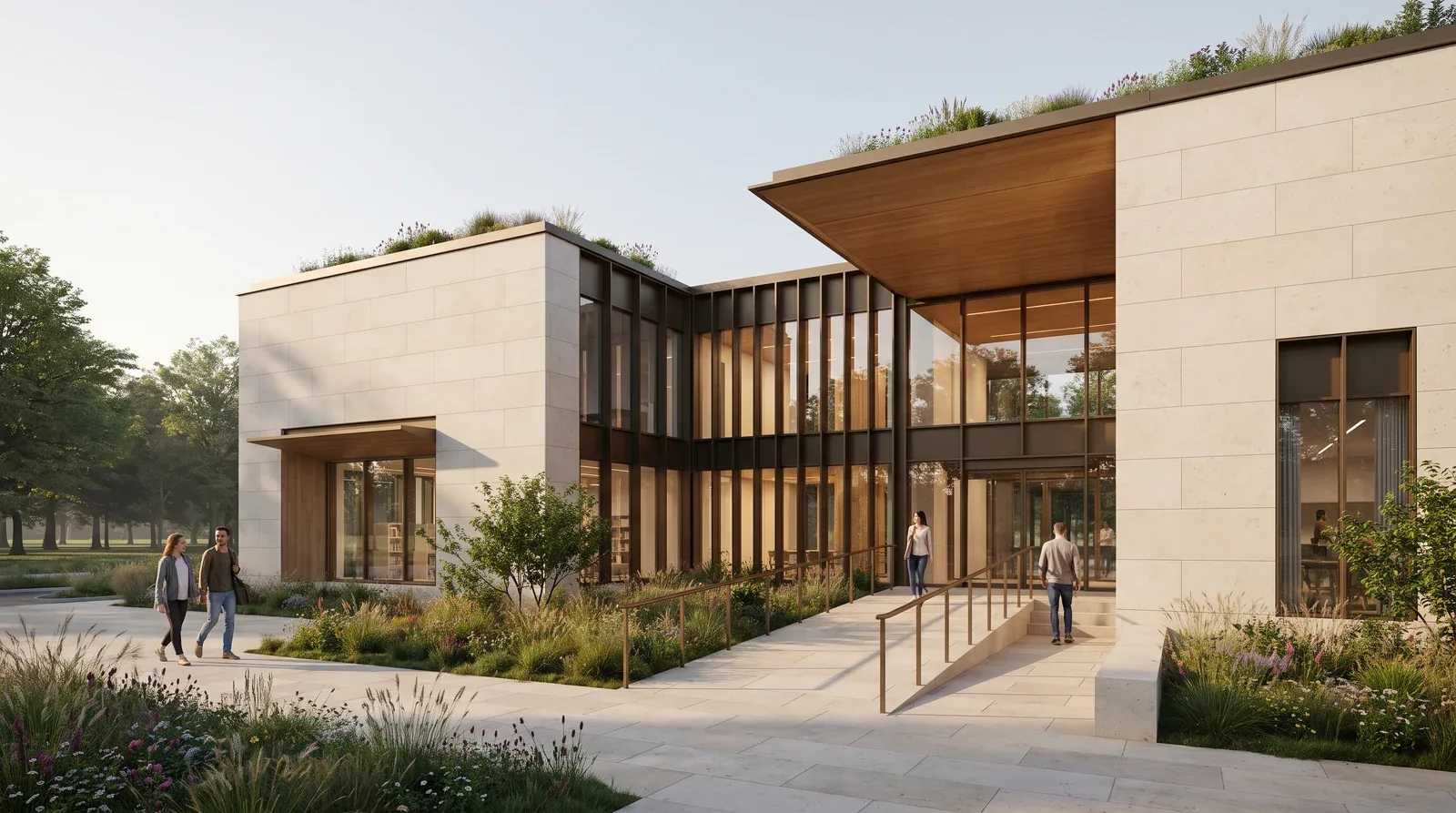
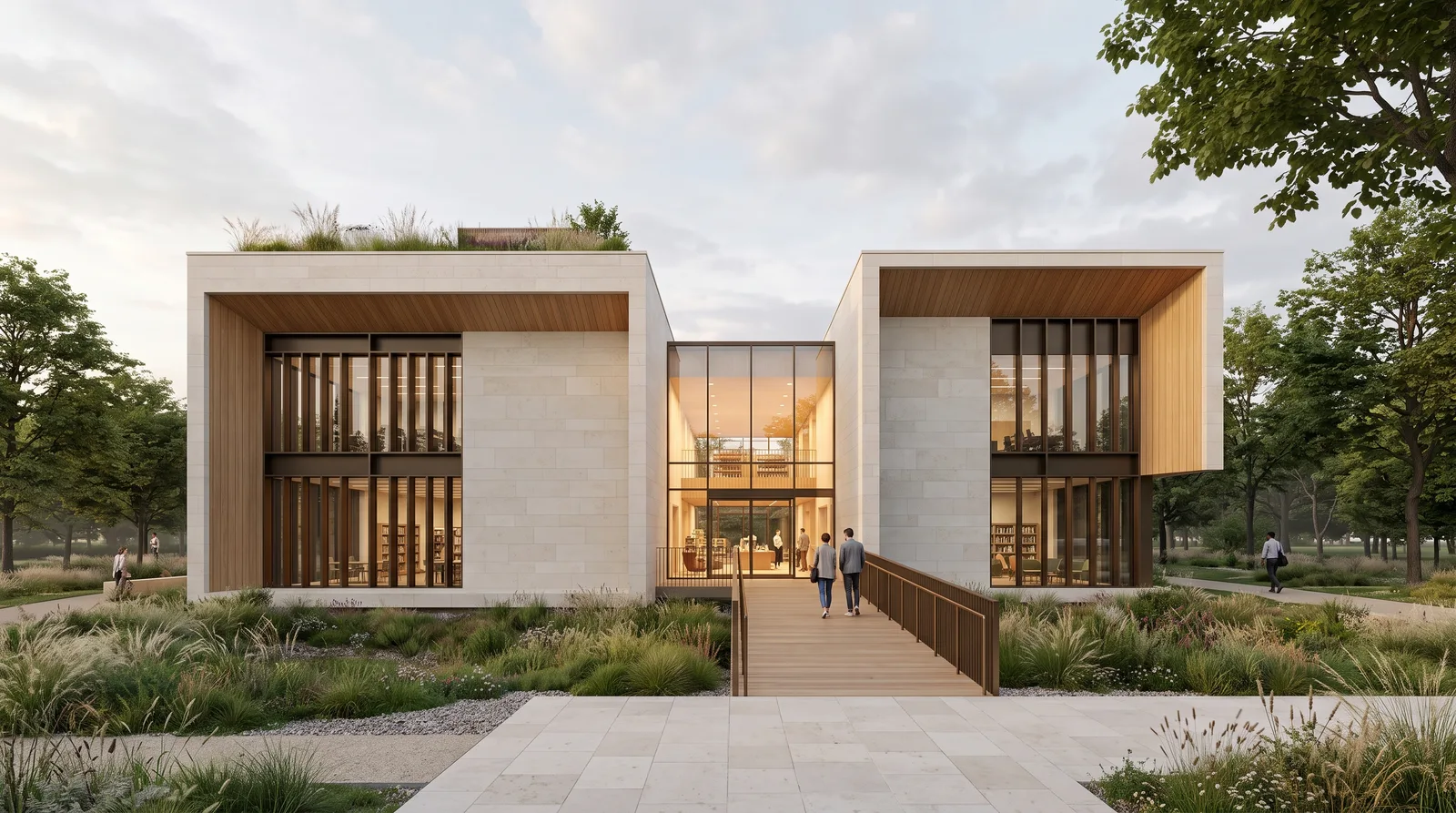
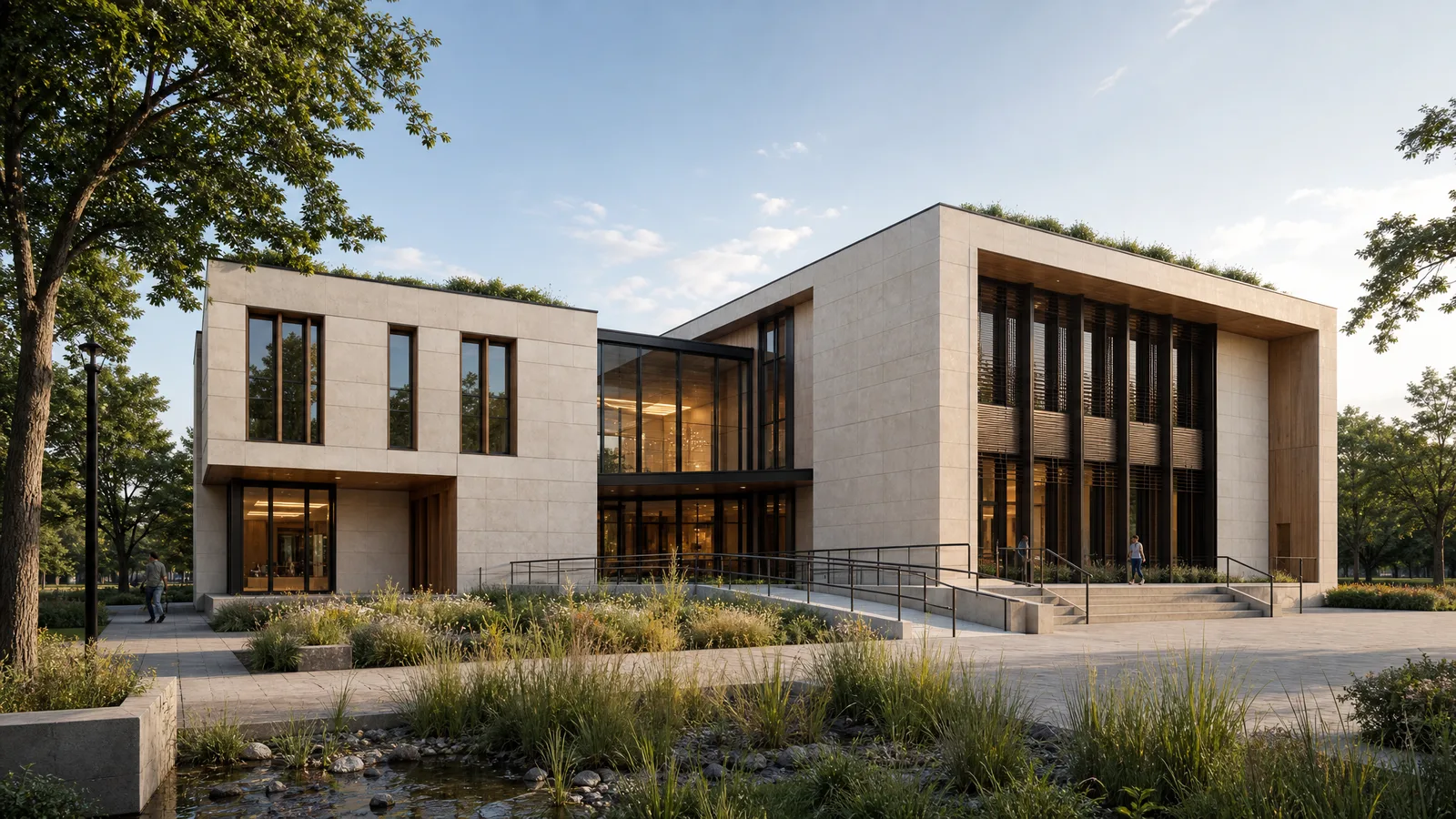
Shared comparison prompt
Create a competition-quality exterior architectural visualization for a design review. Show a compact civic library and community hall at the edge of an urban park. Use two offset rectangular limestone volumes joined by a glazed central atrium, with deep timber soffits, dark bronze window frames, vertical shading fins, an accessible entrance ramp, and a restrained roof garden.
Frame the complete building from an eye-level three-quarter view with straight verticals. Use soft late-afternoon daylight, warm interior light, natural shadows, believable construction, realistic material behavior, and a balanced 16:9 landscape composition. Avoid warped windows, impossible cantilevers, fantasy forms, text, logos, and watermarks.
What the Comparison Actually Shows
There is no automatic winner for every project. Each model interprets hierarchy, massing, planting, and material emphasis differently. That difference is the reason to compare outputs before committing to a longer edit sequence.
- Nano Banana Pro: Best fit when you want a polished, restrained architectural image with coordinated materials, planting, glazing, and warm interior light.
- Nano Banana 2: Best fit when you want quick iteration and a responsive path from the first concept to targeted revisions.
- ChatGPT Image 2.0: Best fit when the brief includes several relationships and constraints that are easier to describe in natural language.
Judge the result against the task, not against model reputation. Look at the entry sequence, window rhythm, structural logic, material transitions, people, planting, and shadows. Select the image that requires the fewest design corrections. A striking image that misreads the program is usually a slower starting point than a quieter image that respects it.
Which Model Should You Use for Each Architecture Job?
- Exterior concept: Start with any of the three models. Nano Banana Pro is a strong first test when the image needs a refined, client-ready atmosphere.
- Fast option study: Use Nano Banana 2 to compare materials, time of day, landscape direction, and presentation style in a focused sequence.
- Detailed revision brief: Use ChatGPT Image 2.0 when several requested changes and fixed design elements must be described together.
- Material or style edit: Use Nano Banana Pro, Nano Banana 2, or ChatGPT Image 2.0 with a clear list of what may change and what must stay fixed.
The best AI rendering software for architects should support this whole decision process, not just produce a dramatic first image. The ability to revise, compare, and finish a chosen direction is what turns a model into a useful workflow.
Finish Architectural Renders with Magnific and Topaz
Finishing starts after you approve the design direction. Magnific and Topaz are valuable because they focus on resolution and perceived detail, not because they replace the generation stage.
Magnific for creative detail enhancement
Magnific is useful when a render needs richer material texture and a stronger sense of detail at a larger size. It can make stone, timber, foliage, fabric, and surrounding context feel more resolved. Keep the creativity setting restrained when architectural fidelity matters, then compare openings, joints, railings, and roof edges with the source before delivery.
Topaz for a cleaner final pass
Topaz is a strong finishing choice when the composition and design are already right and you want cleaner edges, crisper glazing, and improved presentation resolution. It is especially useful for enlarging images for decks, boards, portfolio pages, and detailed review.
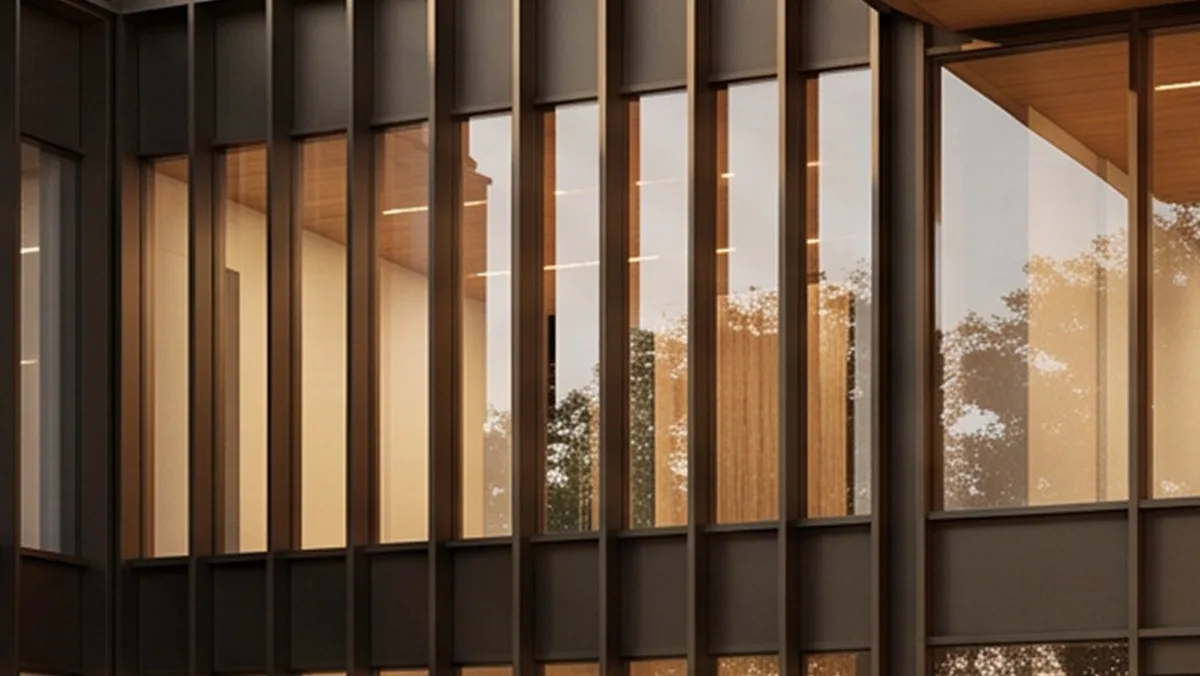
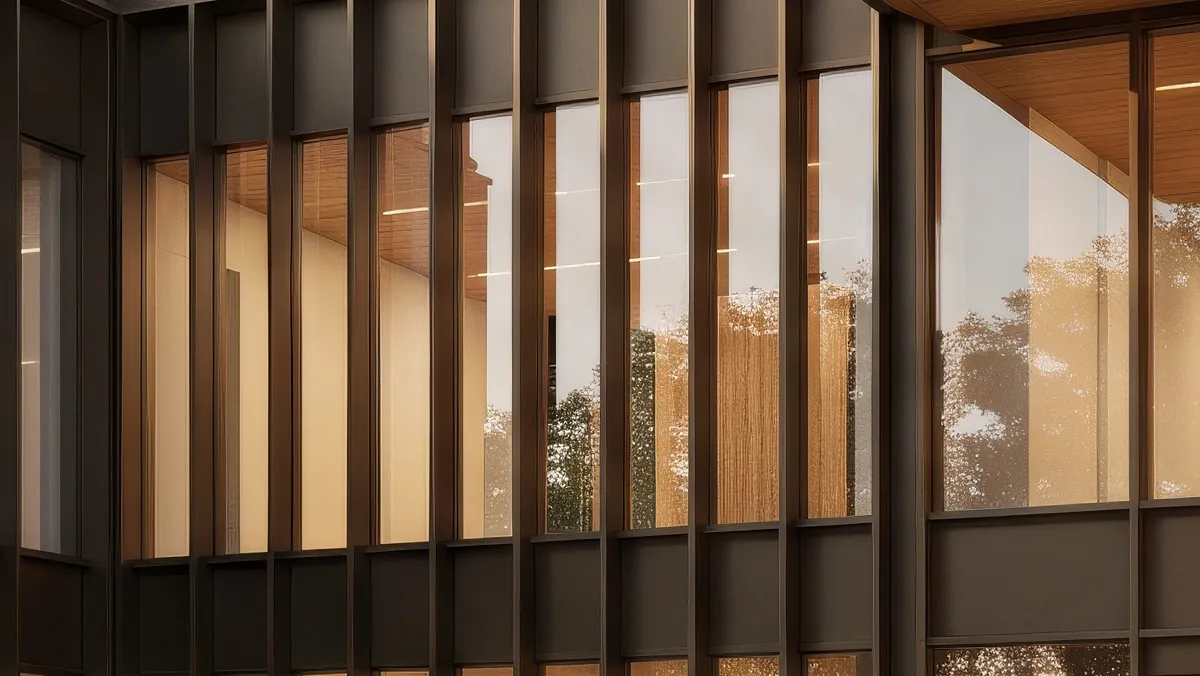
At 200 percent, the Topaz result shows cleaner frame edges, glazing detail, reflections, and material separation while preserving the original architecture. For a closer look at both finishing approaches, read the guide to AI upscaling tools for architectural renders.
A Practical Architectural Rendering Workflow
The best AI tools for architectural rendering are most effective when each one has a defined role. The following workflow keeps the process short and makes every revision easier to judge.
- Define the non-negotiables. List the program, massing, viewpoint, materials, lighting, and elements that must remain unchanged. If you are editing a source image, say so directly.
- Generate one clear baseline. Use Nano Banana Pro, Nano Banana 2, or ChatGPT Image 2.0. Keep the first prompt specific enough to judge, but do not bury the design in decorative adjectives.
- Review architecture before atmosphere. Check the entry, floor count, window rhythm, circulation, structure, and scale. Reject a beautiful result early if it introduces a fundamental design problem.
- Request one focused revision. Change a material family, lighting condition, landscape direction, or camera crop. Smaller requests make it easier to identify what improved.
- Select the final direction. Compare the strongest options at the same size. Choose the image that supports the project narrative and requires the least correction.
- Upscale and verify. Use Magnific or Topaz, then compare the result with the approved source. Check frames, railings, signage, people, furniture, and repeated facade elements before presenting it.
If you need a starting point for scene structure and camera language, use these popular architecture prompts. For the broader principles behind this process, read what AI architectural rendering is and where it fits.
Write Better Architecture Prompts
A useful architecture prompt describes decisions in a practical order. Start with the project type and purpose, then add the building form, site, camera, light, and material direction. End with constraints.
Prompt pattern: Project and use + building form and program + site and landscape + viewpoint and lens + lighting + materials + details to preserve + errors to avoid.
For an existing image, separate the instruction into two short parts: what should change and what must stay fixed. For example, ask for pale limestone in place of brick while keeping the massing, opening locations, camera, landscaping, and daylight unchanged. This is easier to review than asking for a complete makeover.
Do not ask the model to solve every stage at once. First establish the architecture. Then refine atmosphere and presentation. Finally, upscale the approved result. This sequence gives you clearer comparisons and fewer accidental design changes.
Connect the Render to the Rest of Your Workflow
Architectural images rarely end inside the generation tool. They move into critique, presentation, markup, and production workflows. The Photoshop plugin tutorial shows one way to keep image work close to a familiar editing environment.
For more great plugins for tools such as Miro and Revit, browse the RunDiffusion plugin collection. Choose the connection that reduces handoffs for your team rather than adding another tool to manage.
Final Recommendation
Nano Banana Pro, Nano Banana 2, and ChatGPT Image 2.0 can all handle architectural generation and image editing. Start with the one that best understands your project brief, then keep the revision sequence focused. Use Magnific when you want a more creative detail enhancement and Topaz when you want a cleaner, controlled finishing pass.
The most useful suite is not the one with the longest model list. It is the one that lets you move from brief to reviewable concept, from concept to controlled revision, and from approved image to presentation output with the fewest unnecessary steps.
Frequently Asked Questions
What is the best AI rendering tool for architects?
There is no single best tool for every architecture task. Nano Banana Pro is a strong choice for polished scenes and controlled edits. Nano Banana 2 is useful for fast iteration. ChatGPT Image 2.0 works well for detailed, conversational instructions. Magnific and Topaz are finishing tools for an approved render.
Can AI rendering tools replace traditional architectural rendering software?
They can speed up concept visualization, option studies, material exploration, and presentation work, but they do not replace verified drawings, BIM models, or technical documentation. Treat the generated image as a visual study and keep the approved project files as the source of truth.
Further Reading
- The Complete Nano Banana Pro Prompt Guide
- Popular Architecture Prompts
- AI Upscaling Tools for Architectural Renders
Compare models on your next architecture brief
Generate a clear baseline, revise the strongest direction, and finish only after the architecture is approved.