

Installing custom nodes in ComfyUI just got easier on RunDiffusion. Users previously were unable to install some custom nodes in ComfyUI sessions on RunDiffusion. To improve this, we’ve made it possible to edit file security settings unlocking wider node support inside your cloud sessions.
Why You Need to Edit config.ini
By default, ComfyUI Manager enforces strict security policies that block many custom nodes from being installed or used. Altering the security settings allows many more nodes to install and function — but it does not guarantee that every custom node will work.
Some nodes may still have compatibility issues depending on how they are built.
How to Edit File Manager Security Settings for Node Installation
How to Access and Edit the Config.ini File
Follow these steps carefully:

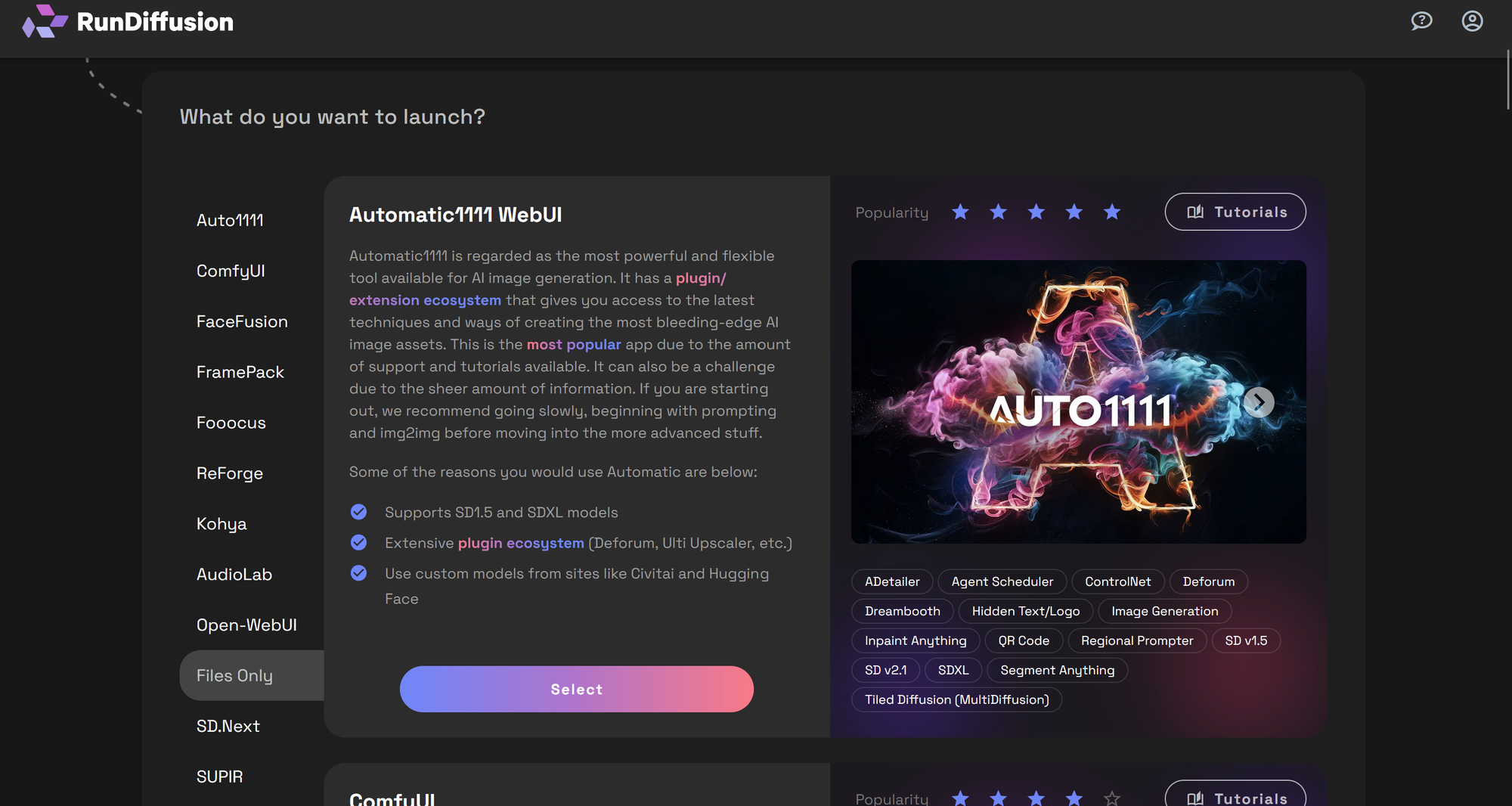
Select FILES ONLY, then click Select.
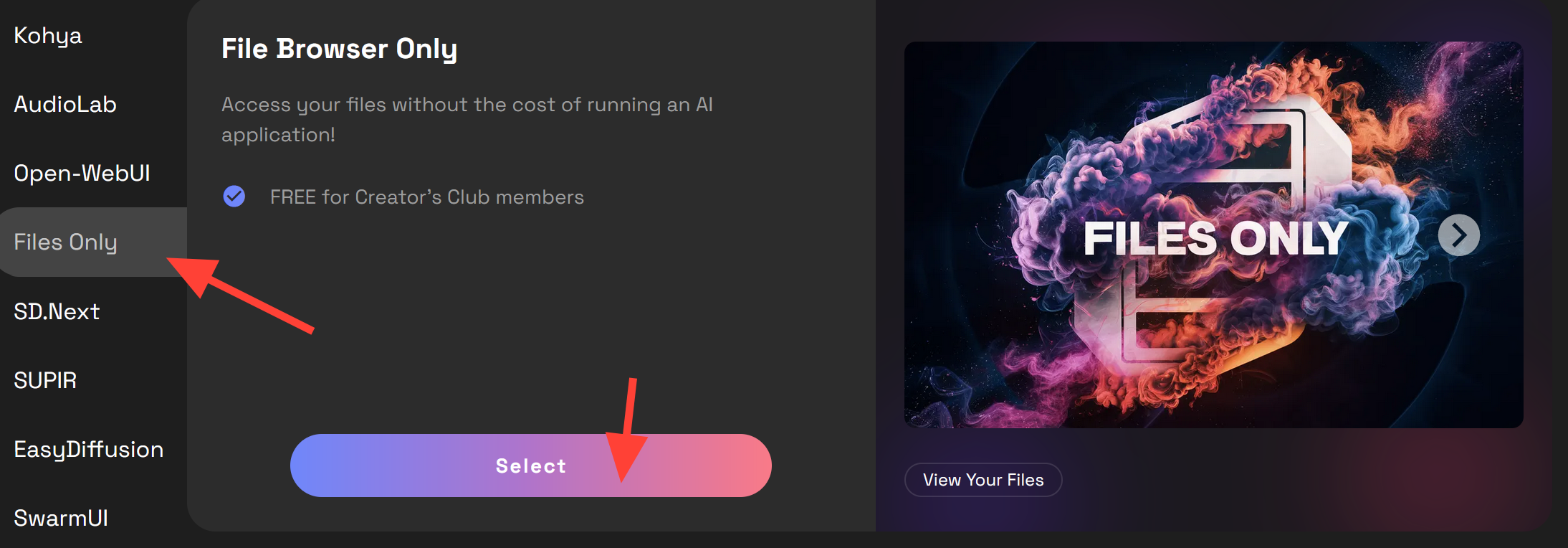
Setup your Session
Click Launch.
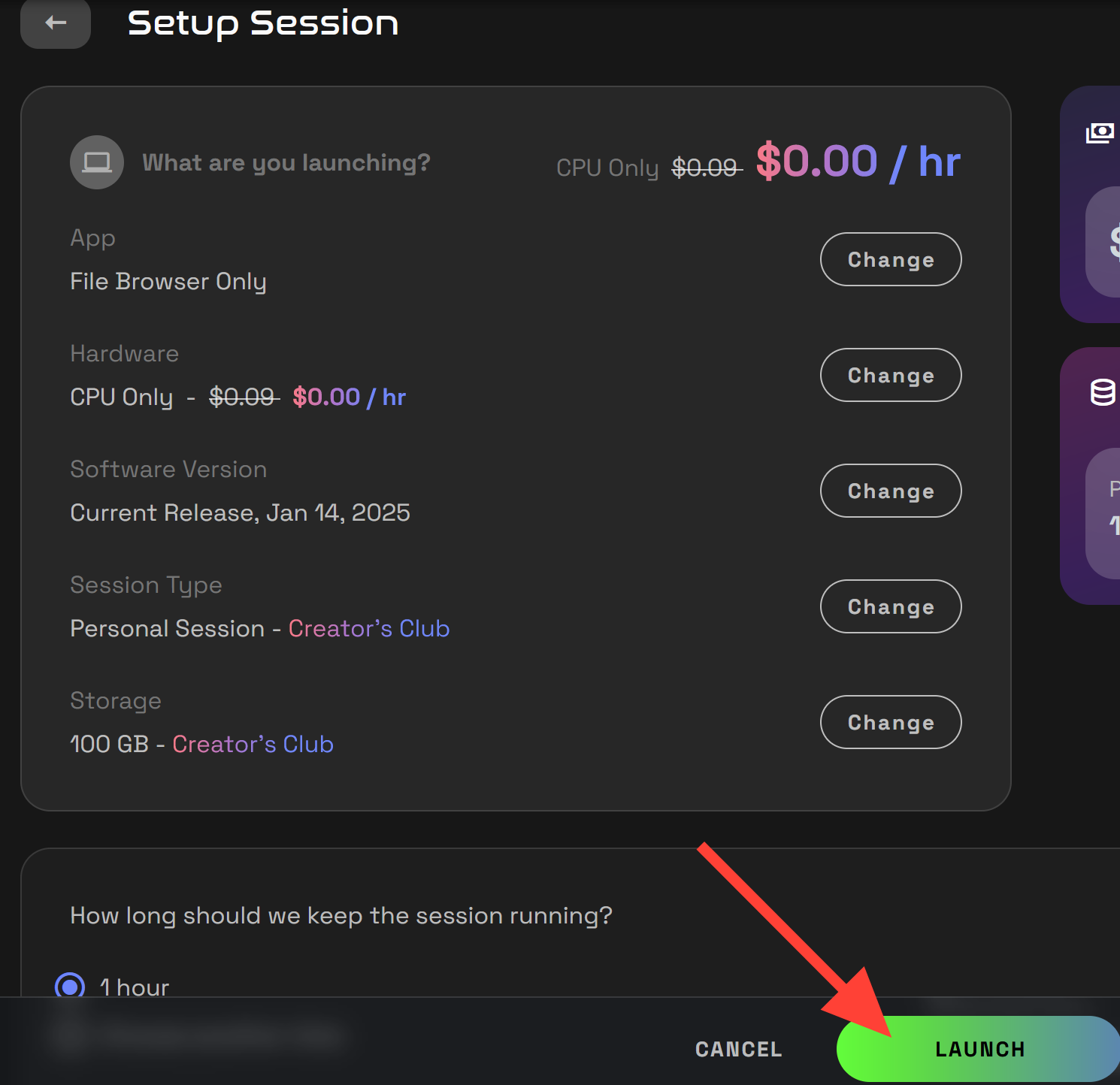
Navigate to the Config.ini Path
Go to this exact location:/custom/CMFY/user/default/ComfyUI-Manager/config.ini
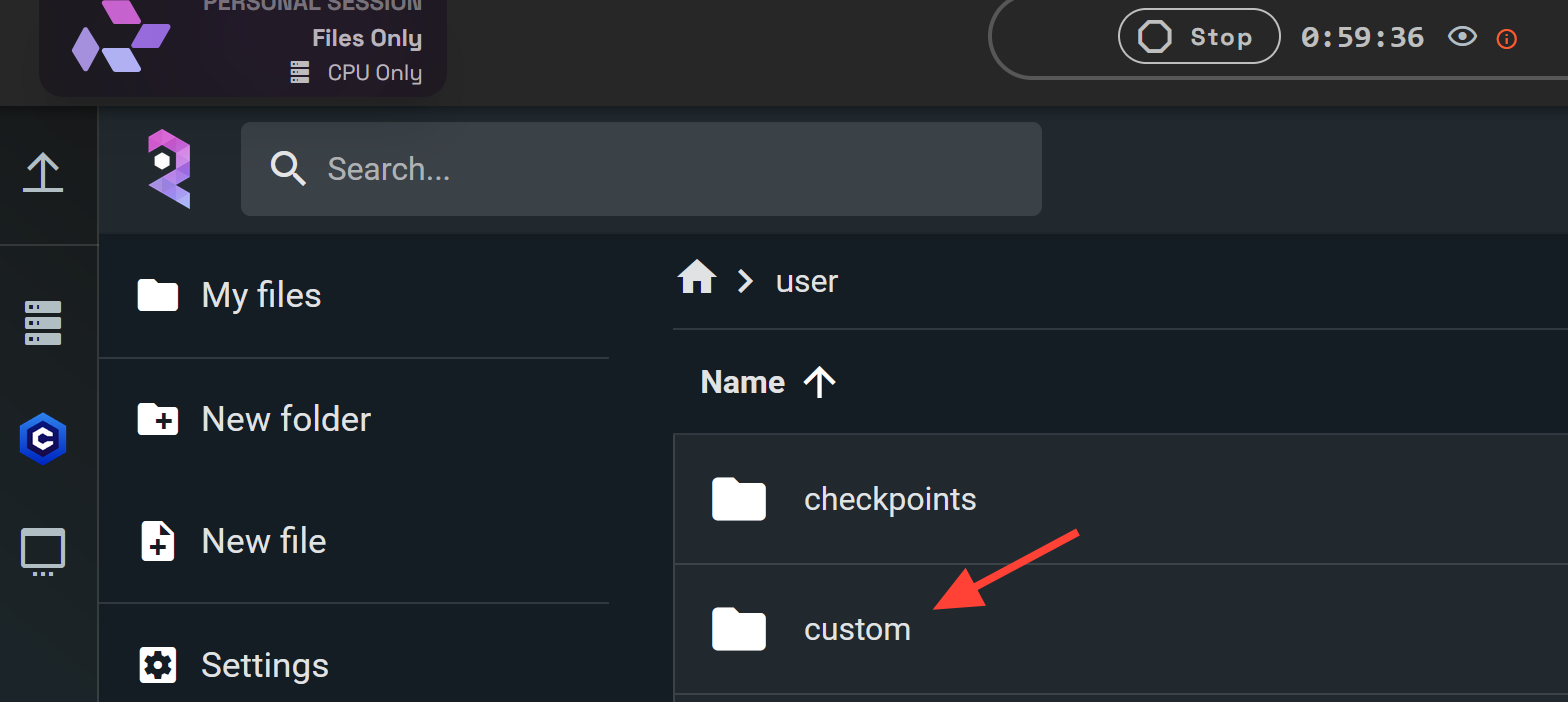
Locate config.ini file and double click to open it.
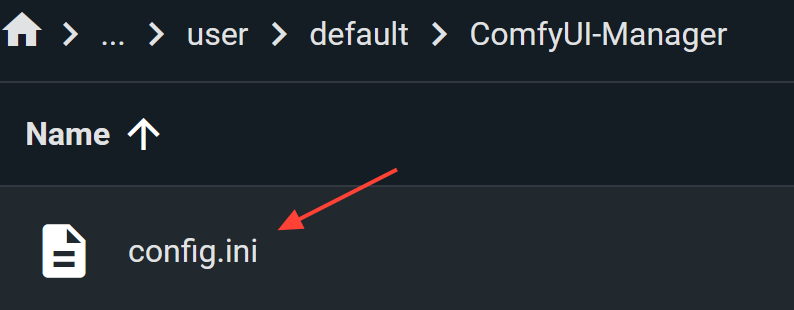
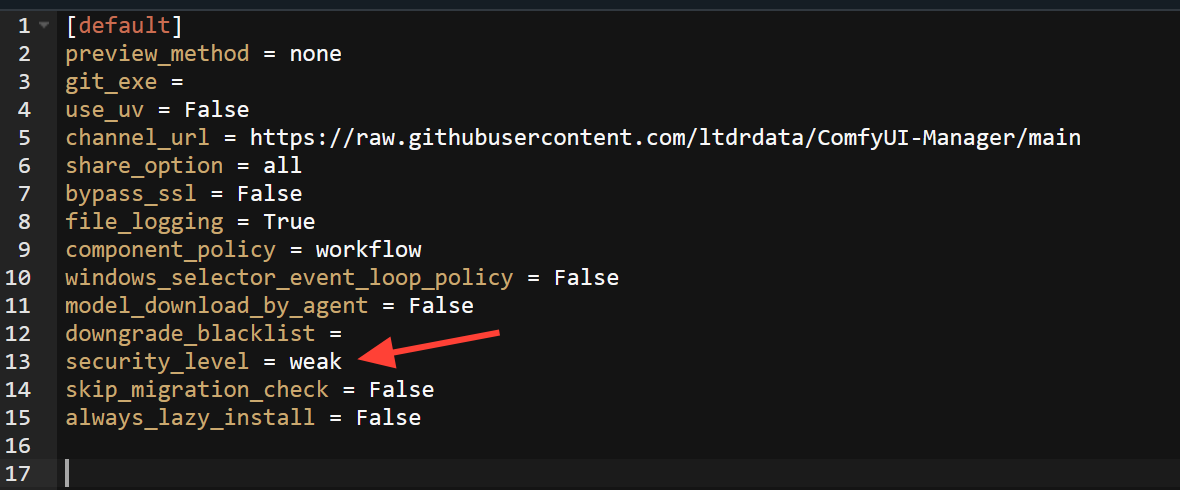
Open and Edit Config.ini
Inside the file Find the line: security_level =
Change it to:security_level = weak
Important Notes
- Setting
security_level=weakallows more custom nodes to function, but some nodes may still not work. - Always install custom nodes from trusted sources to avoid potential security risks.
- Contact us if a node is not working so our support team can troubleshoot the problem.
Related Resources
To deepen your ComfyUI workflows, check out these articles:
Troubleshooting ComfyUI Workflows (September 2025) | RunDiffusion
This updated guide helps RunDiffusion users fix red nodes, missing models, broken paths, and deprecated nodes in the new ComfyUI layout. Learn to use Comfy Manager and restart sessions properly.
RunDiffusion Team

ComfyUI Interface on RunDiffusion April 23, 2025 | RunDiffusion
The ComfyUI interface received a major UI overhaul, affecting menu layouts, toolbars, and workflow navigation. This article explains the key changes, how to adapt if you’re following older tutorials, and how to launch the updated version on RunDiffusion.
RunDiffusion Team

Each guide is designed to make your RunDiffusion sessions faster, smoother, and fully optimized.