

Edit · Automatic1111
Getting Started on RunDiffusion's Opensource Applications
Learn how to get started on RunDiffusion, from account setup and platform basics to launching your first opensource application.
Read guideLearn how to launch Automatic1111, use img2img, manage extensions, work with face tools, and connect open-source application workflows on RunDiffusion.
Start here
Learn how to get started on RunDiffusion, from account setup and platform basics to launching your first opensource application.
Read guideArticle library
Explore the complete collection across setup, img2img, extensions, face workflows, file management, models, and APIs.
Build a practical foundation in AUTOMATIC1111 and open-source Stable Diffusion through a free, self-paced RunDiffusion video course.
Read guide
Connect your code, AI agents, and creative applications to Automatic1111 and ComfyUI sessions running on RunDiffusion.
Read guide
RunDiffusion上のAutomatic1111に日本語拡張機能をインストールし、Automatic1111のインターフェースを日本語表示に切り替える方法を解説します。
Read guide
Learn how img2img works for image-to-image AI editing, including resize mode, denoising strength, batch processing, upscaling, and inpainting.
Read guide
Learn how to use the preloaded RDFacefusion extension in Automatic1111 on RunDiffusion for cloud-based face swaps.
Read guide
Learn how ReActor for Automatic1111 handles face detection, swapping, and restoration for faster face swap workflows.
Read guide
Learn how extensions expand Automatic1111 with added tools, workflow improvements, and customization options for image generation on RunDiffusion.
Read guide
Learn how to install and manage face swapping models on RunDiffusion for Automatic1111, FaceFusion, and ComfyUI.
Read guide
Learn how PBRemTools in Automatic1111 helps remove backgrounds and isolate subjects for cleaner edits and more flexible workflows.
Read guide
Learn how checkpoint merging works and how to combine model strengths for custom image generation results in your RunDiffusion workflow.
Read guide
Discover useful Automatic1111 extensions for image generation, animation, inpainting, prompting, and workflow customization on RunDiffusion.
Read guide
Learn about preloaded checkpoints on RunDiffusion and how they make it faster to launch workflows and start creating immediately.
Read guide
Learn how wildcards work in prompt workflows so you can generate more varied outputs and streamline creative experimentation.
Read guide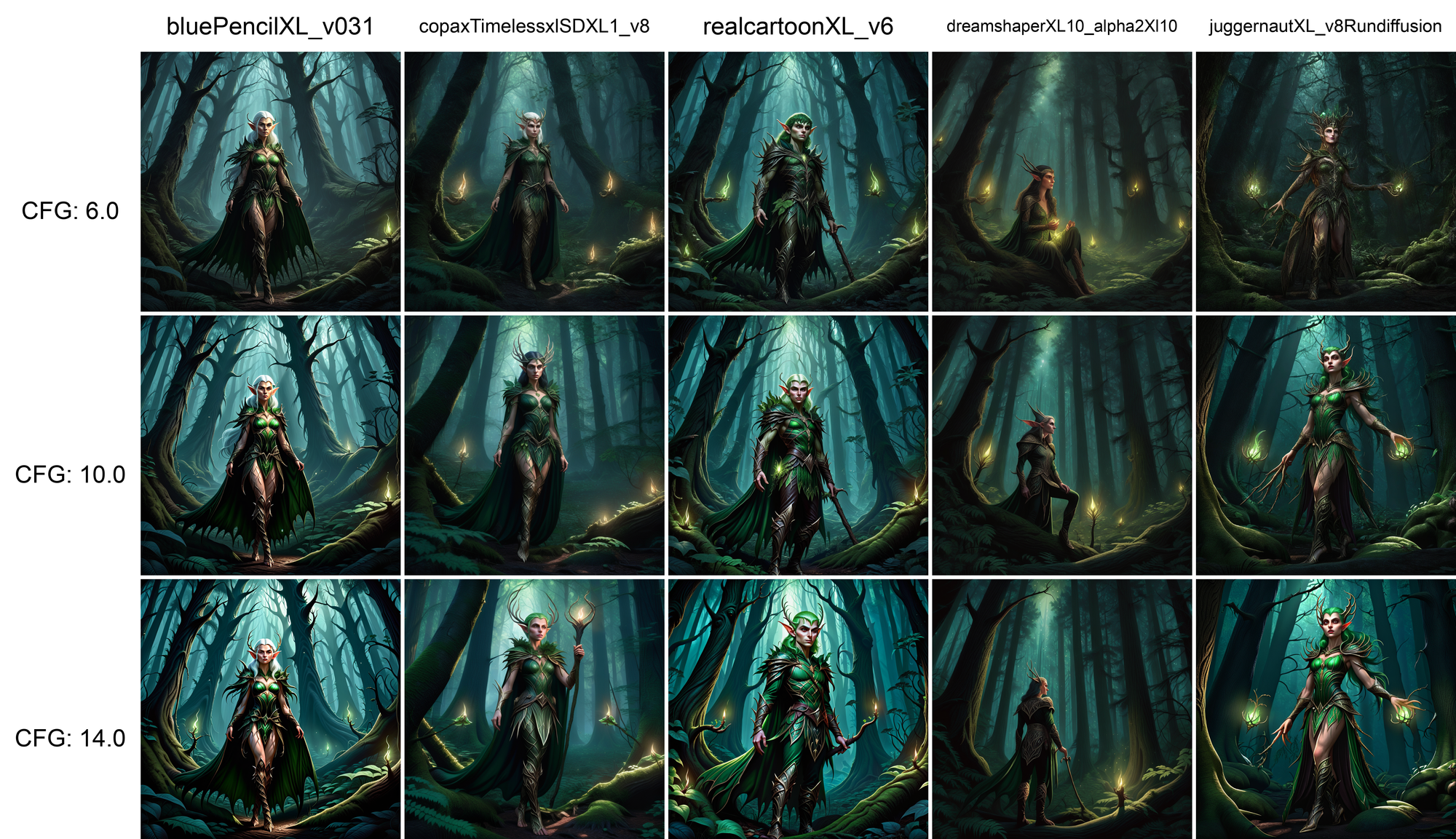
Learn how XYZ grids help compare settings, prompts, and model changes across ComfyUI and Automatic1111 workflows more efficiently.
Read guide
Learn how to compare two models in Automatic1111 so you can evaluate output quality, style differences, and workflow fit more effectively.
Read guide
Learn how negative prompting improves image generation by reducing unwanted features, artifacts, and inconsistencies in your outputs.
Read guideLearn how to use outpainting in Automatic1111 to expand images beyond their original frame with more seamless visual continuity.
Read guideFollow a step-by-step guide to creating audioreactive Deforum videos with hybrid motion in Automatic1111 for more dynamic AI animation.
Read guide了解如何将 Automatic1111 切换为中文界面,以便更方便地进行设置、提示词编写和图像生成操作。
Read guide
Step-by-step tutorial on generating hidden text with ControlNet and QR Code Monster.
Read guide
How to use LoRA models / How to import custom LoRA models
Read guide
Learn beginner prompting basics for Stable Diffusion so you can write clearer prompts and generate better first results.
Read guide
Learn how to create artistic QR codes with Stable Diffusion and ControlNet while keeping them visually creative and still scannable.
Read guide
ControlNet 1.1 - Endless possibilities
Read guideLearn how to upload videos for use in Deforum so you can guide animation workflows with source footage and motion structure.
Read guide
Learn how sampling methods affect image generation quality, speed, and style so you can choose the right approach for your workflow.
Read guide
Learn how to navigate the RunDiffusion file explorer so you can find, organize, and manage project files more efficiently.
Read guide
Weather its a common negative, or a beautiful scenery, find out how to save those prompts!
Read guide
Emphasizing made easy!
Read guide
Importing custom models to Auto1111 and invokeAi!
Read guide
Learn the basics of AI upscaling so you can improve image resolution, detail, and overall presentation quality.
Read guide
Learn prompting fundamentals, including structure, syntax, and practical techniques for getting better AI image results.
Read guideLearn how to troubleshoot common Automatic1111 errors and fix issues related to setup, models, extensions, and workflow stability.
Read guideLearn what a VAE does in image generation and how it affects color, detail, and overall visual quality in your outputs.
Read guideLearn how to use Img2Img batch processing with ControlNet to guide multiple image edits more consistently and efficiently on RunDiffusion.
Read guideLearn how to use Extras in Automatic1111 for upscaling images, processing batch directories, and improving output quality more efficiently.
Read guideLearn the basics of LoRA training, including how to prepare data, fine-tune models, and create custom visual styles.
Read guideLearn how TXT2IMG works and how to generate images from text prompts more effectively using RunDiffusion and related tools.
Read guideLearn how LoRA, hypernetworks, and embeddings work in Automatic1111 and how they shape styles, subjects, and prompt control.
Read guideExplore Deforum for AI video creation, including its creative strengths, experimental workflow style, and how it fits into RunDiffusion.
Read guideDid you know Automatic1111 can run in API Mode? You can use this for plugins for Photoshop and Blender!
Read guideSign up for RunDiffusion to launch supported open-source applications and apply these Automatic1111 guides to your own generation or editing process.
Continue with related workflows, tools, and creative disciplines across RunDiffusion.